
Explorer’s Journal
A chat-driven exploration journal. Discover biomes and structures, get notifications, details, toggle a bossbar, view your full journal with /trigger
截图


介绍
Explorer’s Journal
A journal that writes itself as you explore
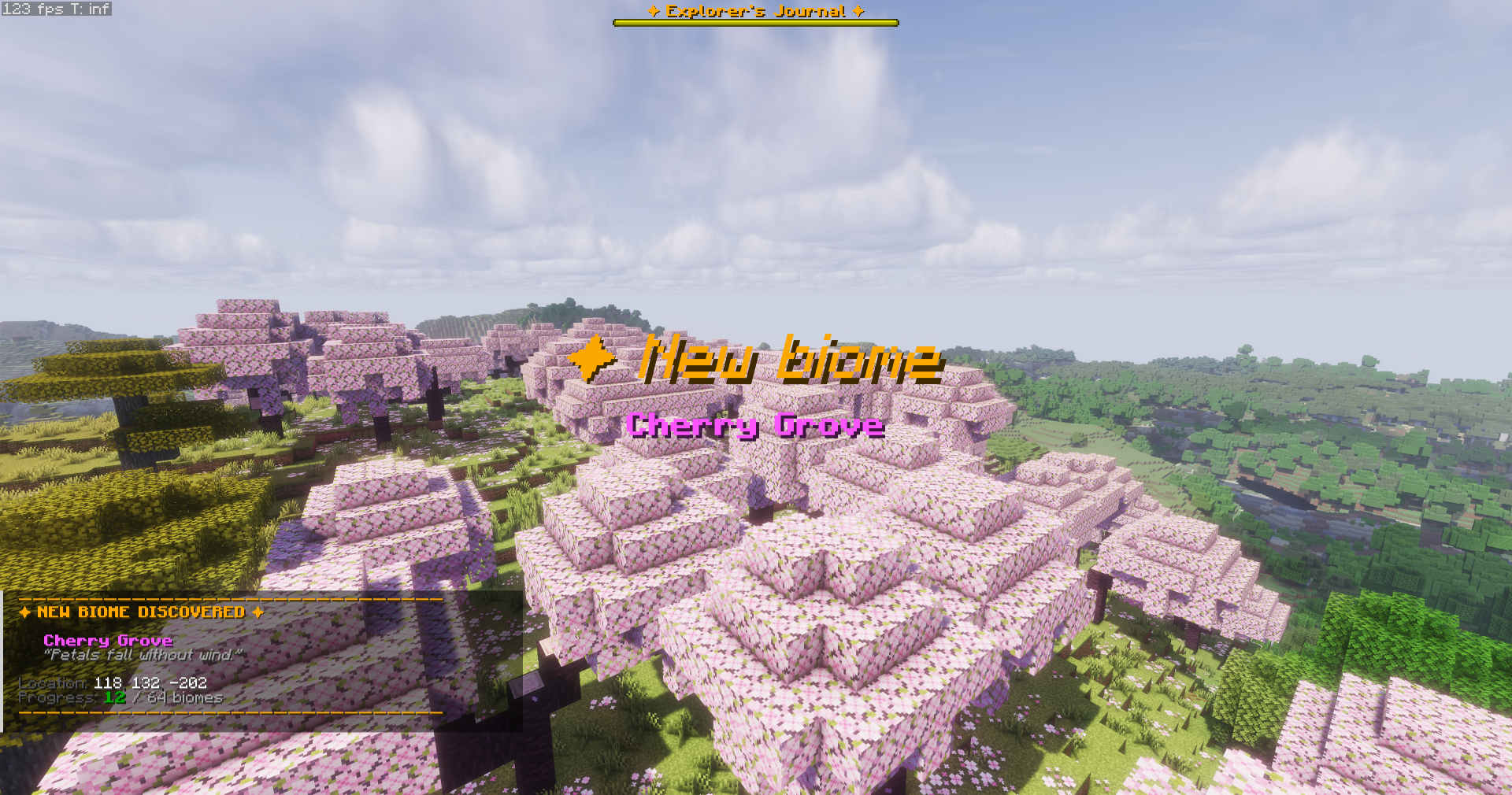
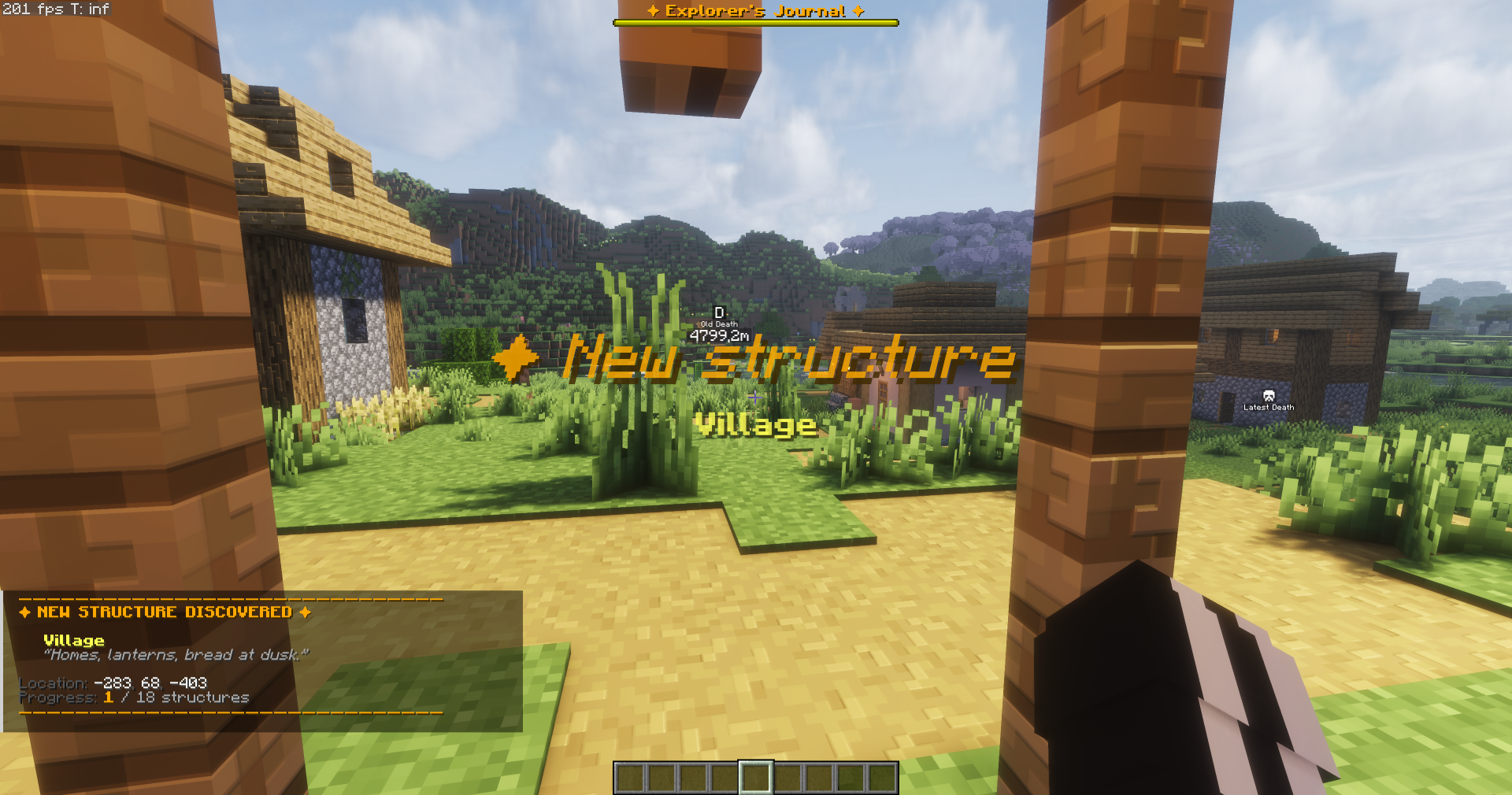
Every biome you enter. Every structure you find. The moment you discover something new, a rich notification appears in your chat with the name, lore, coordinates, and your running count
Features
- 64 vanilla biomes tracked: plains, forests, mountains, caves, deserts, jungles, oceans, the Nether, the End
- 18 vanilla structures: villages, strongholds, ancient cities, temples, fortresses, and more
- Rich discovery notifications: title + subtitle overlay, chat message with lore and coordinates, sound effects
- Decorative bossbar: shows at the top of your screen to indicate the journal is active (toggleable)
- Three survival-friendly commands (no OP needed):
/trigger ej_stats—> quick progress summary/trigger ej_recap—> full journal (all discoveries, organized by category)/trigger ej_toggle—> hide/show the bossbar
How it Works
The journal tracks your discoveries via Minecraft’s advancement system. The first time you step into a biome or structure, it automatically counts and notifies you. Your coordinates at the moment of discovery are saved and displayed
All stats are per-player. If playing multiplayer, each player has their own journal
Installation
- Download the
.zipfile - Drop it into your world’s
datapacksfolder:<world>/datapacks/ - Run
/reloadin-game (or rejoin the world)
You’ll see a welcome message and a golden bossbar appears
Compatibility
- Works on vanilla servers and singleplayer
- Works alongside worldgen mods like Terralith, Amplified Nether, Incendium, Nullscape — the vanilla biomes you pass through will still register
- No mods required
- No resource pack needed
Commands
All commands work in survival mode without OP:
/trigger ej_stats → Print current stats to chat
/trigger ej_recap → Print full journal to chat (organized by category)
/trigger ej_toggle → Show/hide the bossbar for yourself
常见问题
Explorer’s Journal 支持哪些 Minecraft 版本?
Explorer’s Journal 支持 Minecraft Java 版 1.21–1.21.11,共 12 个版本。下载时注意选择和你游戏版本一致的文件。
Explorer’s Journal 怎么安装?
新建世界时在「数据包」里把下载的 .zip 拖进去;已有的存档,把文件放进存档目录下的 datapacks 文件夹,进游戏输入 /reload 即可生效。服务器同样放在世界目录的 datapacks 里。
Zelytow 的其他作品
查看全部 →
Mining Progress
Mining Progress is a must-have utility resource pack that transforms the standard, boring destruction cracks into a clear, color-coded visual indicator

Easy Light Plus
Ever dreamed to mine get simple light blocks/slabs? Download this mod to make your wish come true

Hastewalk Enchantment (Outdated)
Ever dreamed of an enchantement that let you walk faster ? Install this mod to fulfill your wish

Haste Potion
Ever dreamed to mine faster thanks to a potion ? Download this mod to fulfill your wish
评论
登录后评论和评分