
Digital Clocks and Compasses
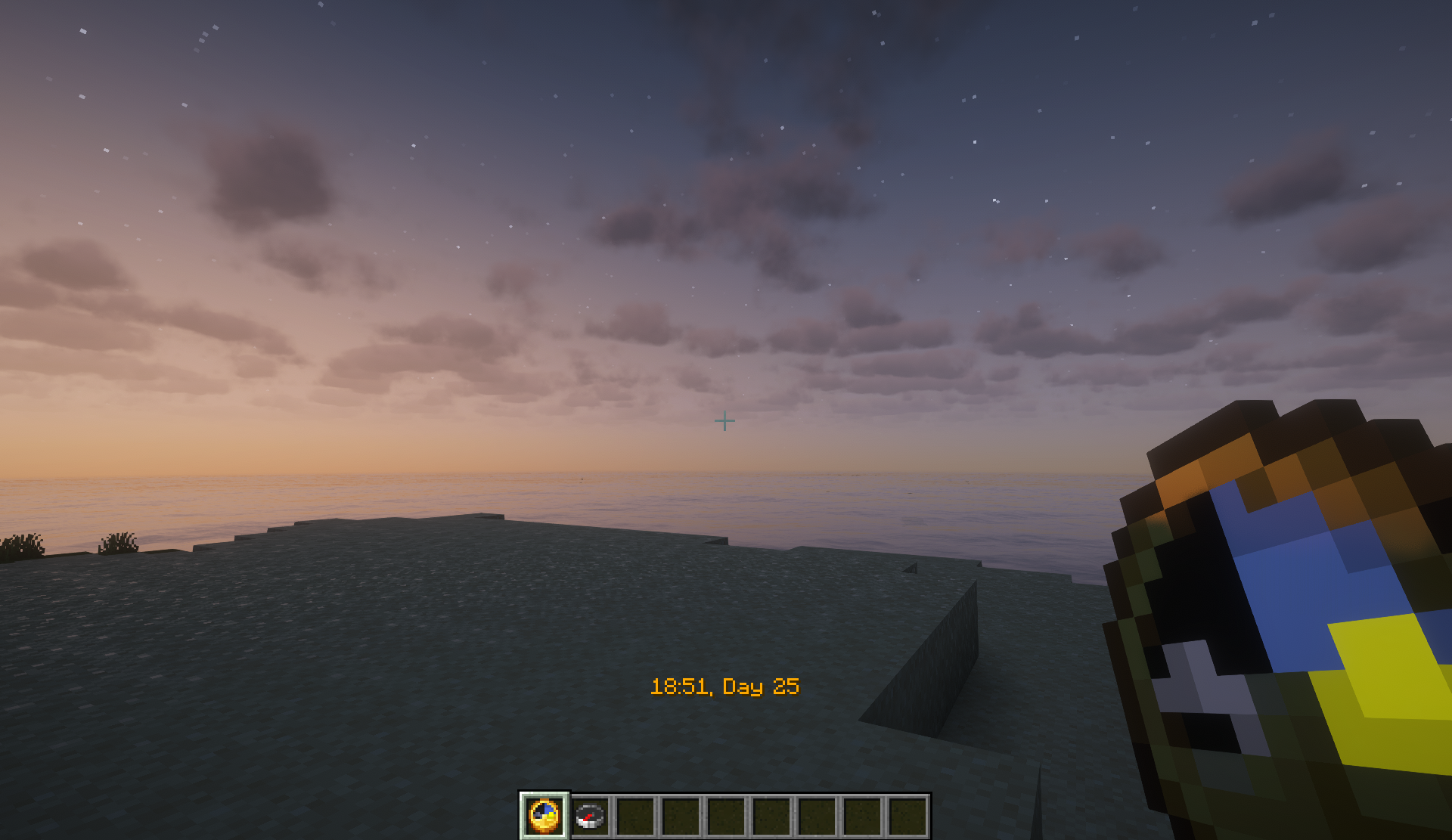
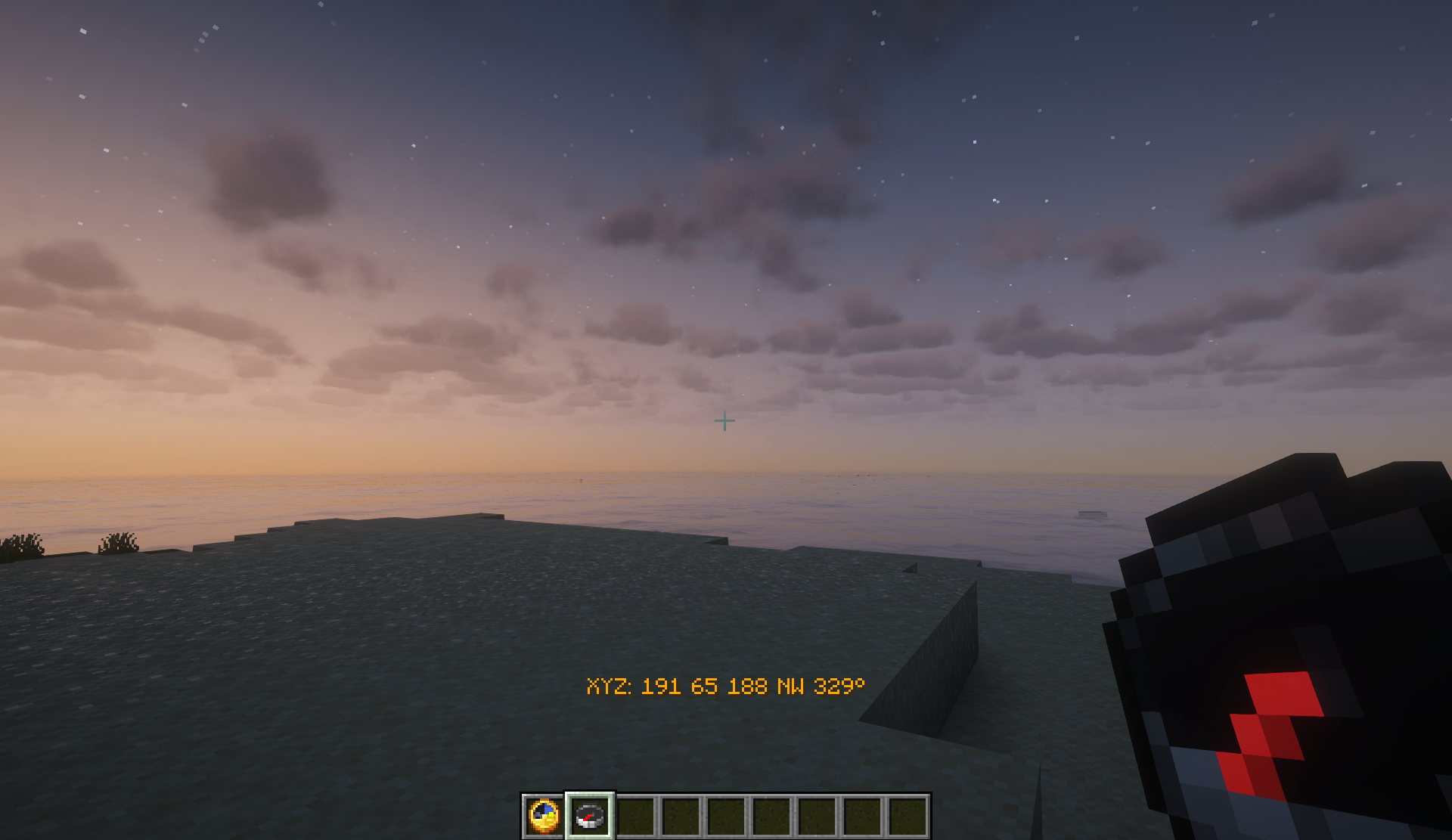
This data pack makes clocks show the exact in-game time, and compasses show the player's coordinates and compass bearing.
截图
介绍
Minecraft datapack which allows clocks to show in-game time in digital format, and compasses to show in-game coordinates and compass bearing.
If this datapack is enabled in a world, players holding a clock will see the in-game time and date in the action bar, and players holding a compass will see their coordinates and compass bearing (i.e. the direction the player is facing, expressed in degrees where 0° is north, 90° is east, 180° is south, and 270° is west). Players can hold the clock or compass either in the main hand or offhand; if a player is holding both a clock and compass, the item in the main hand takes priority.
By default, clocks show 24-hour time for every player. Players can toggle between 24-hour and 12-hour time displays using the command /trigger clockFormat, which can be used even when cheats are disabled. The date displayed by the clock changes at midnight, in line with real-world dates. Thus, between midnight and 6 AM the date on the clock is 1 day ahead of the date displayed on the debug screen.
Clocks and compasses will show action bar displays in all dimensions, providing a way for players in the Nether or End to see the time of day in the Overworld.
常见问题
Digital Clocks and Compasses 支持哪些 Minecraft 版本?
Digital Clocks and Compasses 支持 Minecraft Java 版 1.20.2–1.21.8,共 14 个版本。下载时注意选择和你游戏版本一致的文件。
Digital Clocks and Compasses 怎么安装?
新建世界时在「数据包」里把下载的 .zip 拖进去;已有的存档,把文件放进存档目录下的 datapacks 文件夹,进游戏输入 /reload 即可生效。服务器同样放在世界目录的 datapacks 里。
crosscountrycoder 的其他作品
查看全部 →
More Slabs And Stairs
Adds slab and stair variants of coal, iron, gold, diamond, lapis lazuli, emerald, netherite, calcite, quartz brick, obsidian, bedrock, end stone, concrete, and terracotta blocks.

Ender Compass
Compass that points to the nearest end portal.
评论
登录后评论和评分