
Day counter (in Russian)
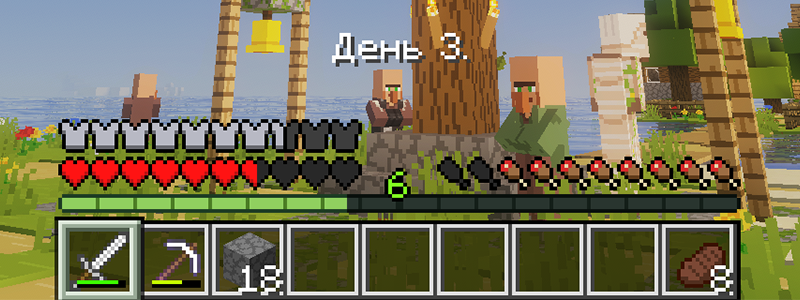
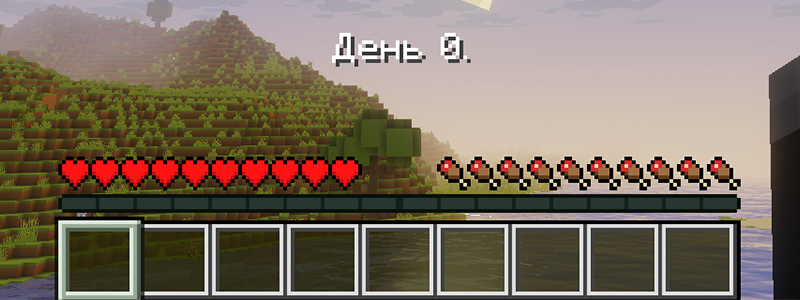
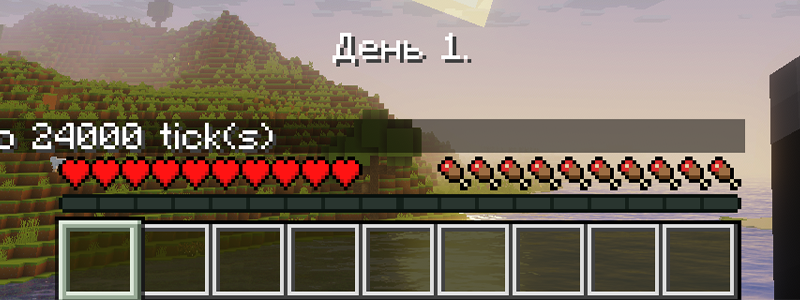
This datapack add text on top of your hotbar that will count the day realtime. Russian language version.
截图
介绍
Privet! My name is Vitaly Wilde. I have created a counter for the number of days played in Minecraft in Russian language.
Description
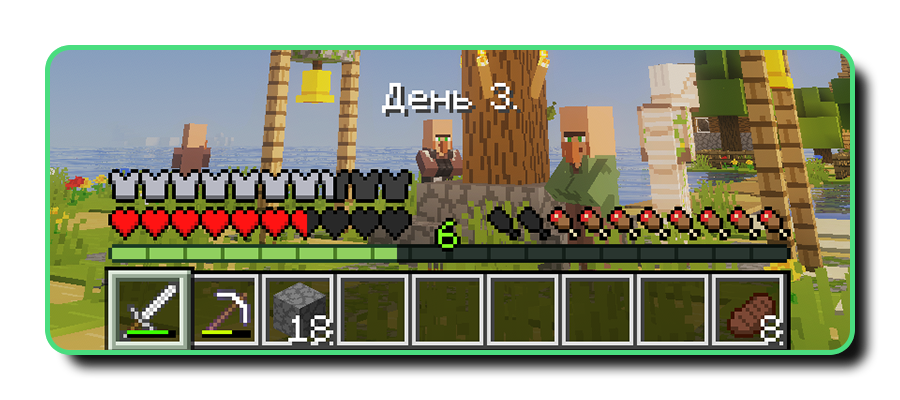
This datapack adds a bar to the top of the quick access panel that displays the number of days elapsed in real time. It consists of the word «Day» (in Russian «День») and the number of days that have passed.
Commands
The datapack works perfectly with the commands used to change the in-game time of day. You can specify the exact number of ticks or use predefined keywords to switch quickly.
As the date range only reflects whole numbers of days, you can change the number of days using the command below (replace «*» with the number of days):
/time set *dInstallation Guide
Installing in the new world
- Download the .zip file, and do not extract it;
- When creating a world, go to section «More» and click on button «Data Packs»;
- Click on button «Open Pack Folder» and move the .zip file into the folder that has opened;
- Select this data pack from the available options and press the button «Done».
Installing in the world created earlier
- Download the .zip file, and do not extract it;
- Find the folder containing the game world you want and open the «datapacks» folder within it;
- Drop the .zip file inside of that folder.
常见问题
Day counter (in Russian) 支持哪些 Minecraft 版本?
Day counter (in Russian) 支持 Minecraft Java 版 26.1–26.1.2,共 3 个版本。下载时注意选择和你游戏版本一致的文件。
Day counter (in Russian) 怎么安装?
新建世界时在「数据包」里把下载的 .zip 拖进去;已有的存档,把文件放进存档目录下的 datapacks 文件夹,进游戏输入 /reload 即可生效。服务器同样放在世界目录的 datapacks 里。
评论
登录后评论和评分