
Datapack Cold World
Makes it possible for snow to fall everywhere, in all biomes without changing their basic functions, and also freezes all the water on the surface.
截图

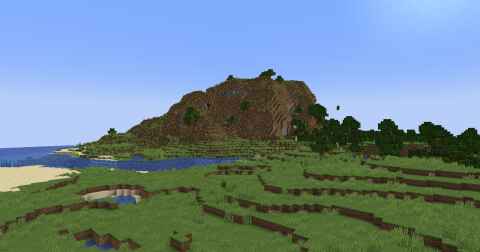
介绍
Datapack Cold World
Overview
The Datapack Cold World makes it possible for snow to fall everywhere, in all biomes, without changing their basic functions. Additionally, it freezes all the water on the surface, creating a truly cold and snowy world.
Features
- Snowfall in all biomes
- Surface water freezes
- No changes to the basic functions of biomes
Installation
- Download the datapack.
- Place the downloaded file in the
datapacksfolder of your world save. - Run the command
/reloadin your Minecraft world.
Images


Compatibility
- Minecraft version: 1.16.x – 1.21.x
Credits
- Created by Desside
License
This datapack is licensed under the MIT License.
Links
Enjoy your new cold and snowy world!
常见问题
Datapack Cold World 支持哪些 Minecraft 版本?
Datapack Cold World 支持 Minecraft Java 版 1.21–1.21.1,共 2 个版本。下载时注意选择和你游戏版本一致的文件。
Datapack Cold World 怎么安装?
新建世界时在「数据包」里把下载的 .zip 拖进去;已有的存档,把文件放进存档目录下的 datapacks 文件夹,进游戏输入 /reload 即可生效。服务器同样放在世界目录的 datapacks 里。
评论
登录后评论和评分