
Damage Indicator YS
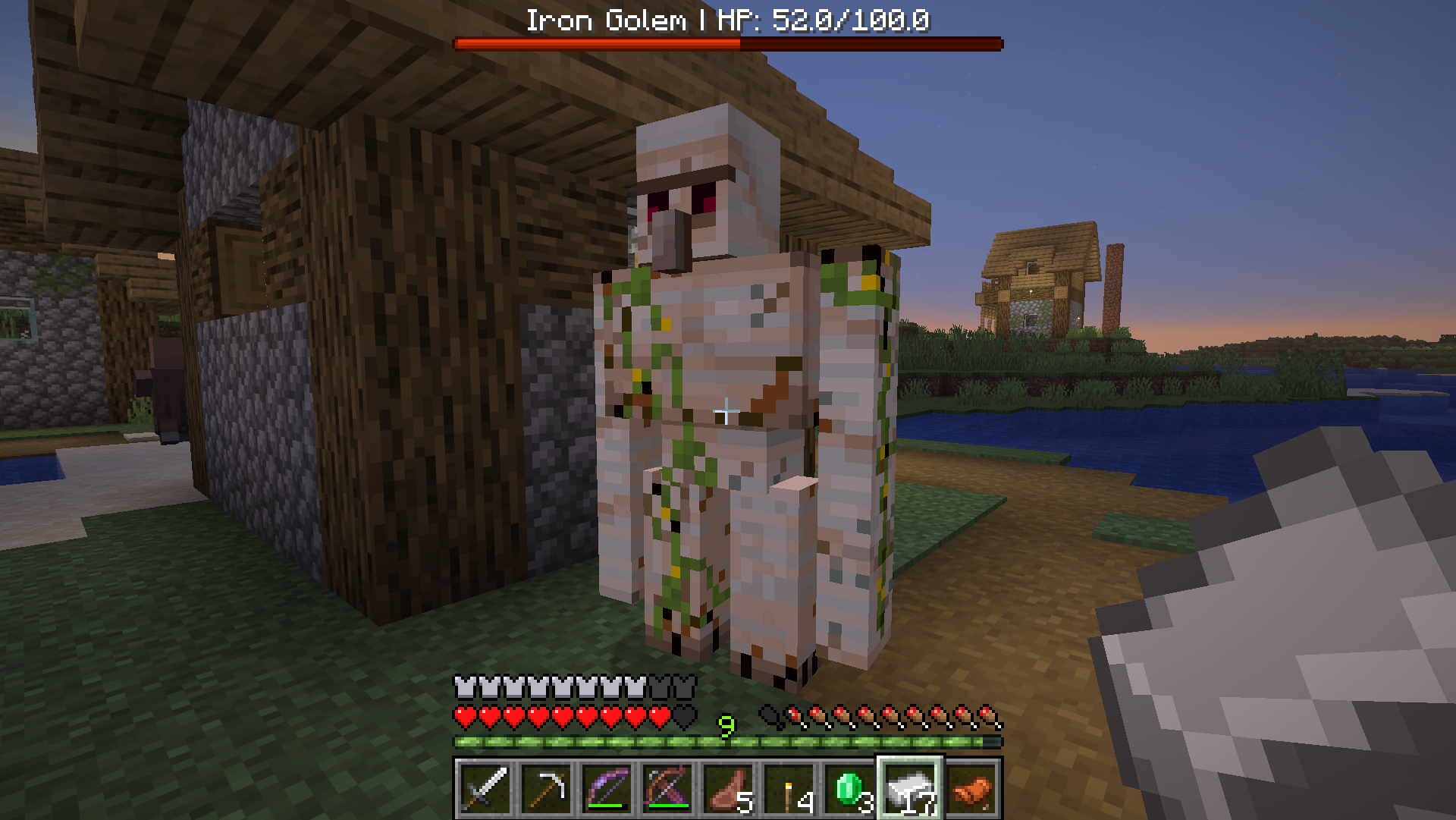
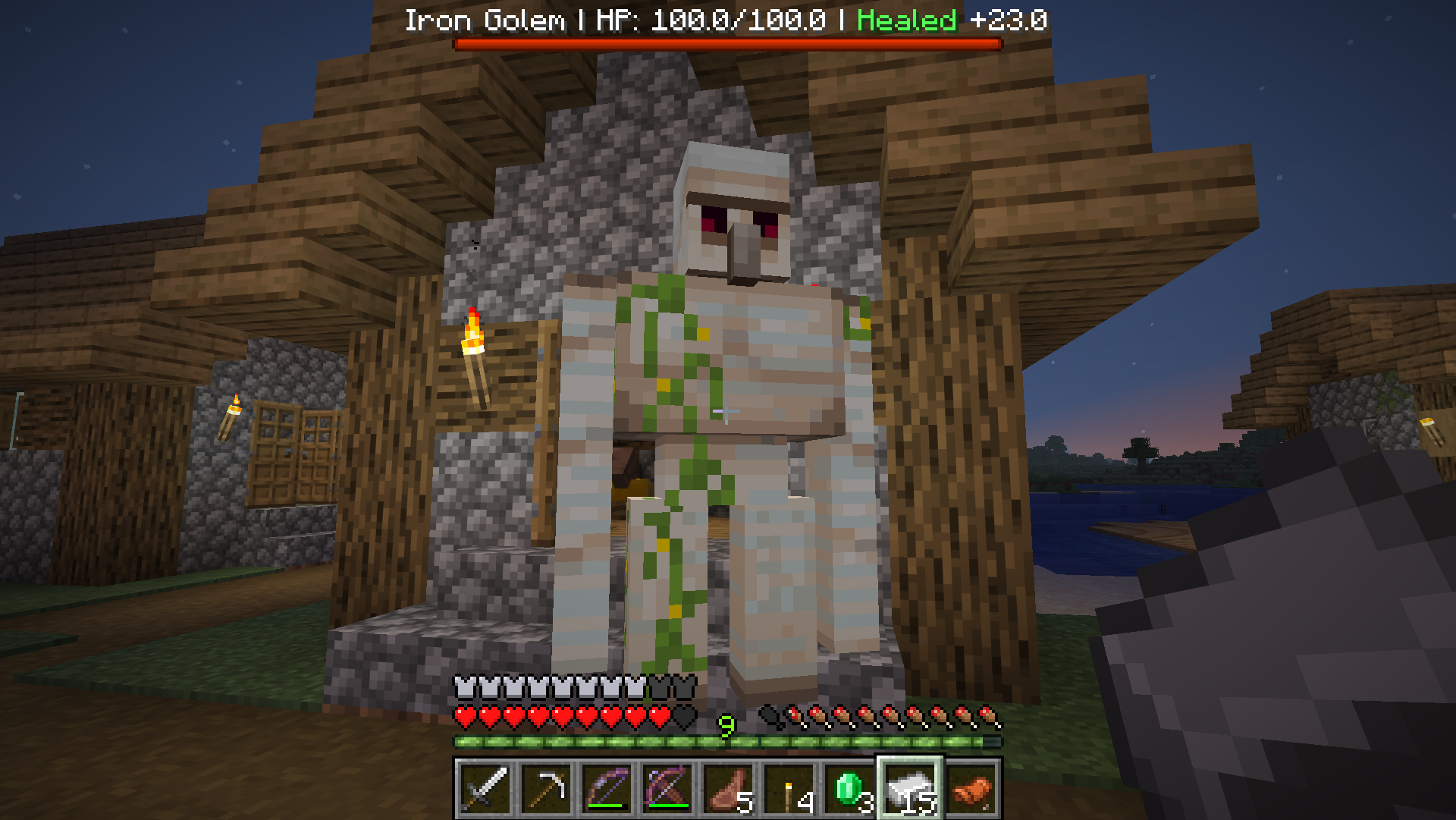
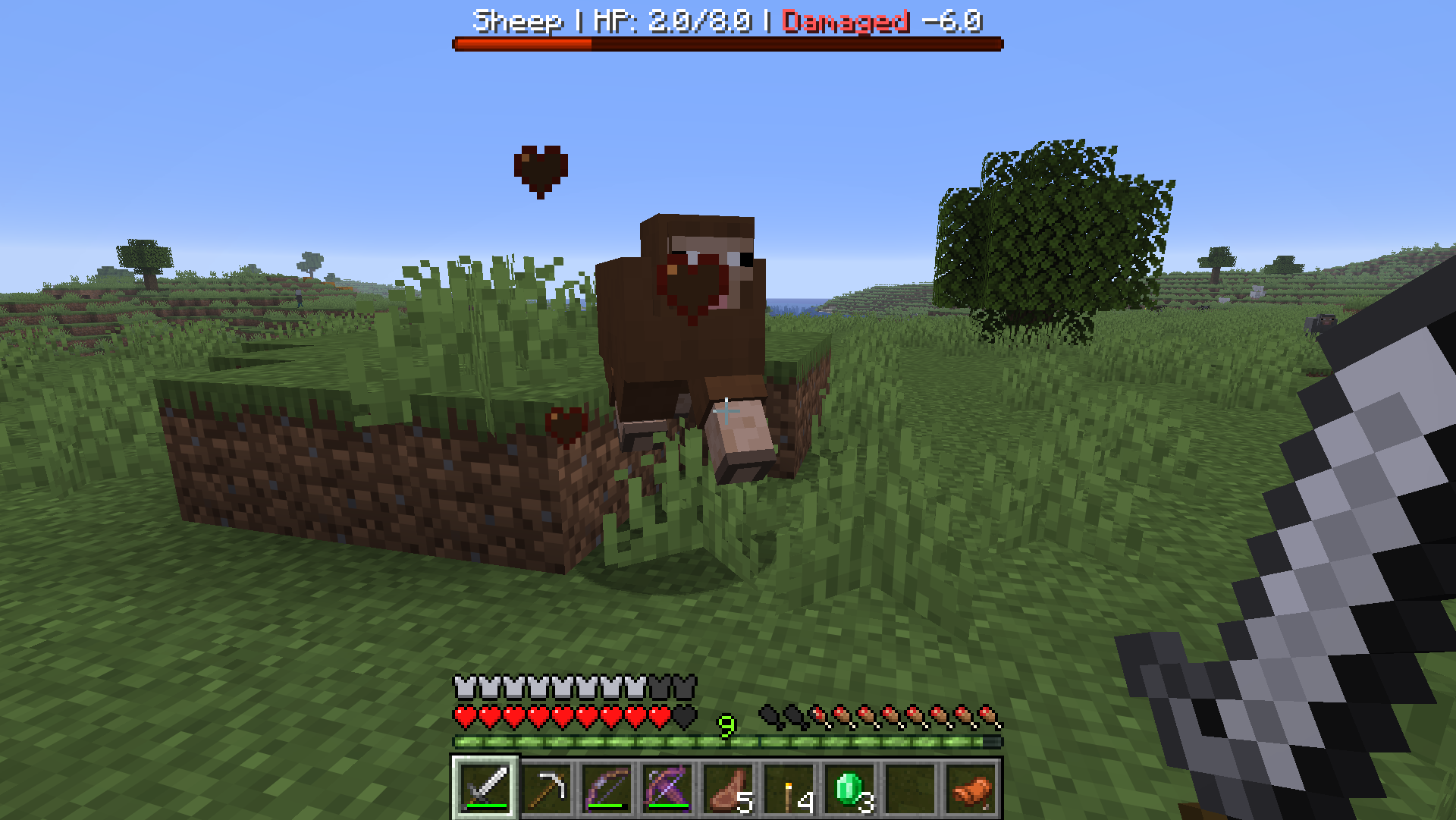
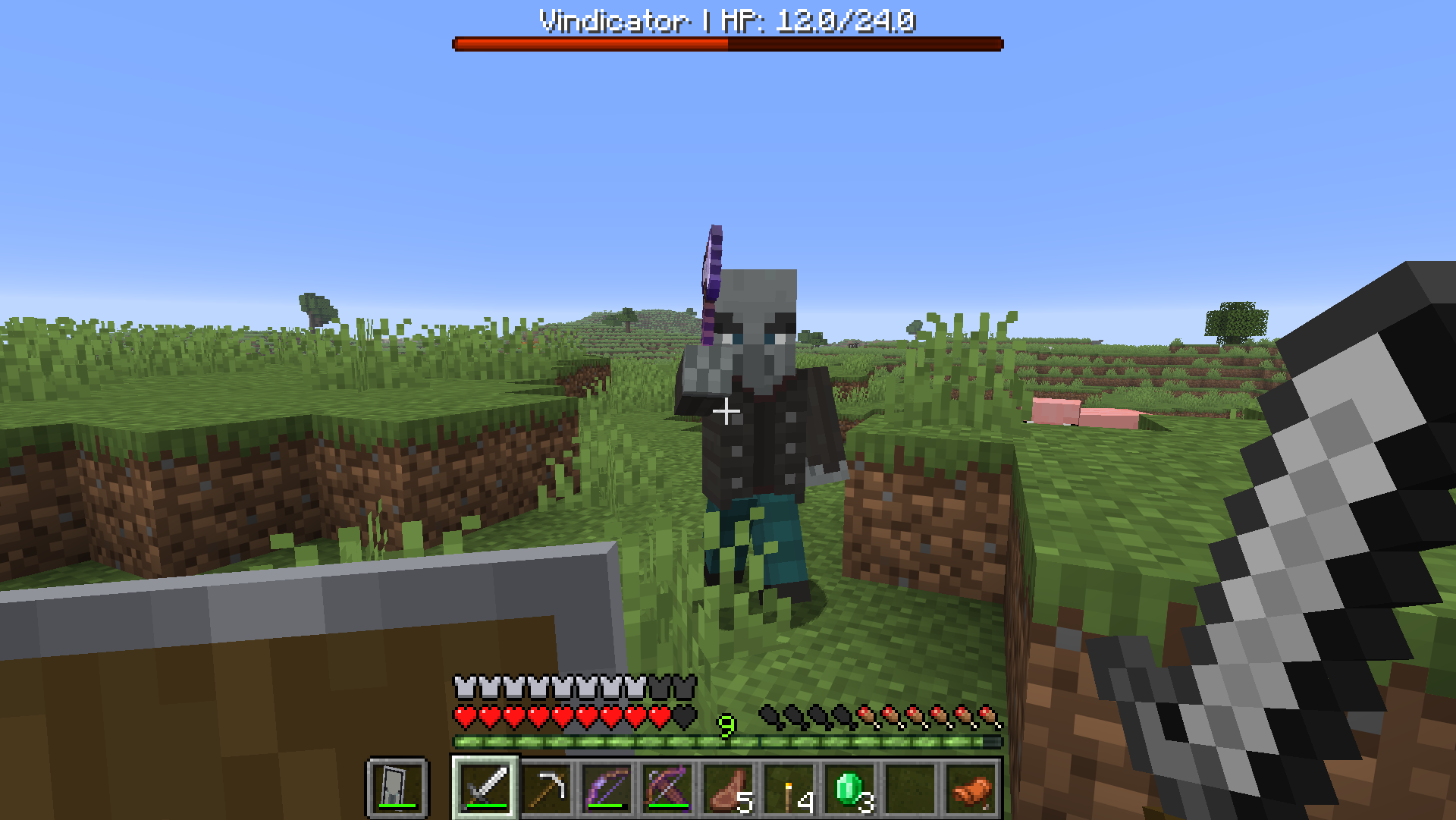
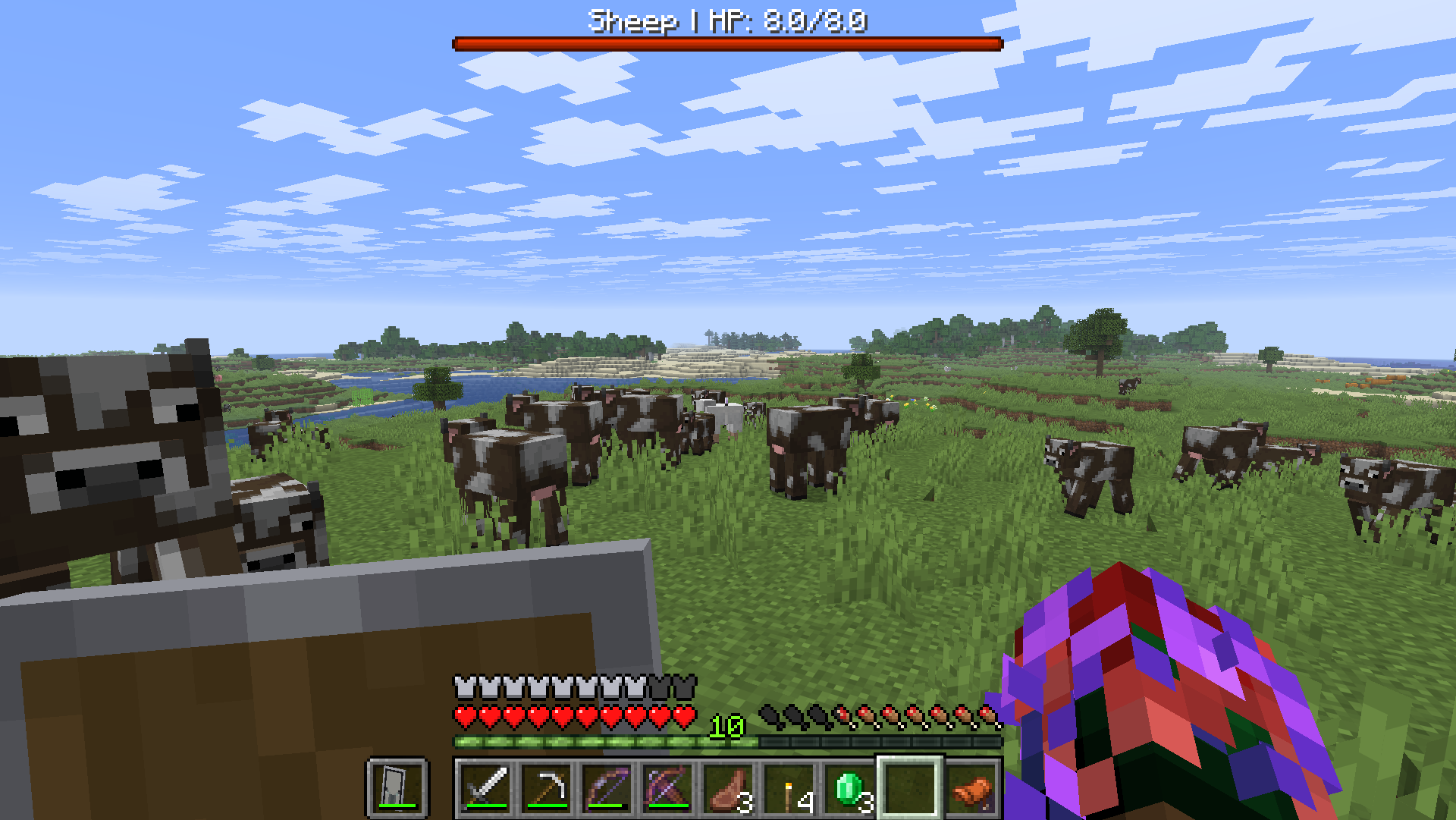
Adds a clean red bossbar health display for the entity you’re looking at, with readable damage, healing, and health feedback.
截图
介绍
Damage Indicator YS
Focus Mode Design
Damage Indicator YS is designed as a low-clutter alternative to floating health text datapacks.
Instead of showing health above every nearby entity, it only displays information for the entity you are actively looking at. This keeps the screen cleaner while still giving useful combat feedback.
Features
- Clean red bossbar health indicator
- Shows the entity name and HP
- Displays recent damage as
Damaged -X - Displays recent healing as
Healed +X - Briefly shows 0 HP when a tracked entity dies
- Multiplayer-friendly per-player bossbar system
- Optional player targeting, disabled by default
- No resource pack required
Commands
Use these commands after installing or reloading the datapack:
/function dmi:systems/info
/function dmi:systems/install
/function dmi:systems/refresh
/function dmi:systems/repair
/function dmi:systems/uninstall
Roadmap
Version 1.0 focuses on the clean bossbar-based display.
Future updates may expand the datapack with more optional display modes, better configuration controls, combat memory tracking, and additional server-friendly customization.
Support
If you enjoy the datapack and want to support future Minecraft projects from ManaMage and Yazsras Studios, donation links are available on the project page.
常见问题
Damage Indicator YS 支持哪些 Minecraft 版本?
Damage Indicator YS 支持 Minecraft Java 版 26.1–26.1.2,共 3 个版本,可用的加载器:Fabric / Forge / NeoForge / Quilt。下载时注意选择和你游戏版本一致的文件。
Damage Indicator YS 怎么安装?
新建世界时在「数据包」里把下载的 .zip 拖进去;已有的存档,把文件放进存档目录下的 datapacks 文件夹,进游戏输入 /reload 即可生效。服务器同样放在世界目录的 datapacks 里。
Yazsras_Studios 的其他作品
查看全部 →
Colorful Axolotl Buckets YS
A lightweight datapack and resource pack that makes axolotl buckets visually match the axolotl inside.

EasyEnchant YS
A developer utility datapack that lets you apply any enchantment at any level to your held item for fast Minecraft testing.
评论
登录后评论和评分