
CustomMagnets
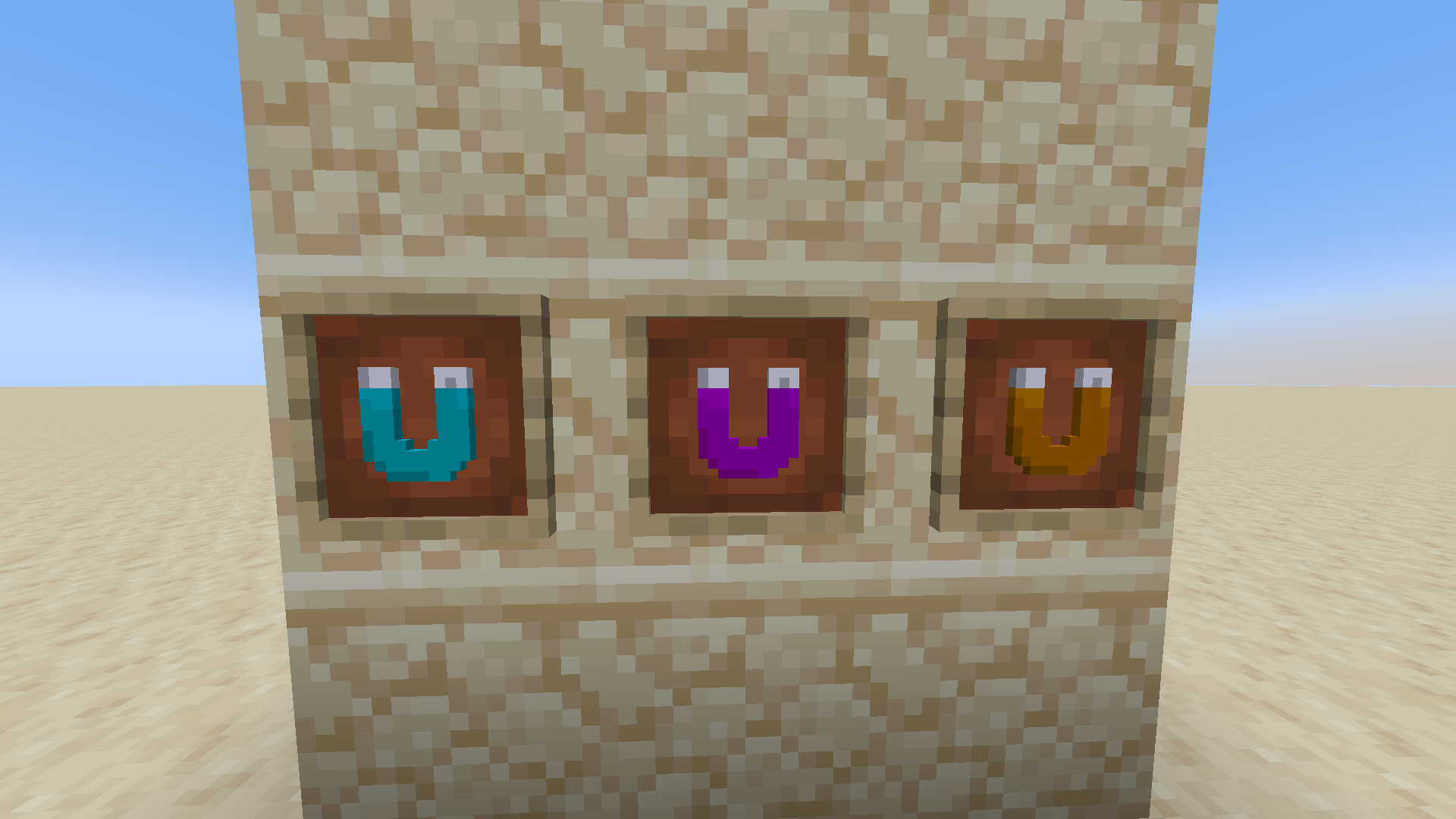
A datapack/packaged mod that adds magnets that can be found in the end city loot chests.
截图

介绍
# Will not be updating this project unless I change my mind.
# CustomMagnets
### By: FerranV
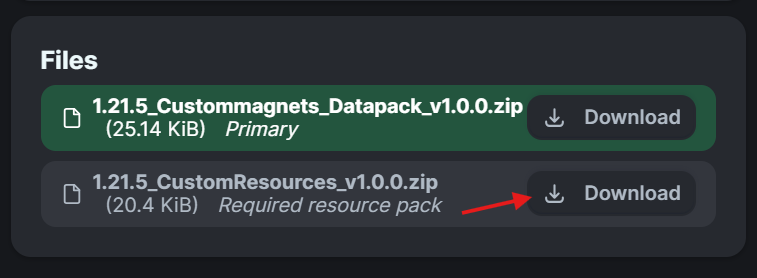
Important Notice!!: When downloading the datapack also download the embedded resourcepack!
- Step 1: Go to
versionsand click on the desired version. - Step 2: Scroll down to
filesand download BOTH the datapack and resourcepack. (Installation guide below if needed)
Description:
This is a datapack (+resourcepack) that adds custom magnet items to the end city loot pools.
- Obtaining the magnets:
- You find the magnets in the chests that can be found in the end cities.
- If you are an OP you can also obtain the magnets by typing
/function custommagnets:get_magnetin chat.
- Usage:
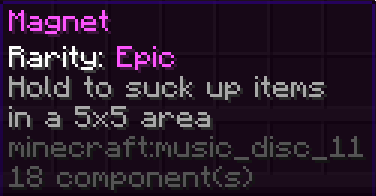
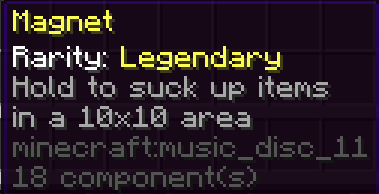
- Hold the magnet (either mainhand or offhand) to suck up items in a specific radius depending on it’s rarity. Common: 3×3, Epic: 5×5, Legendary: 10×10
- Shift+right_click whilst holding the magnet to toggle the magnet from sucking up items.
- The magnets ARE compatible with the mending and unbreaking enchantments. (The magnets do also all have durability. Common: 3000, Epic: 7000, Legendary: 10000)
Bug report:
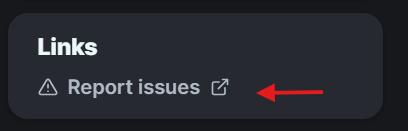
- Experiencing any issues or have ideas for enhancements? Please let me know at the
Report issuespage.
Changelog:
- 1.21.7_v1.0.0: Added support for the 1.21.7 version of Minecraft.
- 1.21.6_v1.0.0: Added support for the 1.21.6 version of Minecraft.
- v1.0.0+mod: now packaged as a mod for easier installation on modded instances.
- v1.0.0: Initial Push
Installation guide:
Modded instance:
- If you’re playing on a modded instance you can download the +mod version and drop it in your mods folder and you’re done :D. Note: this will enable the datapack on every world that you play on. Just like any other mods would. So if you want it to only affect specific worlds you should follow the steps below.
Datapack:
- Adding to a new world:
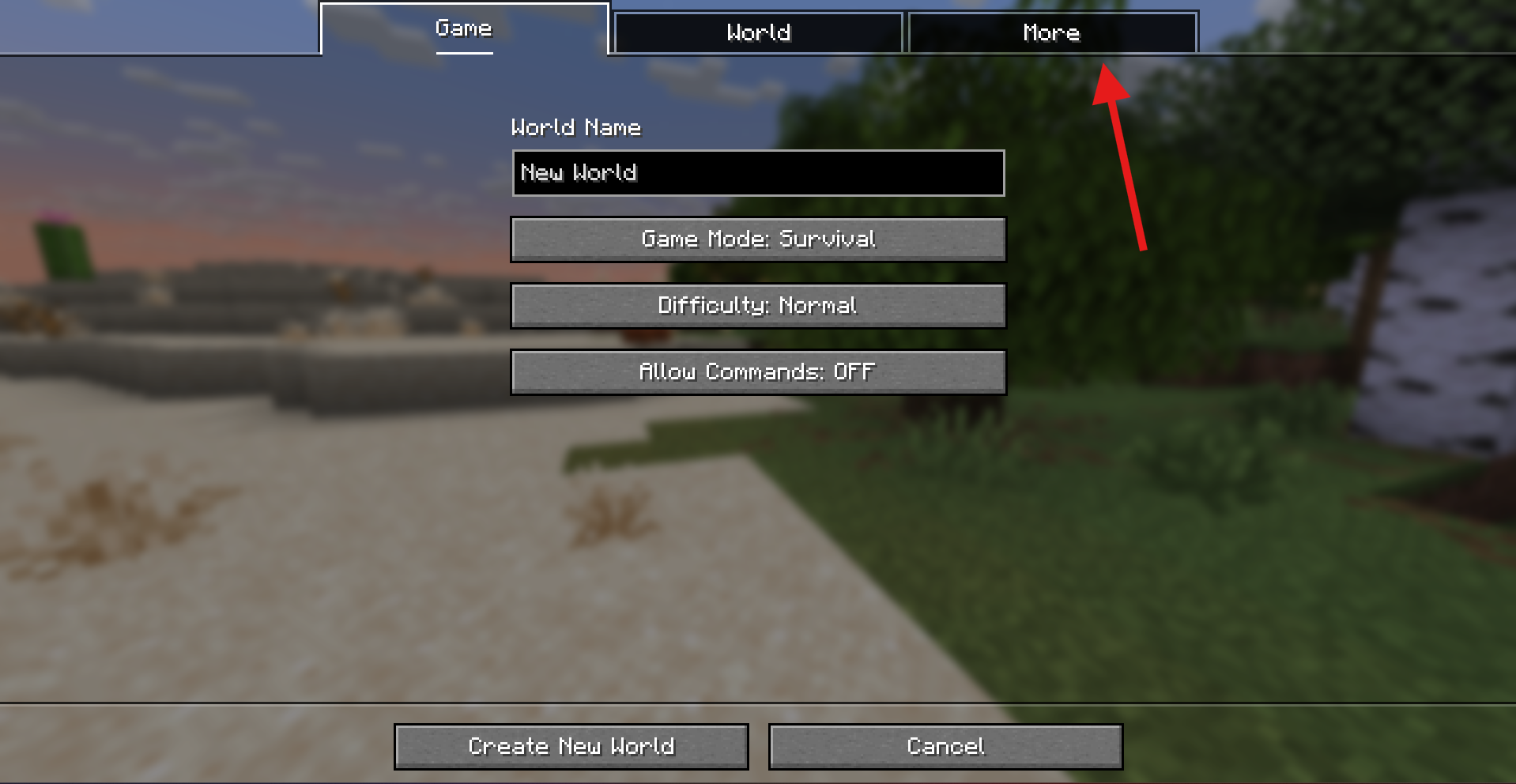
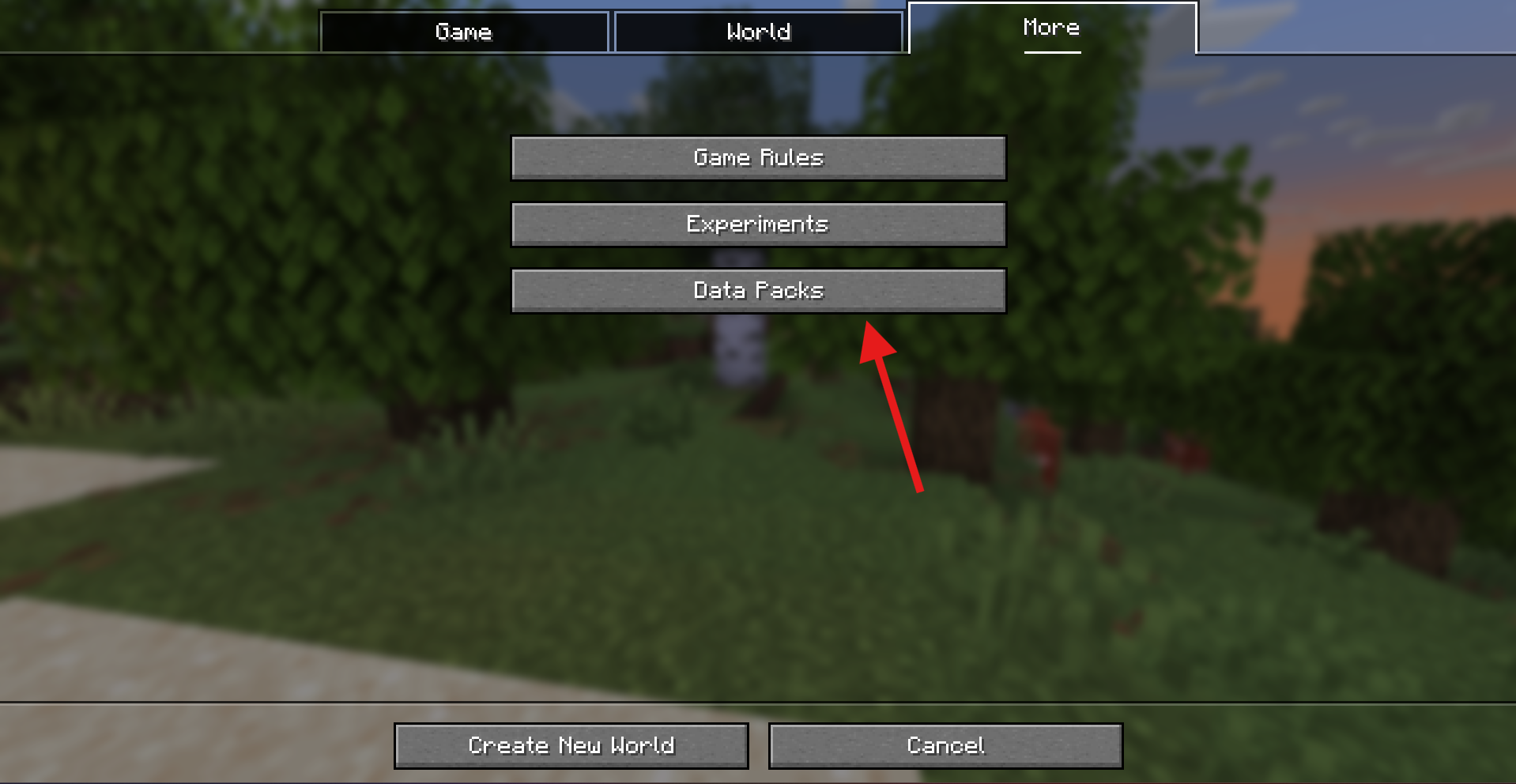
- Step 1: Press
Create New Worldand thenMore
- Step 2: Press
Data Packs
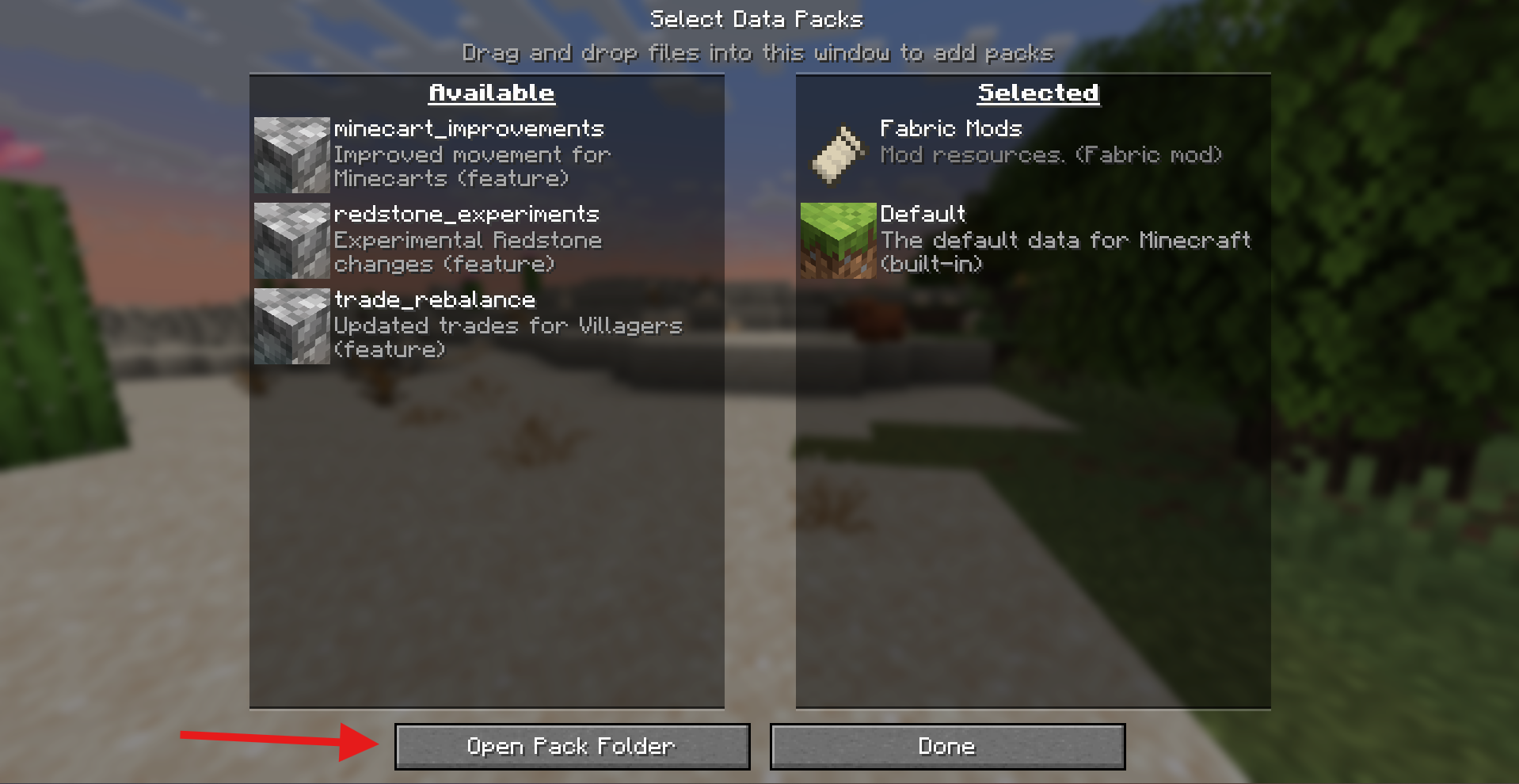
- Step 3: Press
Open Pack Folderand drop your download.zipfile in the opened folder. (Make sure you select the datapack and not the resourcepack or else it will not work).
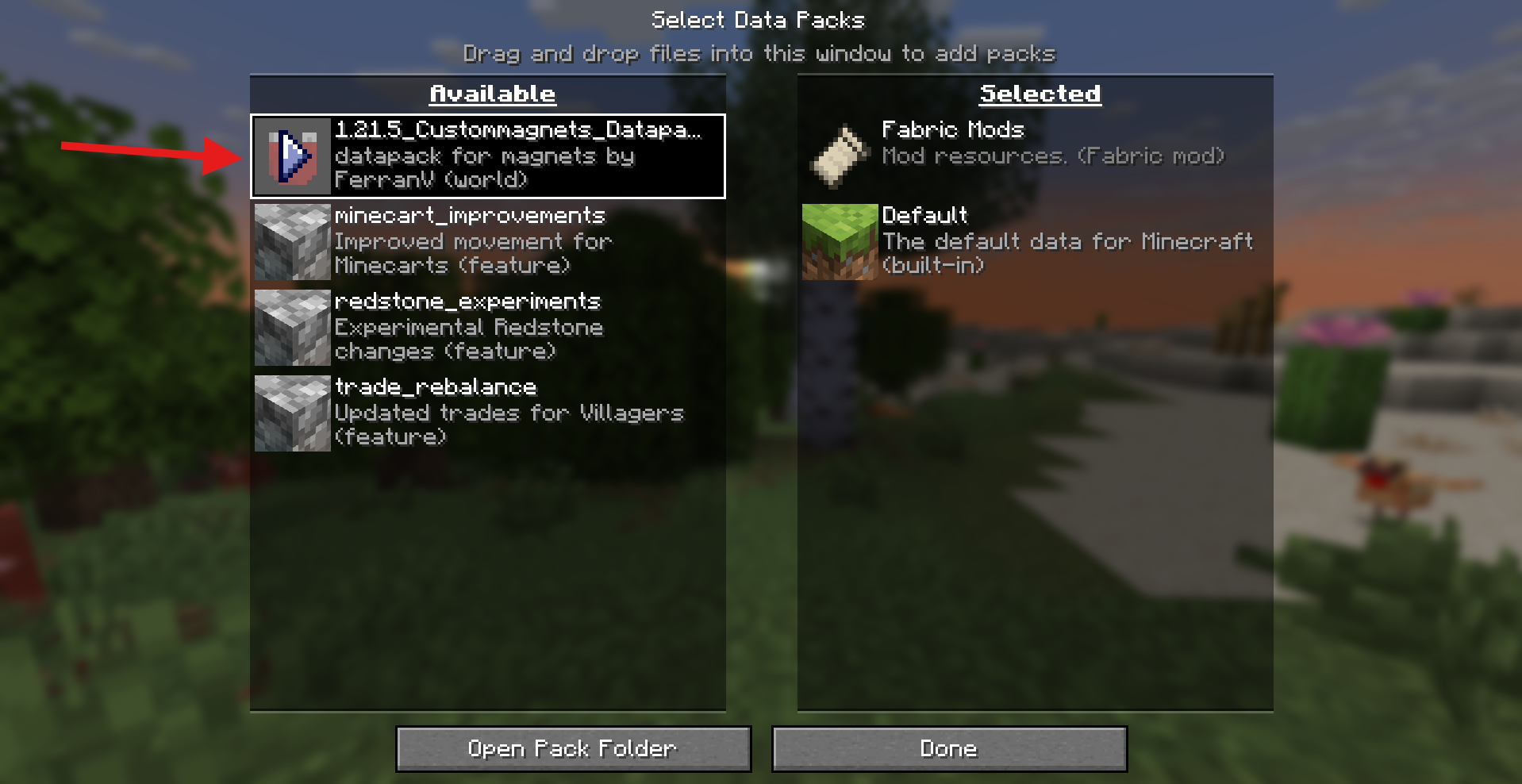
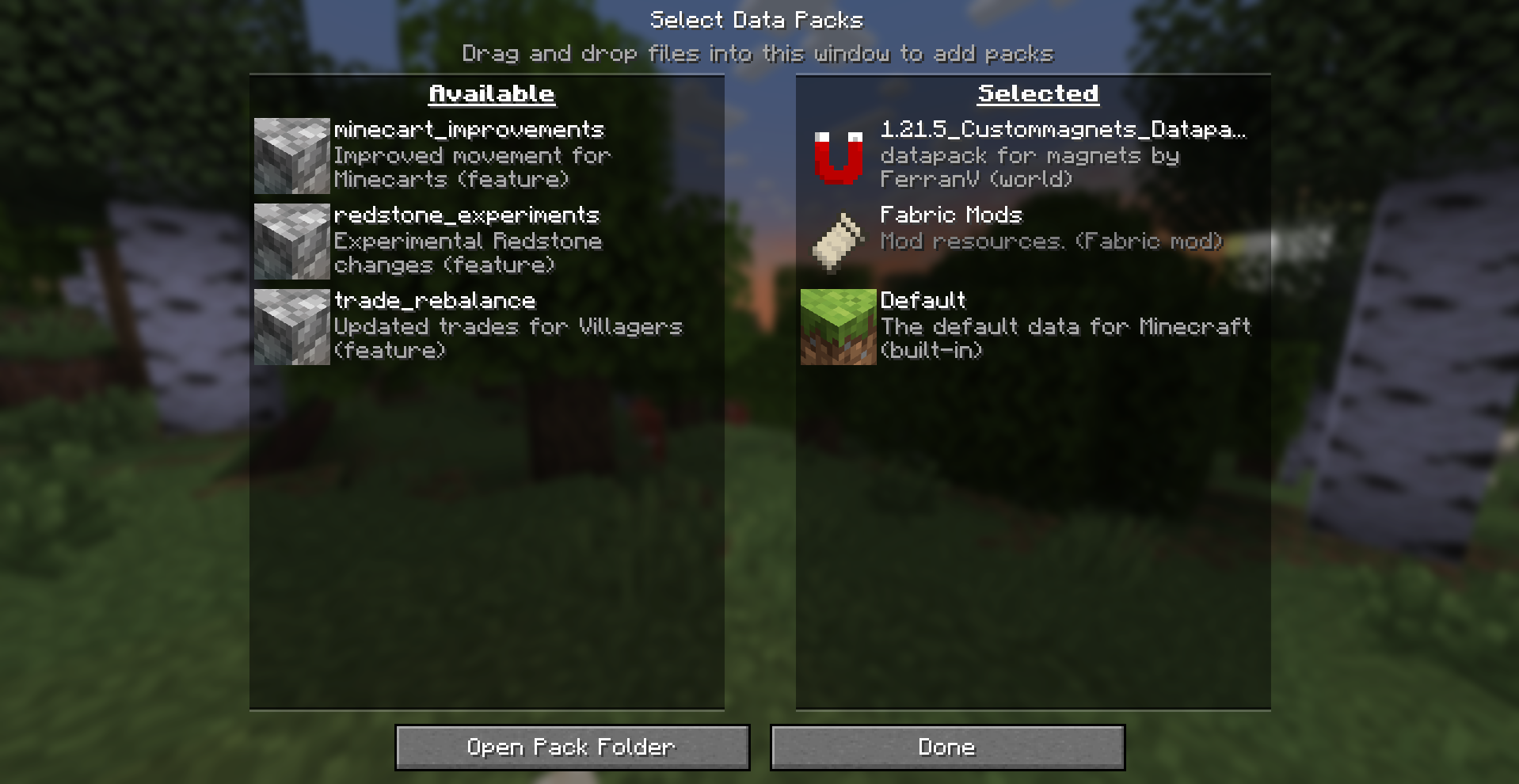
- Step 4: Click the arrow next to the now appeared file and you should see it go from
AvailabletoSelected. - Before:
- After:
- Step 5: Press
Doneand after changing your world options to your liking pressCreate New Worldand you should be all set up!
- Adding to an already existing world:
- Step 1: Locate your
savesfolder. - Step 2: Open folder of the world you want the datapack to be in.
- Step 3: Locate the
datapacksfolder within that world folder. - Step 4: Drop the
.zipfile into thedatapacksfolder. (Make sure you drop the datapack file and not the resourcepack or else it will not work)
Resourcepack:
- Step 1: Locate your Minecraft folder.
- Step 2: Locate the
resourcepacksfolder - Step 3: Drop the
.zipfile into theresourcepacksfolder (make sure this is the resourcepack file and not the datapack or else it will not work).
常见问题
CustomMagnets 支持哪些 Minecraft 版本?
CustomMagnets 支持 Minecraft Java 版 1.21.5–1.21.8,共 4 个版本,可用的加载器:Fabric / Forge / NeoForge / Quilt。下载时注意选择和你游戏版本一致的文件。
CustomMagnets 怎么安装?
新建世界时在「数据包」里把下载的 .zip 拖进去;已有的存档,把文件放进存档目录下的 datapacks 文件夹,进游戏输入 /reload 即可生效。服务器同样放在世界目录的 datapacks 里。
FerranV 的其他作品
查看全部 →
ItemFramer
[Datapack/mod] that allows you to make an itemframe invisible and lock itemframes
Shear Leaf Litter
Leaf litter now only drops when using shears or silktouch

Menu Keyart
This resourcepack replaces the main menu panorama with a high quality version of the corresponding keyart for that version!

ThaSMP
Just the two of us — keeping it feeling vanilla, with QoL/performance mods layered on top (Sodium, Lithium, C2ME, VMP), plus building/creative tools (Axiom, Litematica, Flashback), navigation (Xaero, Distant Horizons), and social extras (Essential, Chat He
评论
登录后评论和评分