[COUPLE] Flower
Add a touch of love (and a bit of nature) to your Minecraft server! [COUPLE] Flower is a multiplayer vanilla datapack that allows players to express their affection by giving flowers in real-time.
截图


介绍
[COUPLE] Flower – made by Spacy131
Add a touch of love (and a bit of nature) to your Minecraft server!
[COUPLE] Flower is a multiplayer vanilla datapack that allows players to express their affection by giving flowers in real-time.

✨ Features
-
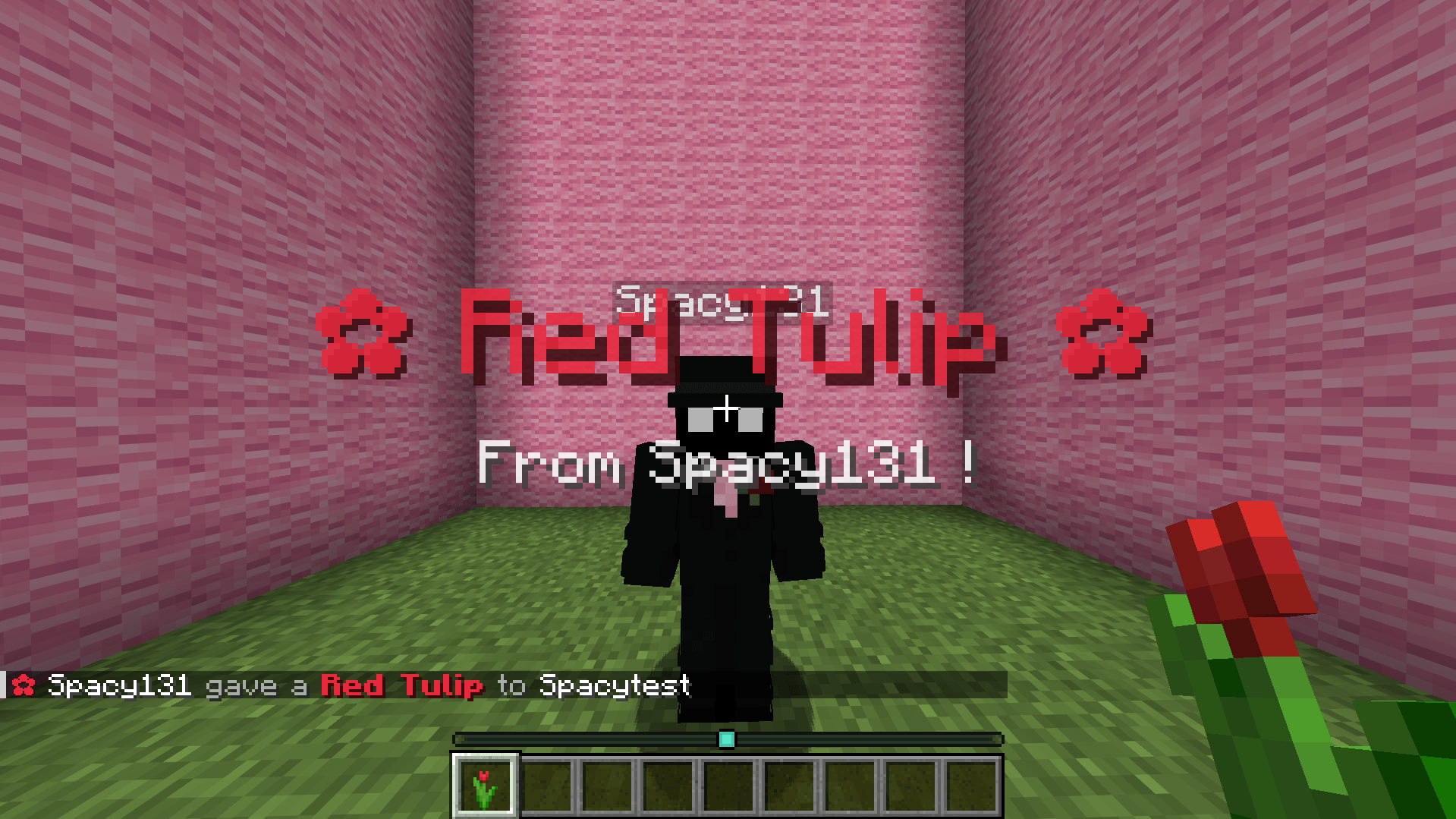
💐Flower Gifting: Simply hold a flower and sneak close to another player (within 2 blocks) to offer it to them. No commands needed!

-
🎬 Sound & Visual Effects: Trigger cherry leaves particle effects, chime sounds, and beautiful personalized moments when gifting flowers.

-
⏱️ Smart Cooldown & Mechanics: Features a built-in 5-minute cooldown timer displayed via an interactive action bar progress bar!
Easily configurable directly inside
load.mcfunction.

Inventory full?
- 🎒 Inventory Check: Prevents flower gifting if the recipient’s inventory is full. Sends a personalized warning to the giver and an error message to the recipient, both displayed in the action bar.


⚠️ IMPORTANT WARNING
If a player’s username contains more than 10 characters, some on-screen title or subtitle displays (such as the Flower announcements) may slightly overlap or exceed the screen boundaries depending on the user’s GUI scale settings.
This is a visual limitation due to Minecraft’s title rendering engine and does not affect the performance or mechanics of the datapack.
If you encounter any bugs, have questions, or want to suggest cool ideas for updates/improvements, feel free to add me on Discord: 5pxcy!
常见问题
[COUPLE] Flower 支持哪些 Minecraft 版本?
[COUPLE] Flower 支持 Minecraft Java 版 1.21–26.3,共 17 个版本。下载时注意选择和你游戏版本一致的文件。
[COUPLE] Flower 怎么安装?
新建世界时在「数据包」里把下载的 .zip 拖进去;已有的存档,把文件放进存档目录下的 datapacks 文件夹,进游戏输入 /reload 即可生效。服务器同样放在世界目录的 datapacks 里。
评论
登录后评论和评分