
Corebound System
Logic for Corebound modules. detects minecraft version and applies version specific code
介绍
CoreBound System
CoreBound System is the core dependency datapack used by all CoreBound modules.
Its primary purpose is to provide a common framework for:
- Minecraft version detection
- First-join player initialization
- Shared storage values
- Global setup routines
- Datapack compatibility management
- Common uninstall procedures
By centralizing these systems, individual CoreBound modules can remain lightweight and only need to contain gameplay-specific logic.
Features
Automatic Version Detection
CoreBound detects the world’s Minecraft DataVersion during setup and stores it in a scoreboard.
This allows dependent datapacks to automatically load the correct functions for:
- Minecraft 1.21 to 1.21.11
- Minecraft 26.1 to 26.1.2
Unsupported versions are automatically reported to server operators.
First Join Detection
CoreBound continuously checks for players who have not yet been initialized.
When a new player joins:
- The player receives the
corebound.inittag. - A setup notification is displayed.
- CoreBound executes the module bootstrap sequence.
- Dependent datapacks can perform their own player setup routines.
This allows every module to reliably configure new players without duplicating join-detection logic.
Shared Storage
CoreBound exposes storage values that other datapacks can check to verify that the core system is installed and running.
Example:
data get storage corebound:core loadedThis allows dependent datapacks to safely detect CoreBound before executing version-specific logic.
Version Routing
Instead of every datapack maintaining its own version checks, CoreBound acts as a central dispatcher.
Example:
execute if score #ver mc_ver matches 4671 run function corebound:v1_21_11Dependent modules can provide version-specific functions and allow CoreBound to route execution automatically.
Installation
Place the datapack inside your world’s datapacks folder:
world/datapacks/coreboundReload the datapacks:
/reloadCoreBound will automatically:
- Create required scoreboards
- Detect Minecraft version
- Register storage values
- Run module initialization
Uninstallation
CoreBound includes a cleanup routine that removes:
- Scoreboards
- Tags
- Storage entries
Run:
/function corebound:uninstallbefore removing the datapack from the world.
Repository
GitHub:
github.com/andrewbaylissphotography/MC-1.21.9
Releases
Official releases are published through GitHub Releases.
Each release includes automatically generated release notes showing:
- Added features
- Version support changes
- Bug fixes
- Module updates
Please use the latest release whenever possible.
Development Notes
Some ideas and programming assistance were generated with the help of AI tools (ChatGPT) for brainstorming, documentation, and function logic.
All code was manually reviewed, tested, integrated, and maintained by the project author.
Useful Resources
常见问题
Corebound System 支持哪些 Minecraft 版本?
Corebound System 支持 Minecraft Java 版 1.21–26.1.2,共 15 个版本。下载时注意选择和你游戏版本一致的文件。
Corebound System 怎么安装?
新建世界时在「数据包」里把下载的 .zip 拖进去;已有的存档,把文件放进存档目录下的 datapacks 文件夹,进游戏输入 /reload 即可生效。服务器同样放在世界目录的 datapacks 里。
Cababs 的其他作品
查看全部 →
Corebound Spectator Nightvision
grants players in spectator mode night vision.
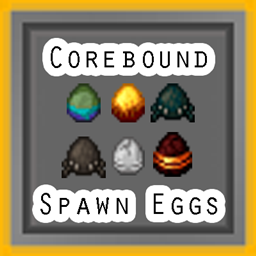
Corebound Spawn Eggs
get mob spawn eggs on a 0.5% chance or kill 200 of that mob

Corebound Magnet
Pick up items and experience in a range a around the player
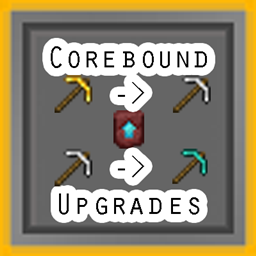
Corebound Upgrades
Tools and Armor can now be upgraded to the next material tier (gold -> iron -> diamond) whilst keeping enchantments
评论
登录后评论和评分