
截图
介绍
中文介绍正在准备中,下面暂时显示原文。
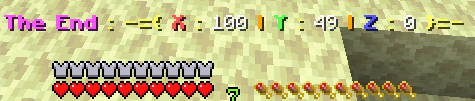
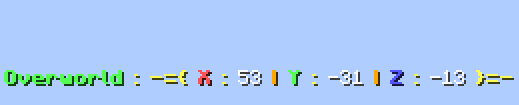
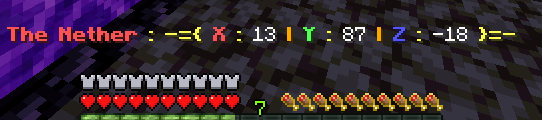
[Coordinate in Bar]
- Your exact coordinates appear in the action bar.
- It is deactivated when you shift.
- It clearly shows which dimension you are in.
<img src="https://i.imgur.com/6DVHtNL.png" alt="” loading=”lazy”>
常见问题
Coordinate in Bar 支持哪些 Minecraft 版本?
Coordinate in Bar 支持 Minecraft Java 版 1.21.6,可用的加载器:Fabric / Forge / NeoForge / Quilt。下载时注意选择和你游戏版本一致的文件。
Coordinate in Bar 怎么安装?
新建世界时在「数据包」里把下载的 .zip 拖进去;已有的存档,把文件放进存档目录下的 datapacks 文件夹,进游戏输入 /reload 即可生效。服务器同样放在世界目录的 datapacks 里。
Mitsaori 的其他作品
查看全部 →
Backpacks!
by Eclipse Studios
可染色、可升级的原版风格背包!
127.2万
4 个月前
Modrinth

Fancy Armor Stand Texture pack
by Mitsaori
替换盔甲架模型的材质包。
29.5万
1 年前
Modrinth

Better Pale Garden
by Mitsaori
A better generation of trees for the pale garden enjoy !!!!
1,732
1 年前
Modrinth

Annoying Pillagers
by Mitsaori
Find those pillagers hiding in your base
743
1 年前
Modrinth
评论
登录后评论和评分