
截图

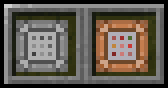

介绍
中文介绍正在准备中,下面暂时显示原文。
This datapack allows you to execute any command of your liking just by right clicking an item!
Using the “Command Shortcut” item
- Grant yourself the item: Run
/function shortcut:givein chat - Right click the item
- Enter a command of your liking (make sure to not include a
/at the start of the command) - Press “Done” (Under no circumstance press “Sign” :3)
- Right click to run the command!
Disclaimers
- This datapack only works in the Snapshot 23w31 (and above once new versions get released)
- Command Shortcuts can currently only store one command, although this might change in future versions of the pack
Need a minecraft server?
Click the below image and use my promo code “Flynecraft” to get 25% off of minecraft servers hosted by Bisect Hosting!

常见问题
Command Shortcuts 支持哪些 Minecraft 版本?
Command Shortcuts 支持 Minecraft Java 版 1.20.2–1.20.4,共 3 个版本。下载时注意选择和你游戏版本一致的文件。
Command Shortcuts 怎么安装?
新建世界时在「数据包」里把下载的 .zip 拖进去;已有的存档,把文件放进存档目录下的 datapacks 文件夹,进游戏输入 /reload 即可生效。服务器同样放在世界目录的 datapacks 里。
Flyrr 的其他作品
查看全部 →
Flyrr’s Paxels
by Flyrr
Adds the Paxel tool, a combination of pickaxes, shovels and axes to the game!
1.8万
1 个月前
Modrinth
Teleportation Shrines
by Flyrr
Linkable Shrines to fulfill all your teleportation needs!
5,786
12 天前
Modrinth

Hexenwerk (Beta)
by PlayfulPotato, Flyrr
Magic datapack which adds wands, spells, etc. and will soon even be well polished!
2,226
3 年前
Modrinth

Corrupted
by Flyrr
Adds powerful "corrupted" variants to all Diamond related items!
1,850
3 年前
Modrinth
评论
登录后评论和评分