
⛏️ Create Ore Excavation x Mekanism
The perfect datapack for anyone wanting to combine Create Ore Excavation with Mekanism in Minecraft 1.21.x
截图
介绍
The perfect datapack for anyone wanting to combine Create Ore Excavation with Mekanism
✨ Features
NEW! Tiered Fluid Drilling System: Reward your factory building! Pump Mekanism fluids into your drills for massive bonuses:
-
Tier 1 (Brine): Grants a 50% chance for bonus ores. Requires a Diamond or Netherite Drill.
-
Tier 2 (Sulfuric Acid): 100% guaranteed double ores AND 2x drilling speed! Exclusively requires the high-end Netherite Drill.
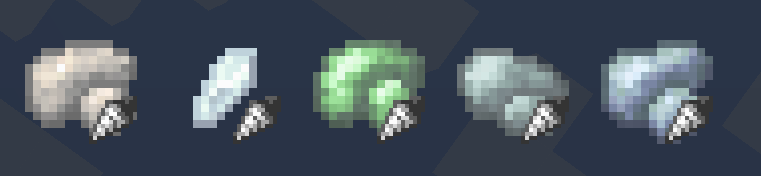
- 5 Ready-to-Use Ore Veins & Drilling Recipes: Integrates raw Osmium, Lead, Tin, Uranium, and Fluorite.
- 1.21.x Ready: Completely error-free JSON structure.
- Infinite or finite Veins: This is changed via the default COE config.
- Conflict-Free Generation: Individual, optimized salt values ensure that all ores generate cleanly and do not overwrite each other in the same chunk.
⚙️ Customization (For Server Admins)
By default, the ores are set to be quite common so they are easy to find. You can easily adjust the rarity to balance your server:
-
Open the datapack and navigate to
data/createoreexcavation/ore_vein_type/. -
Open the desired ore file.
-
Under the
"placement"section, change the values for"spacing"(grid size in chunks) and"separation"(minimum distance in chunks). > Note: Theseparationvalue must always be strictly smaller than thespacingvalue!
📥 Installation
-
Download the
.zipfile. -
For an existing world: Move the
.zipinto your world’sdatapacks/folder and run the/reloadcommand in-game. -
For a new world: Add the
.zipdirectly via the “Data Packs” tab during the world creation menu.
常见问题
⛏️ Create Ore Excavation x Mekanism 支持哪些 Minecraft 版本?
⛏️ Create Ore Excavation x Mekanism 支持 Minecraft Java 版 1.21–1.21.11,共 12 个版本。下载时注意选择和你游戏版本一致的文件。
⛏️ Create Ore Excavation x Mekanism 怎么安装?
新建世界时在「数据包」里把下载的 .zip 拖进去;已有的存档,把文件放进存档目录下的 datapacks 文件夹,进游戏输入 /reload 即可生效。服务器同样放在世界目录的 datapacks 里。
评论
登录后评论和评分