chest shop
This data pack adds a simple shop function using chests. このデータパックは、チェストを使って簡易的なショップ機能を追加する datapack です。
截图

介绍
Shop Datapack
English
In this data pack,Shop functionality provided by the administratoris available.
*If not set up correctly, anyone may be able to edit the shop contents. Please set up and manage the shop in a location that only administrators can access.
You cannot add any items directly during normal gameplay,
**By editing the data pack, you can freely change the sales content and behavior.
🔄 How to initialize/obtain
When you run /reload, the following two items will be automatically granted:
- `shop
shop items
🛒 shop
shop will open the shop screen.
From here you can purchase the configured items.
📦 shop_items
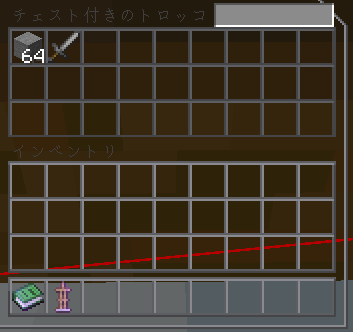
Using shop_items will generate a chest on the spot.
Feel free to put any items you want to sell into the generated chest.
⚠ Attention
Items in chests generated by
shop_itemsare
All are treated as free (price 0).
If you want to change the price etc., please edit the data pack.
📝 Supplementary Information
- Shop prices and behavior are managed by the datapack itself.
- Can be used in multiplayer environments.
- Chests are automatically managed and safely deleted when no longer needed.
- The “gen.py” file included is used to create the datapack.
Shop Datapack
日本語
このデータパックでは、管理者が用意したショップ機能を利用できます。
※ 正しく設定しない場合、誰でもショップ内容を編集できてしまう可能性があります。 管理者のみがアクセスできる場所で設定・管理してください。
通常のプレイ中に任意のアイテムを直接追加することはできませんが、
データパックを編集することで、販売内容や挙動を自由に変更可能です。
🔄 初期化・入手方法
/reload を実行すると、以下の 2 種類のアイテムが自動的に付与されます。
shopshop_items
🛒 shop
shop を使用すると、ショップ画面が開きます。
ここから設定されたアイテムを購入できます。
📦 shop_items
shop_items を使用すると、その場にチェストが生成されます。
生成されたチェストの中に、販売したいアイテムを自由に入れてください。
⚠ 注意
shop_itemsで生成されたチェスト内のアイテムは
すべて無料(価格 0)として扱われます。
価格などを変更したい場合データパックを編集してください
📝 補足
- ショップの価格や挙動は datapack 側で管理されています
- マルチプレイ環境でも使用可能です
- チェストは自動管理され、不要になった場合は安全に削除されます
- 中に”gen.py”がありますがこれはデータパック作成の際利用したものです
常见问题
chest shop 支持哪些 Minecraft 版本?
chest shop 支持 Minecraft Java 版 1.21.7–1.21.8,共 2 个版本。下载时注意选择和你游戏版本一致的文件。
chest shop 怎么安装?
新建世界时在「数据包」里把下载的 .zip 拖进去;已有的存档,把文件放进存档目录下的 datapacks 文件夹,进游戏输入 /reload 即可生效。服务器同样放在世界目录的 datapacks 里。
评论
登录后评论和评分