
Cabinet of Curiosities
Cabinet of curiosities is a survival friendly datapack allowing you to create beautiful and customizable displays for your favorite and rarest items!
截图


介绍
Your rarest and coolest items deserve more than being displayed in a simple item frame. With Cabinet of Curiosities, exhibit your items in a cool and survival friendly way to make them shine.
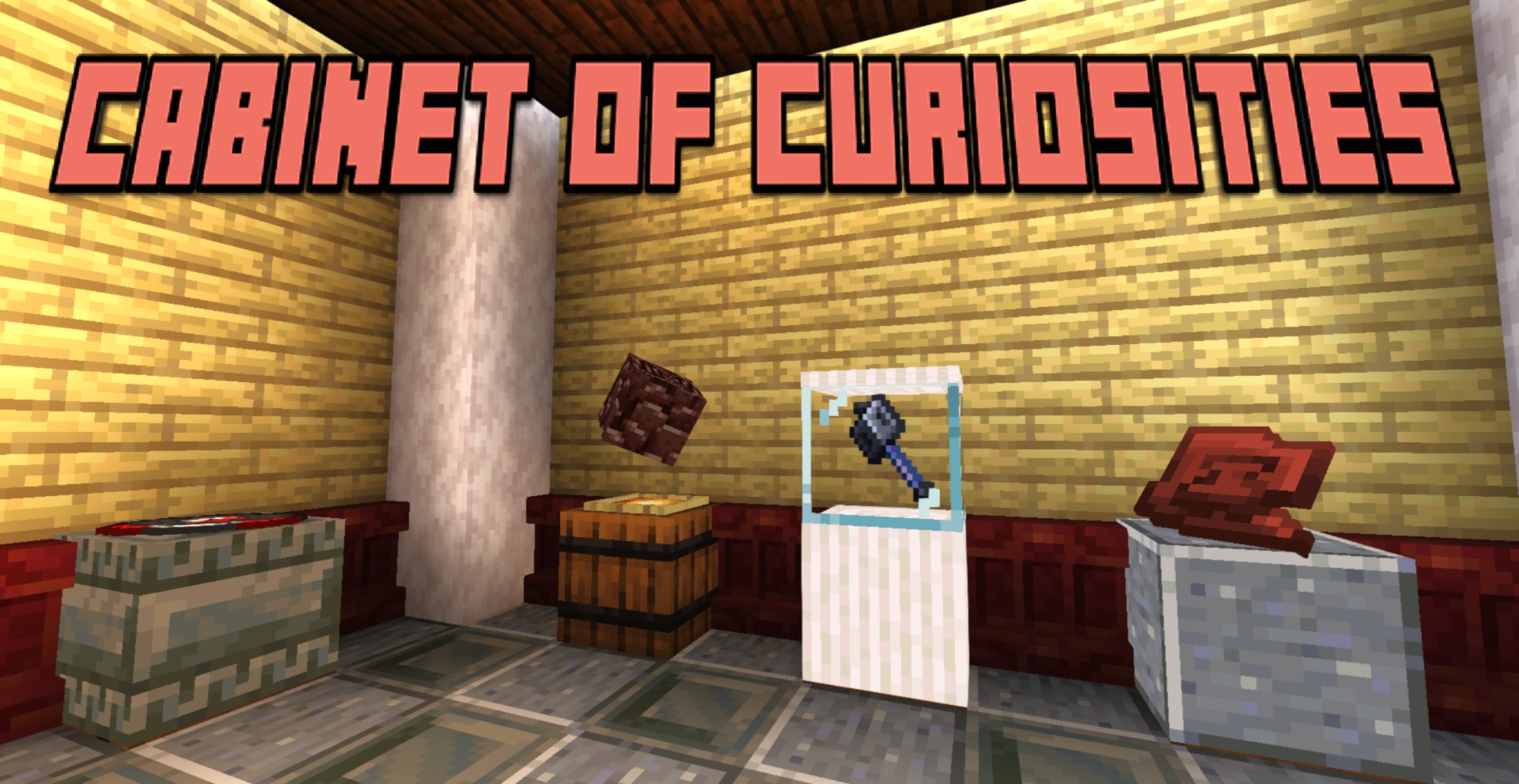
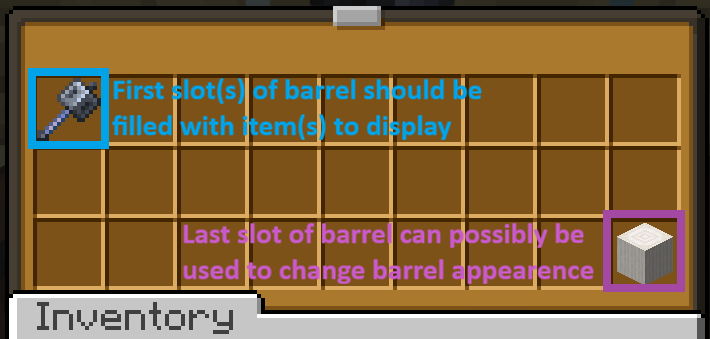
To create a display, place a barrel and a glow item frame on top. Right-click the item frame and simply navigate the menu to modify the display. The item(s) placed in the barrel will be displayed according to your customisation choices.
_Customizations available:_
–Display type: Centered, on ground, isometric (for 3D items) or leaned on the wall.
–Display modifiers: Change the height, size, orientation and luminosity of your display.
–Rotation: Allows your display to rotate on X, Y or Z axis.
–Multi-displays: Display multiple items with the same display, with customizable item swapping.
–Pedestal settings: Disguise barrel as any block in your possession, hide the item frame and/or encase your display in glass.
Why this datapack?
This datapack is first and foremost done as a personal effort to customise my 8 years survival world. On one hand, this means that I built this datapack to be future and update proof (I hope) and that it is likely going to be regularly updated in the future. As such, you can easily add this pack to your long-term worlds without being too scared of future world corruption or malfunctions. On the other hand, it means that although I am very open to feedback and suggestions, I will only add the features that I see fit for my world and my long-term vision for it.
How to install?
-Simply slide the datapack in the datapack folder
-Additionally, I strongly suggest you to set gamerule sendCommandFeedback to false to avoid spamming your chat with text while setting your displays.
常见问题
Cabinet of Curiosities 支持哪些 Minecraft 版本?
Cabinet of Curiosities 支持 Minecraft Java 版 26.1–26.3,共 5 个版本。下载时注意选择和你游戏版本一致的文件。
Cabinet of Curiosities 怎么安装?
新建世界时在「数据包」里把下载的 .zip 拖进去;已有的存档,把文件放进存档目录下的 datapacks 文件夹,进游戏输入 /reload 即可生效。服务器同样放在世界目录的 datapacks 里。
Democrite973 的其他作品
查看全部 →
Just Enough Music Discs
Just Enough Music Discs 是一个数据包 + 资源包,在游戏中添加了 110+ 张氛围向音乐唱片,每张都有各自的生存友好获取方式,以及一系列便利性功能(可堆叠唱片、指南书和预览系统)!

Just Enough Music Discs (RP)
Install this ressource pack to allow JEMD datapack to work properly.

Copper Factory
Copper Factory is a vanilla+ survival oriented pack offering an immersive and balanced way to renew, smelt, oxydize and wax/unwax large quantities of copper.
Druidic Magic
Druidic Magic is a datapack adding an end game survival friendly way to modify the biome of an area through custom druidic potions!
评论
登录后评论和评分