
截图
介绍
Lock Block Datapack
Version: 1.0.1
Minecraft Version Compatibility: 1.20 and up
Overview
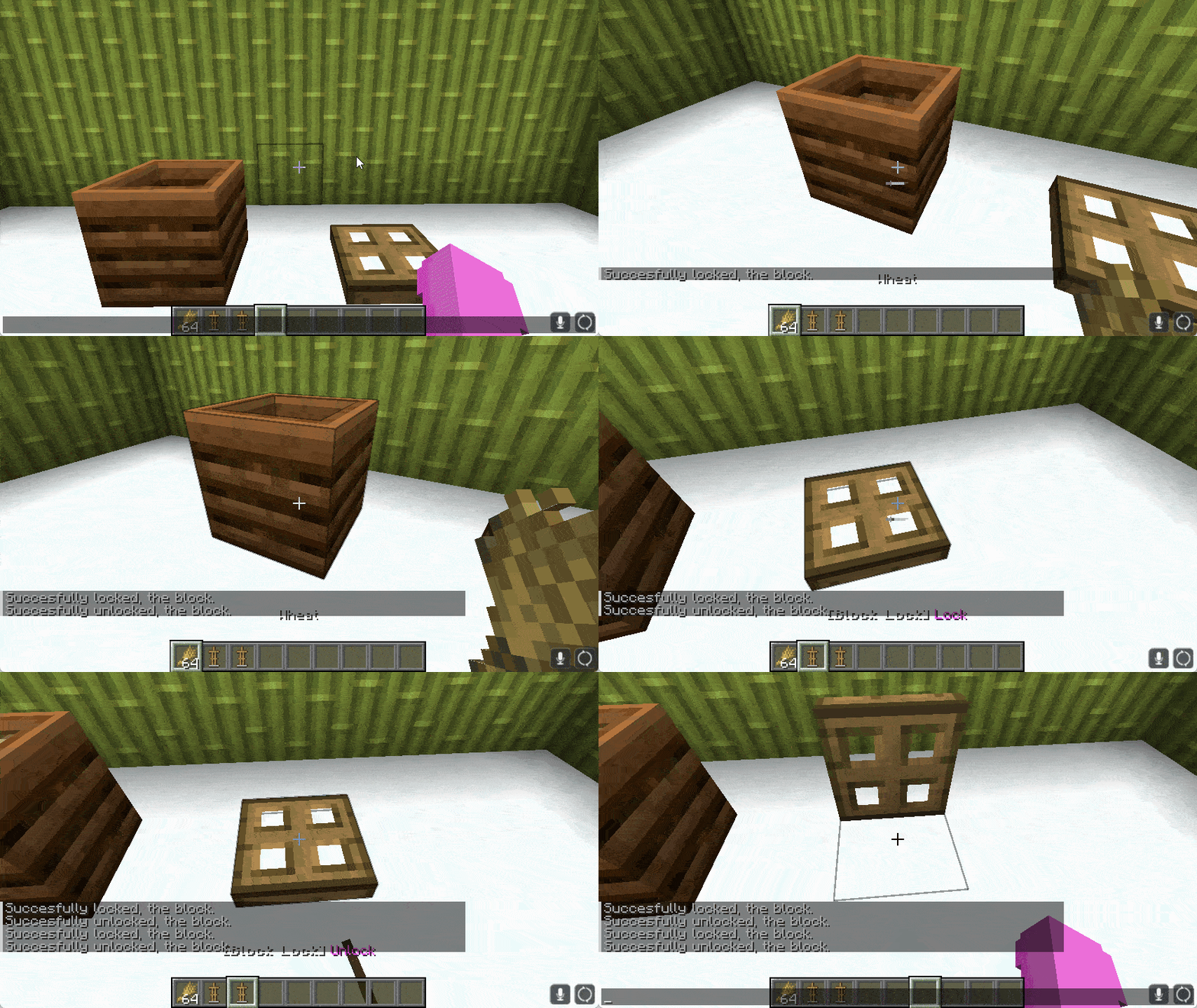
Lock Block enhances adventure mode by allowing map creators to lock specific blocks like Trapdoors, Doors, Crafting Tables, Buttons, etc. This prevents unauthorized interactions, giving greater control over player experiences.
Getting Started
- Download Lock Block Datapack.
- Place it in the
datapacksfolder of your Minecraft world. - Run
/function lock_block:give_itemsto get locking tools.
Usage
- Locking Blocks:
- Equip tools.
- Lock the desired block.
- Removing Locks:
- Use removal tool.
- Interact with the locked block.
- Hitboxes:
- Enable with
F3 + Bfor precise locking.
Example Blocks
- Doors
- Trapdoors
- Crafting Tables
- Buttons
- And more…
Notes
- Ensure proper command permissions.
- Designed for Minecraft version 1.20 and newer.
常见问题
Block Lock 支持哪些 Minecraft 版本?
Block Lock 支持 Minecraft Java 版 1.20–1.20.4,共 5 个版本。下载时注意选择和你游戏版本一致的文件。
Block Lock 怎么安装?
新建世界时在「数据包」里把下载的 .zip 拖进去;已有的存档,把文件放进存档目录下的 datapacks 文件夹,进游戏输入 /reload 即可生效。服务器同样放在世界目录的 datapacks 里。
ella 的其他作品
查看全部 →
Colour My Servers
Allows you to give colour to your servers and worlds!

Cape Cacher
Cape Cacher is a Fabric mod for Minecraft that allows players to cache the capes of users in their current server and see what cape they have on their player in real-time. This mod can help improve the accuracy of cape profiles by contributing to the datab

Minecart Flipping
Allows Minecarts to perform full 360° rotations.

Spectator Teleport
Teleport to players in spectator mode.
评论
登录后评论和评分