
截图












介绍
中文介绍正在准备中,下面暂时显示原文。
Emotes
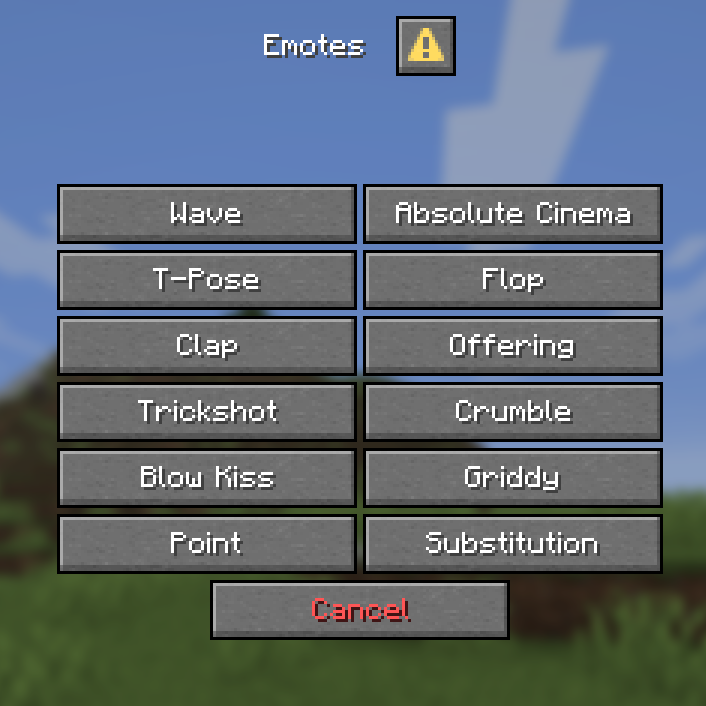
- Adds 12 new and unique ways to express yourself ingame without needing to download any mods with some of the emotes having special effects, sounds or even functionality. _(View all avaliable emotes in the gallery page)_
- Use the point emote ingame to ping the location you’re looking at to let your friends know where to look.
- Multiplayer support and an entire menu for emote selection!
Customization & Settings
- The default keybind for the emotes menu is G, if you wish to change it look for the Quick Actions keybind in controls
- The default skin style is set to Classic if your skin uses Slim style run this command `
/trigger skin_type`
run the command again if you want to switch back to Classic.
Installation
Download the datapack and either
- Place it inside your datapacks folder and create a new world with it enabled or
- Place the datapack inside your existing world _(make sure to leave and rejoin for it to fully work)_
- Don’t forget to download and enable the resourcepack, if you’re using this on a server make sure all players have it enabled or set it as your server’s resource pack.
Notes
- When joining a singleplayer world this screen will appear
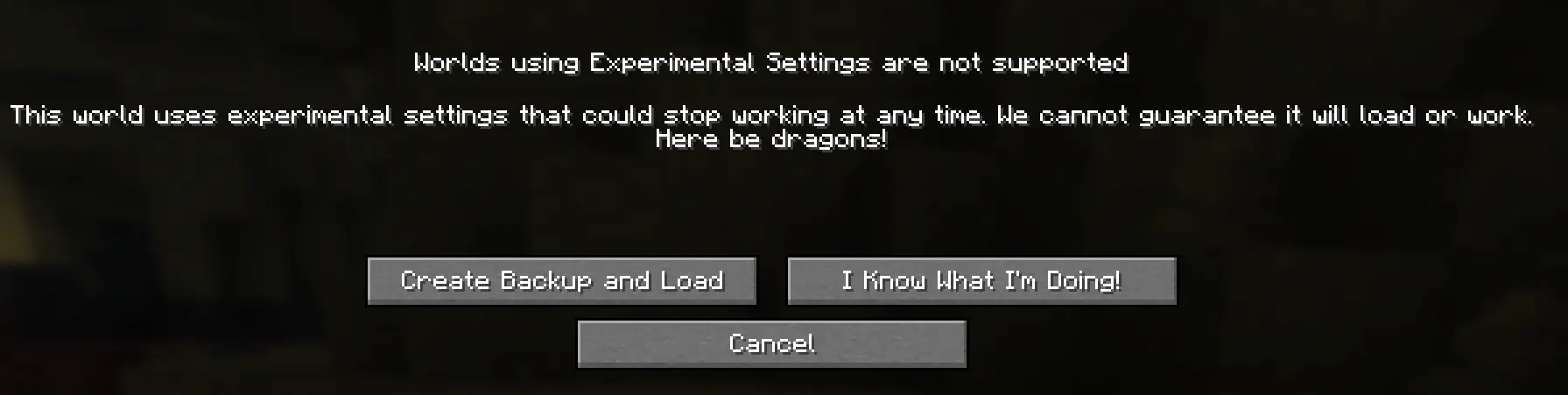
that means the datapack is working, just click on I Know What I’m Doing!
- The emotes don’t work in first person, use Third Person _(default key: F5)_ for best experience
- This only works on Minecraft 26.2 and no older versions
- if you find any bugs send me a message on discord – @notblazon
All the animations were made using Animated Java and Player Animated Java.
常见问题
Vanilla Emotes 支持哪些 Minecraft 版本?
Vanilla Emotes 支持 Minecraft Java 版 26.2。下载时注意选择和你游戏版本一致的文件。
Vanilla Emotes 怎么安装?
新建世界时在「数据包」里把下载的 .zip 拖进去;已有的存档,把文件放进存档目录下的 datapacks 文件夹,进游戏输入 /reload 即可生效。服务器同样放在世界目录的 datapacks 里。
NotBlazon 的其他作品
查看全部 →
Cushions Into The Past
by NotBlazon
Adds cushions to older versions of Minecraft!
2,563
3 个月前
Modrinth
Ghosts
by NotBlazon
Changes the respawn system to make it more unique.
269
2 个月前
Modrinth · CurseForge

Build it Yourself: Prophunt
by NotBlazon
Easy to setup Prophunt, Configurable in every way
81
1 个月前
Modrinth · CurseForge
评论
登录后评论和评分