
截图

介绍
中文介绍正在准备中,下面暂时显示原文。

🚫 Prevent unauthorized gamemode changes — keep your world fair!





✨ Features
- 🔍 Real-time detection of Creative, Spectator & Adventure modes
- ⛏️ Instant reversion to Survival
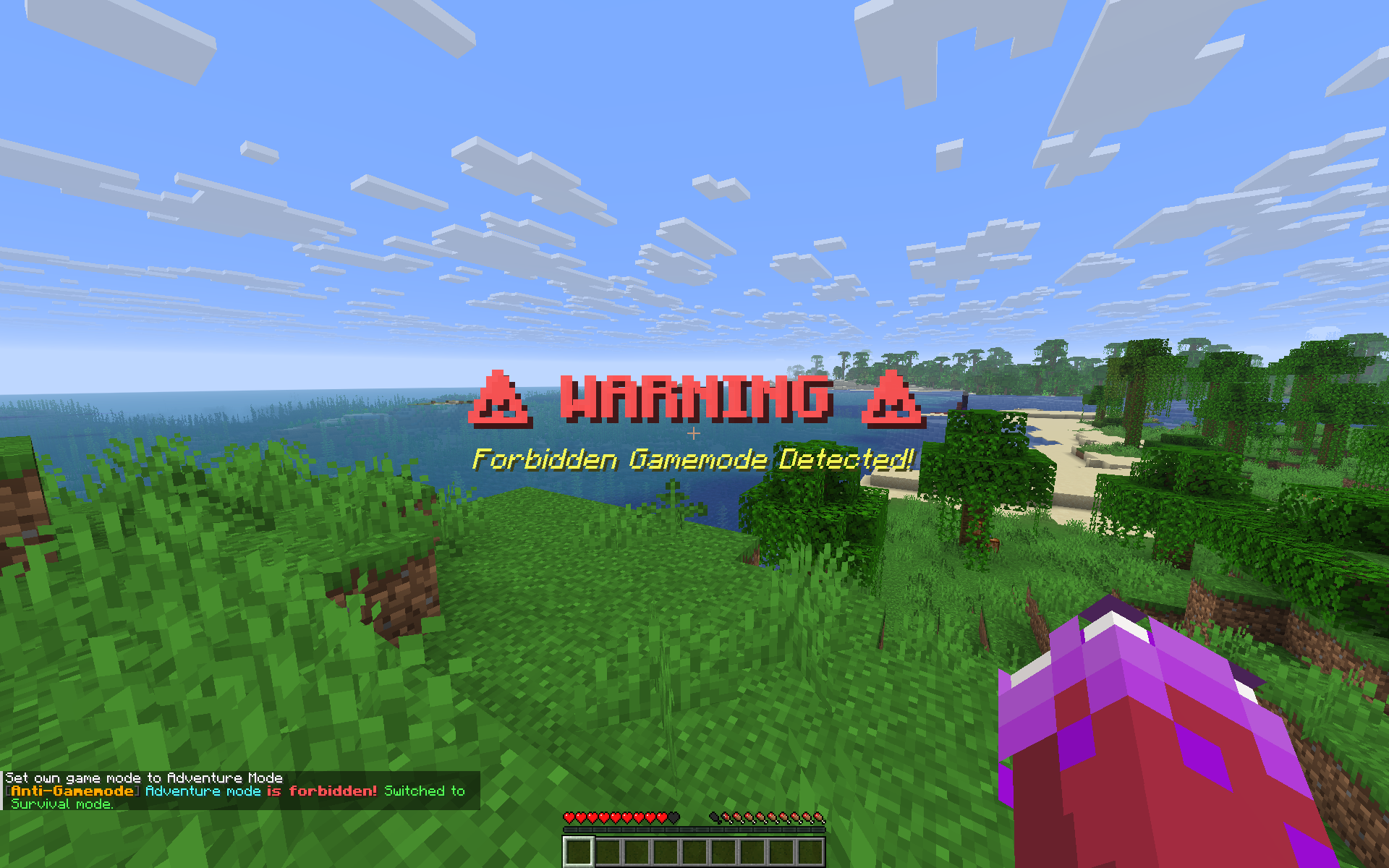
- 💬 Stylish warnings: colored titles, messages & sounds
- 🧩 Clean structure — organized
function/system - ⚡ Lightweight & lag-free, supports Minecraft 1.13–1.21+
🖼️ Preview

🚀 Installation
- Download the latest release from GitHub Releases
- Drop the
.zipfile into your world’sdatapacks/folder - Run
/reloador restart your server - ✅ Done — your world is now protected!
🎯 How It Works
- Monitors every player’s gamemode each tick
- If a forbidden mode is detected:
- ⚠️ Red warning title
- 💬 Colored chat alert
- 🔊 Sound effect
- ⛓️ Instantly switched back to Survival
Made with ❤️ for all Minecraft players.
_Designed to protect fair gameplay and strengthen survival worlds._
🧱 Developer: Serozr
常见问题
Anti Gamemode 支持哪些 Minecraft 版本?
Anti Gamemode 支持 Minecraft Java 版 1.19–1.21.10,共 22 个版本。下载时注意选择和你游戏版本一致的文件。
Anti Gamemode 怎么安装?
新建世界时在「数据包」里把下载的 .zip 拖进去;已有的存档,把文件放进存档目录下的 datapacks 文件夹,进游戏输入 /reload 即可生效。服务器同样放在世界目录的 datapacks 里。
评论
登录后评论和评分