AFK Status/Protection/Prefix
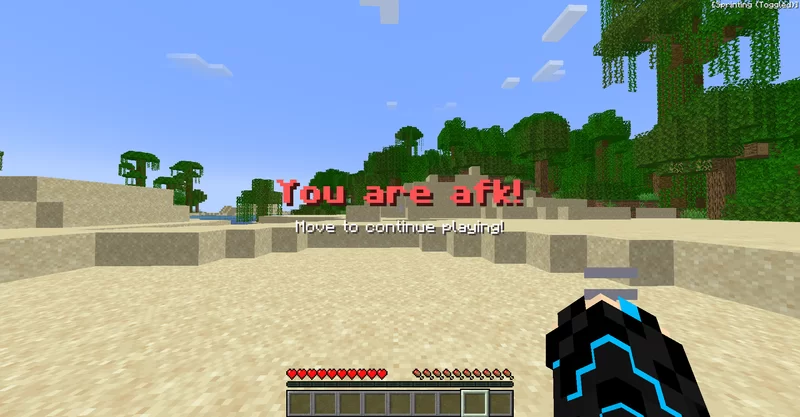
This datapack lets players on the server see if others are near their pc or went to take a snack and left Minecraft open.
截图
介绍
This datapack lets players on the server see if others are near their pc or went to take a snack and left Minecraft open.
To manually enter the AFK mode use:
/trigger afk
It also offers protection from monsters so you can leave your game running and not worry about losing your resources.
But still, you need to be aware of your enemies, as they can still damage you!
The datapack is highly customizable. Here are some settings:
Settings
/scoreboard players set ... afkSettings value/0=true/1=false
Protection — define whether the AFK player will be protected from mobs, but not players, drowning, fall damage, or other types of damage; (default = true)
Particles — define whether particles appear near the AFK player; (default = true)
Prefix — define whether AFK players have a prefix next to their name; (reload required)
AfterHitDelay — time in seconds after being hit or hitting a target when the player can’t be marked as AFK; (default = 30 seconds)
AfkTime — time in seconds the player needs to stand still to automatically be marked as AFK, set to 0 to disable AutoAFK; (default = 30 seconds)
Warning!!!
This datapack may conflict with other datapacks that use teams! Name your team default so players will automatically join after they leave the AFK status, or provide a function that will put players in needed teams every tick.
To remove the datapack from the world and leave no trace – use:
/function afk:remove
常见问题
AFK Status/Protection/Prefix 支持哪些 Minecraft 版本?
AFK Status/Protection/Prefix 支持 Minecraft Java 版 1.14–1.20.4,共 29 个版本。下载时注意选择和你游戏版本一致的文件。
AFK Status/Protection/Prefix 怎么安装?
新建世界时在「数据包」里把下载的 .zip 拖进去;已有的存档,把文件放进存档目录下的 datapacks 文件夹,进游戏输入 /reload 即可生效。服务器同样放在世界目录的 datapacks 里。

评论
登录后评论和评分