
Acceletate Sleeping Speed At Night
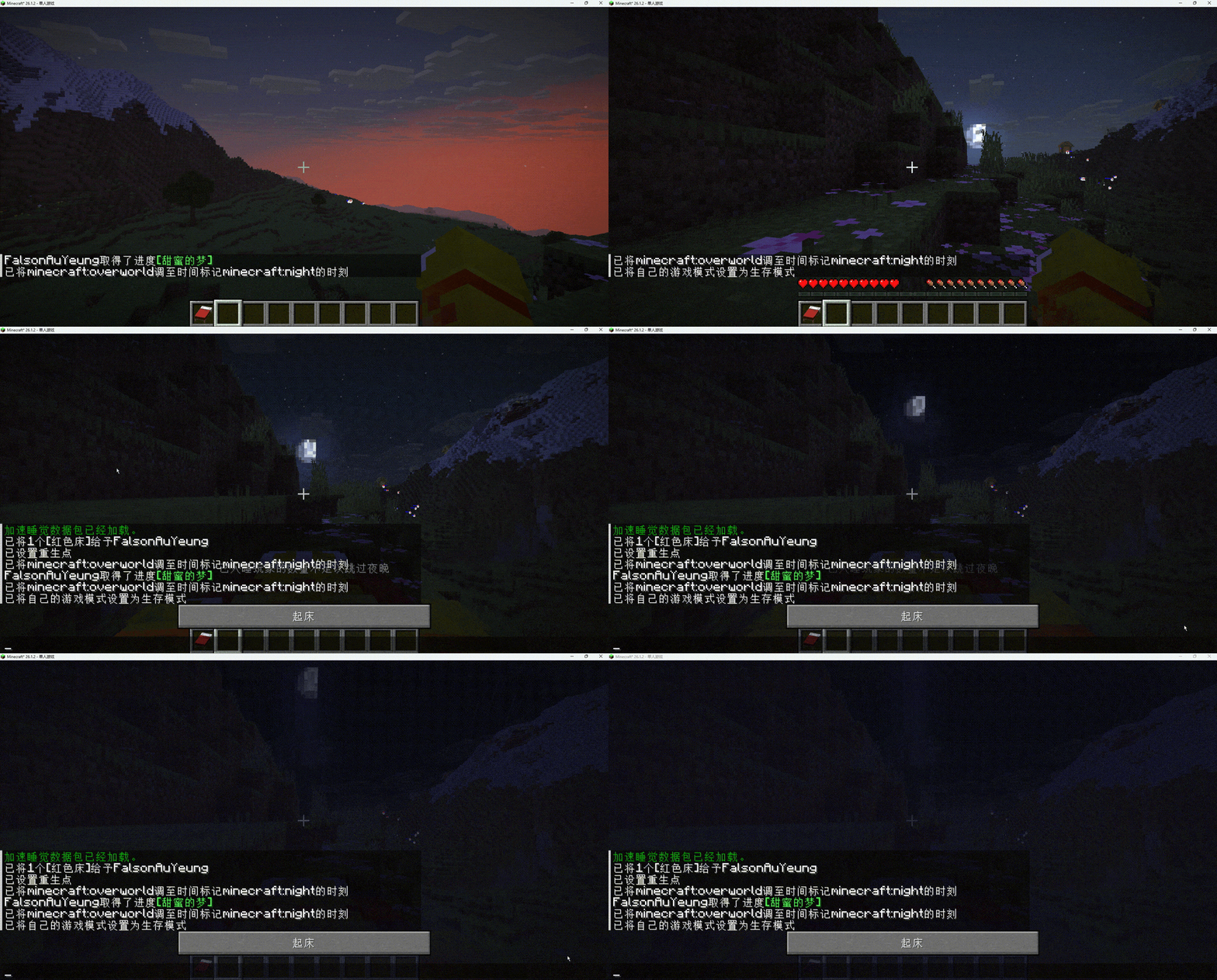
Replaces the instant sleep mechanic with time acceleration. Experience a smooth transition to morning instead of skipping the night instantly.
截图
介绍
Accelerate the Night, Don’t Skip It
Tired of the abrupt black screen when you sleep in vanilla Minecraft? Do you wish you could just fast-forward through the night instead of skipping it entirely? This datapack changes the fundamental sleeping mechanic to provide a much more immersive experience.
How It Works
Instead of instantly setting the time to day when a player enters a bed, this datapack initiates a time acceleration sequence. The night will pass rapidly, allowing you to watch the stars move and the sun rise, all without the long wait of a standard Minecraft night.
Key Features
Smooth Time Acceleration: Experience a seamless transition from night to day. The world doesn’t just “jump”; it flows naturally, just much faster.
Preserves Atmosphere: Keep the ambiance of the night while removing the downtime. Perfect for players who love the mood of the game but don’t have hours to wait.
Vanilla Friendly: No mods required! This is a pure datapack that works seamlessly in vanilla survival, multiplayer servers, or modded environments.
Configurable (Optional): You can customize the speed of the time flow in the config file to suit your needs.
Installation
Download the datapack file.
Place it into your world’s datapacks folder (world/datapacks/).
Run /reload in-game or restart your world.
Sleep in a bed and enjoy the view!
Compatibility
Compatible with Minecraft version [Insert Version, e.g., 1.20.x].
Works on both Singleplayer and Multiplayer.
Enjoy a better way to sleep! If you encounter any bugs, please report them on the issues tab.
常见问题
Acceletate Sleeping Speed At Night 支持哪些 Minecraft 版本?
Acceletate Sleeping Speed At Night 支持 Minecraft Java 版 1.20.2–26.3,共 22 个版本。下载时注意选择和你游戏版本一致的文件。
Acceletate Sleeping Speed At Night 怎么安装?
新建世界时在「数据包」里把下载的 .zip 拖进去;已有的存档,把文件放进存档目录下的 datapacks 文件夹,进游戏输入 /reload 即可生效。服务器同样放在世界目录的 datapacks 里。
FalsonAuYeung 的其他作品
查看全部 →
Random Mob Armor
A data pack makes mob equipped armor randomly.

Breeding More
Makes vanilla pigs, cows, sheep, and chickens give birth to 2–4 babies instead of just one.

Random Mob Name
A simple datapack that gives random names to most hostile mobs (zombies, skeletons, creepers, etc.) when they spawn. Every monster becomes unique. Lightweight, customizable, and multiplayer-friendly.
npc player
This project adds player-like mannique by data pack, defining some simple action simulating player
评论
登录后评论和评分