Windowed GUIs
Windowed GUIs turns all game GUIs into windows that you can sort and manage, just like on any OS!
截图
介绍



Windowed GUIs
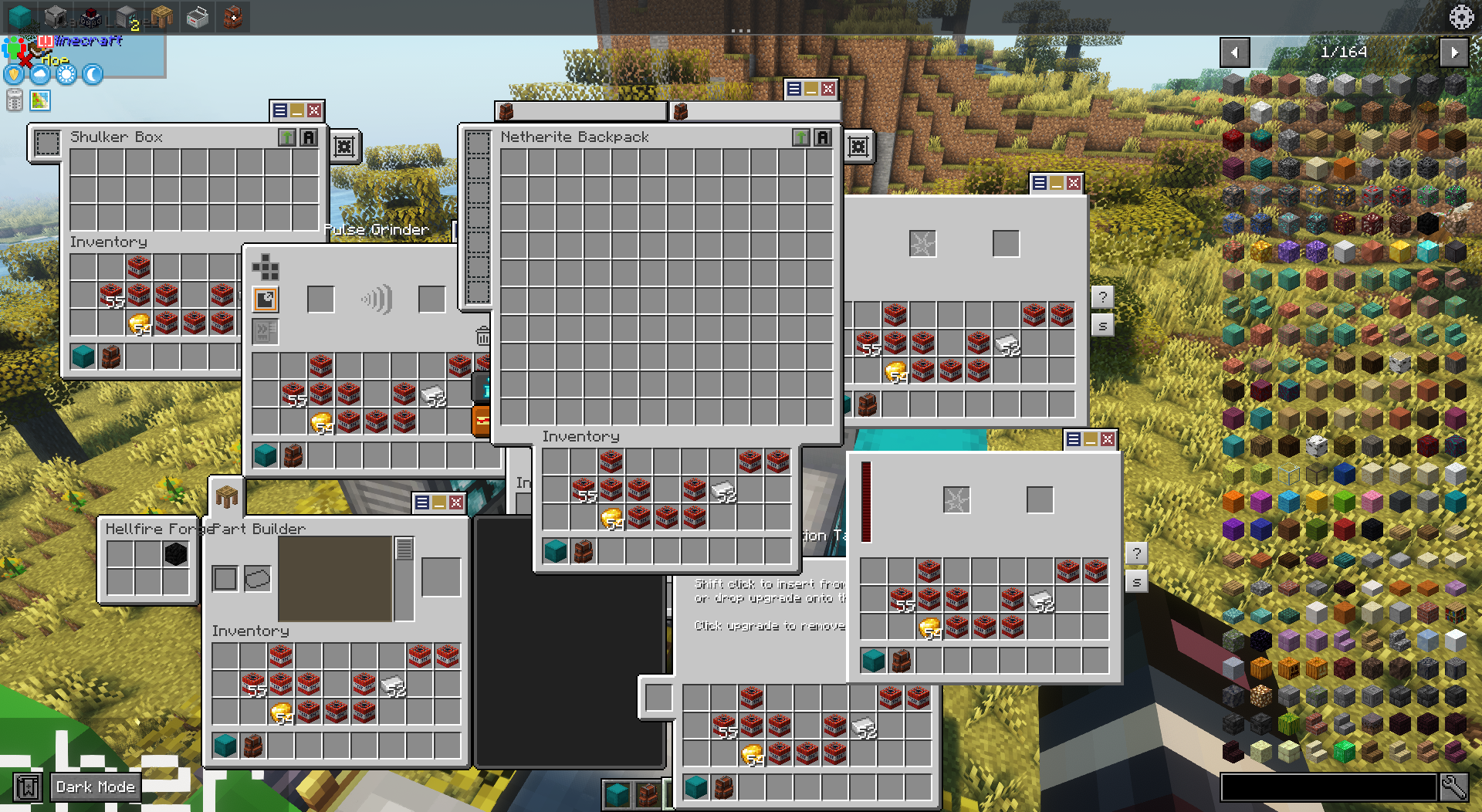
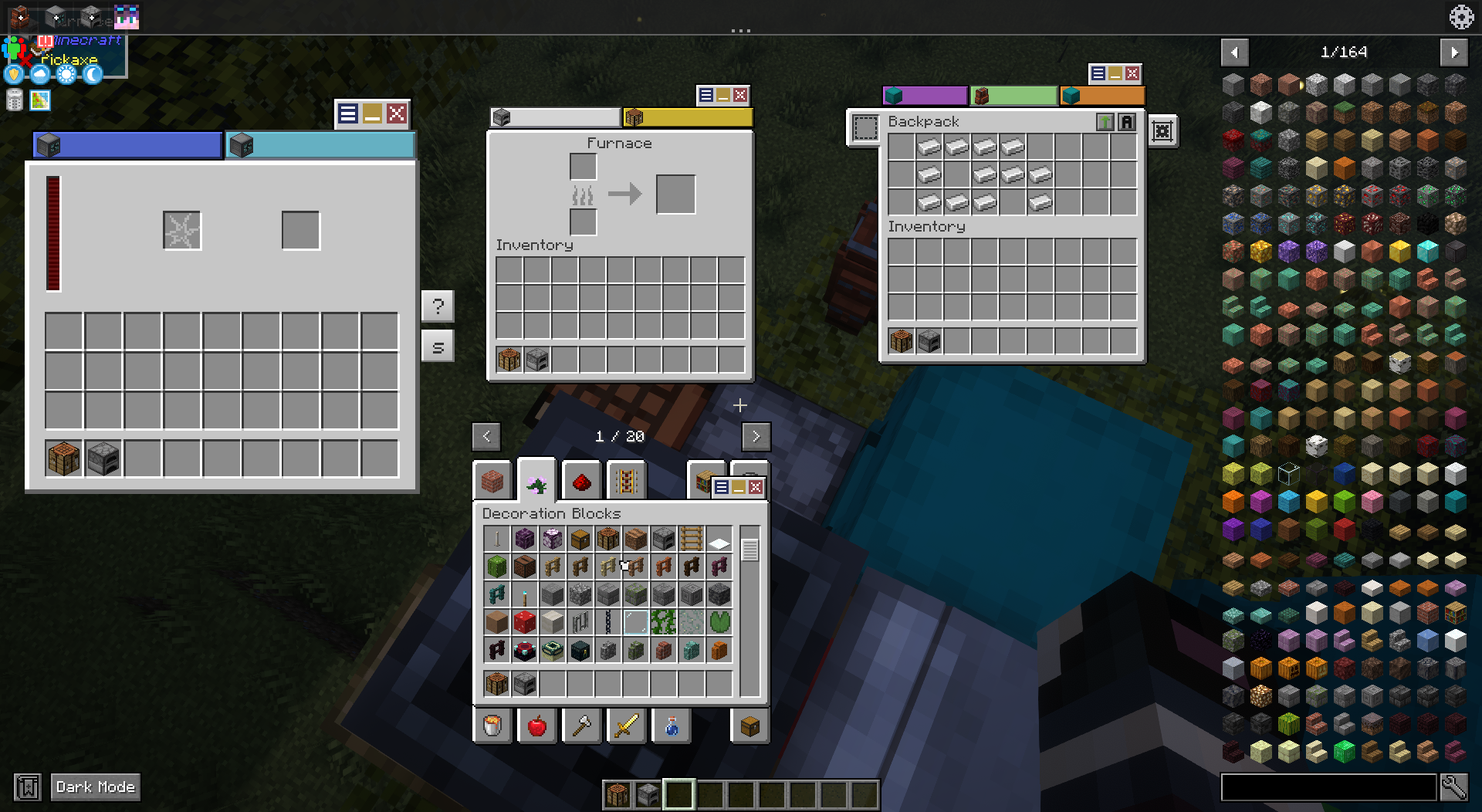
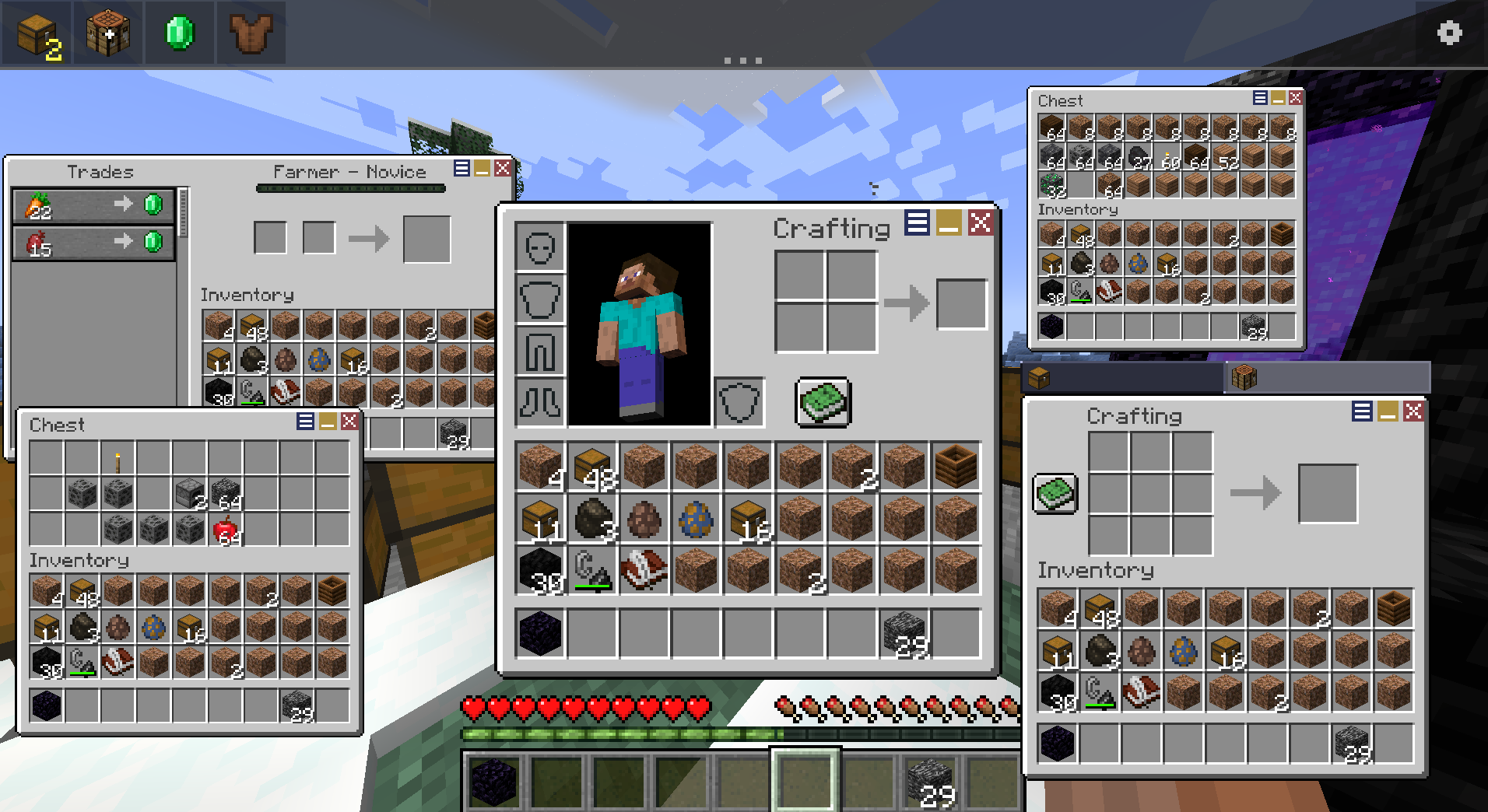
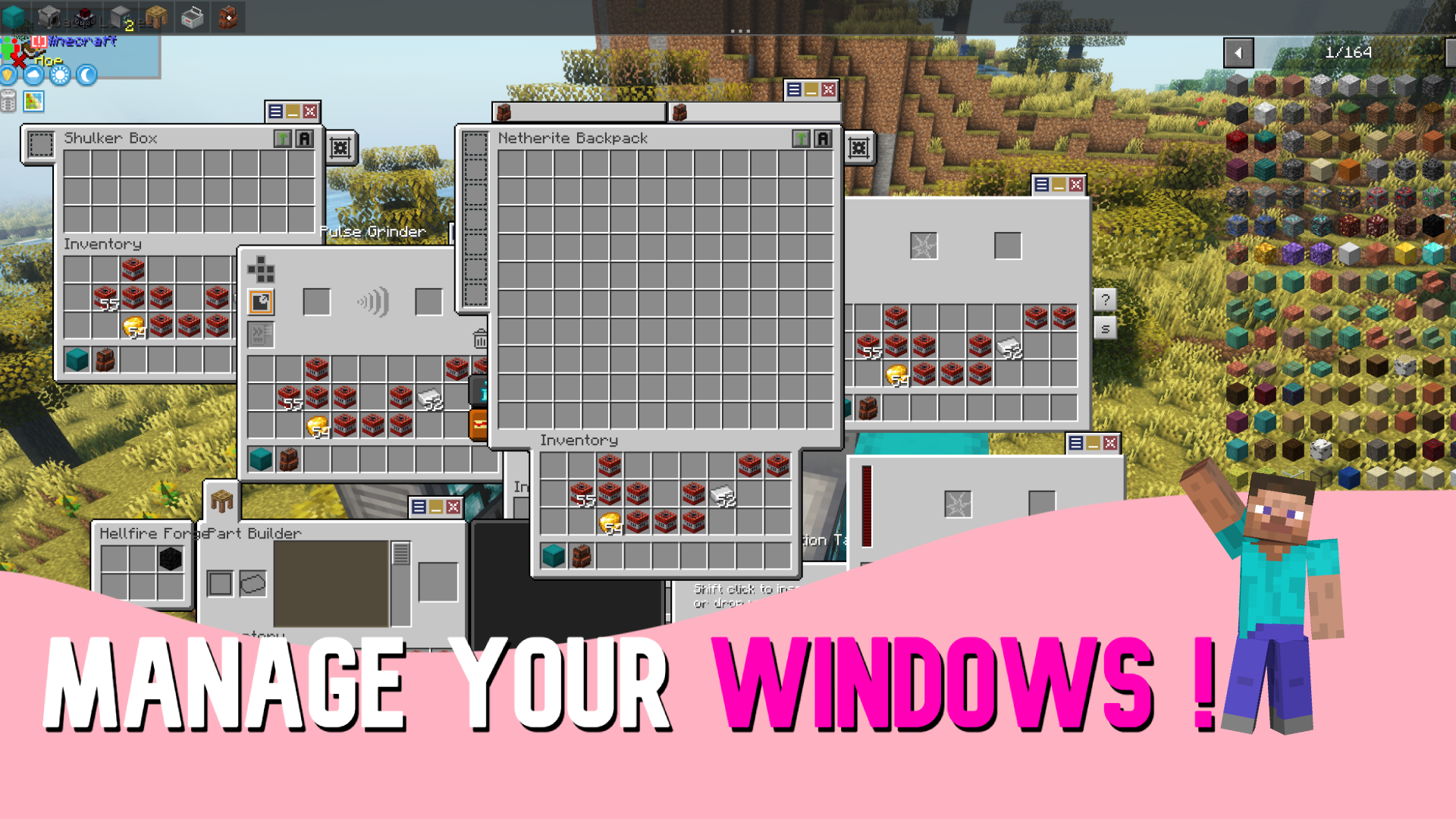
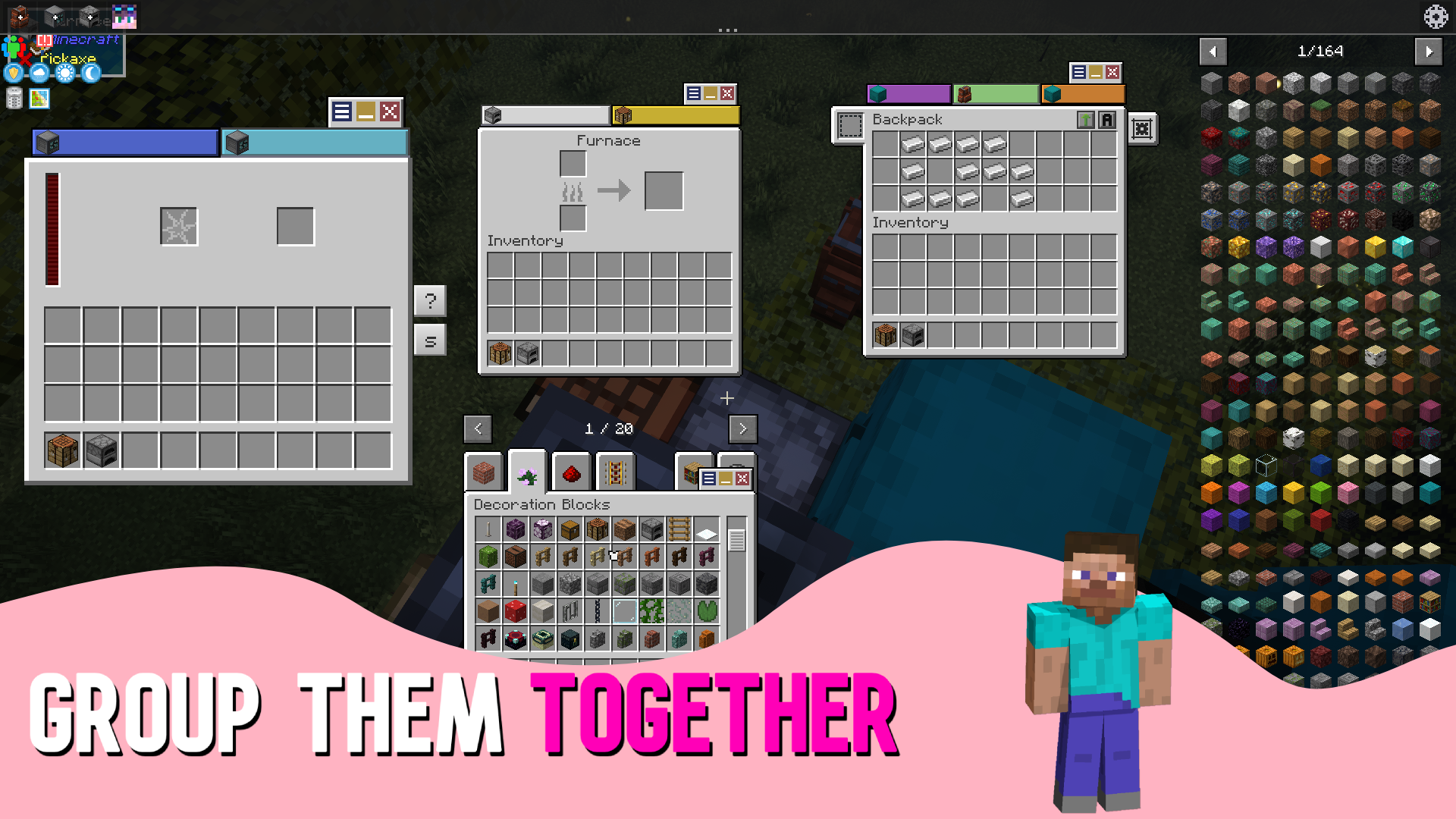
Windowed GUIs turns Minecraft’s full-screen container menus into draggable, OS-style windows. Open a chest, a furnace, and your crafting table at the same time, drag them around the screen, resize them, and manage everything from a Windows-style taskbar at the bottom of the screen.
How it works: No more closing one GUI just to open another. Pin the windows you use most, minimize the ones you don’t, merge related menus into tabbed groups, and keep your whole workflow on screen at once, keep multiple GUIs open at the same time.
✨ Features
- Dragabble GUIs – Drag any container GUI freely around the screen!
- Window Management – Minimize, pin,color, scale and close windows individually!
- Taskbar – You can manage windows through a taskbar too!
- Grouped Windows – Merge windows into tabbed groups & detach tabs back into their own windows!
- Flexibility – Tweak the mod to your liking!
📷 Media
📥 Installation
Client & Server Required !
Forge/Neoforge requires:
Fabric requires:
⚙️ Configuration
All settings live in `config/windowed-guis/` and can be edited in-game from the gear icon on the taskbar. The folder holds:
- `
client.json` – client-side appearance and behavior options - `
server.json` – server-side options such as the auto-close distance - `
windows.json` – saved window positions, scales, and tab colors - `
blacklist.json` – screens that should stay full-screen - `
previews/` – cached window previews
💡 Tip: edits made to the config file apply the next time you load a world.
❤️ Credits
Made with care by Antikythera Studios.
Enjoying the mod? A ⭐ on the repo and recommending the mod on Modrinth / CurseForge helps more than you’d think.
常见问题
Windowed GUIs 支持哪些 Minecraft 版本?
Windowed GUIs 支持 Minecraft Java 版 1.18.2–1.21.1,共 6 个版本,可用的加载器:Fabric / Forge / NeoForge。下载时注意选择和你游戏版本一致的文件。
Windowed GUIs 怎么安装?
先用 PCL2 或 HMCL 启动器安装对应版本的 Fabric / Forge / NeoForge,再把下载的 .jar 文件放进游戏目录的 mods 文件夹,重新启动游戏即可。开启了版本隔离的,mods 文件夹在 versions/版本名 下面。运行环境:客户端和服务端都要装。
MetalKnight56 的其他作品
查看全部 →
Epic Fight
将Minecraft的战斗改为类魂系战斗。

Lost Trinkets Renewed
Lost Trinkets adds in 70+ exceedingly rare unlockable trinkets with different useful abilities for you to play with

Hats Renewed
Hats adds in more than 430+ collectible hats & accessories for players to unlock!

Sanity: Renewed
Brings the sanity mechanic from Don't Starve into Minecraft
评论
登录后评论和评分