
截图

介绍
What does this mod do?
This mod allows you to add your own splashes to the title screen using a simple in game GUI
How do I add a splash?
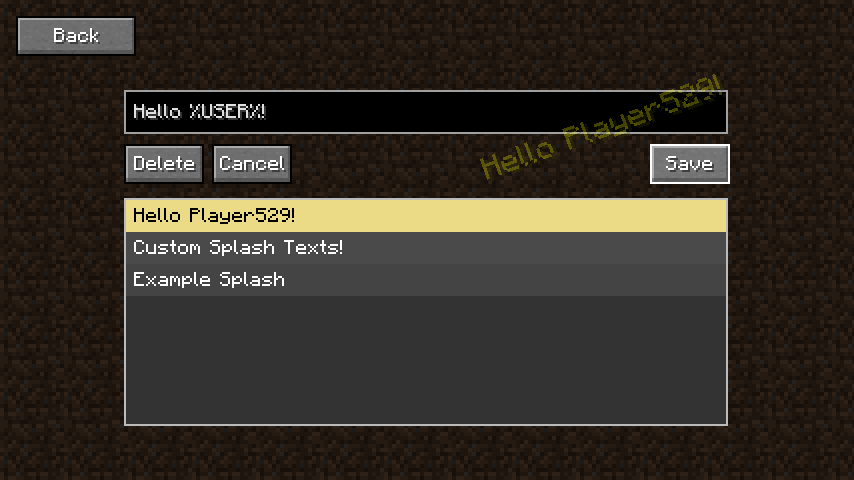
Click on the “Splashes” button in the top right of the title screen and it will bring you to the splashes GUI. From here you can type a splash you want into the box and click “Add”. If you want to delete or edit a splash you can scroll through the list to find a splash, then click on it to edit it. With the splash selected you also have the option to delete the splash.
I want to hide the button on the title screen?
Go to the config file at config/custom_splash_text.json and set show_title_screen_button to false. This is perfect if you want to include the mod in a modpack to add custom splashes to the title screen, however don’t want the user to be able to modify them.
Something is broken / doesn’t work
Please let me know in the comments below so I can fix it.
常见问题
Custom Splashes 支持哪些 Minecraft 版本?
Custom Splashes 支持 Minecraft Java 版 1.19.4,可用的加载器:Forge。下载时注意选择和你游戏版本一致的文件。
Custom Splashes 怎么安装?
先用 PCL2 或 HMCL 启动器安装对应版本的 Forge,再把下载的 .jar 文件放进游戏目录的 mods 文件夹,重新启动游戏即可。开启了版本隔离的,mods 文件夹在 versions/版本名 下面。运行环境:仅客户端。
SWDTeam 的其他作品
查看全部 →
Panorama
在 Minecraft 中拍摄全景截图

Dalek Mod [Forge]
加入《神秘博士》中的经典元素,例如戴立克、赛博人和 TARDIS!【适用于 Minecraft Forge】

Xplosives
Physics bombs, hydrogen bombs, and more powerful TNT! [for Minecraft Forge]

Layered Snowfall
Layers the falling snow in colder biomes, similar to Bedrock Edition! [for Minecraft Forge]
评论
登录后评论和评分