
Let There Be Dark
A client side mod that adds a dark mode toggle to make your experience better when you need it!
截图


介绍
Who needs resource packs or texture packs, with Let There Be Dark, you can toggle between a dark and light mode without the need of reloading a resource pack.
Images:
Title Screen Dark Mode:

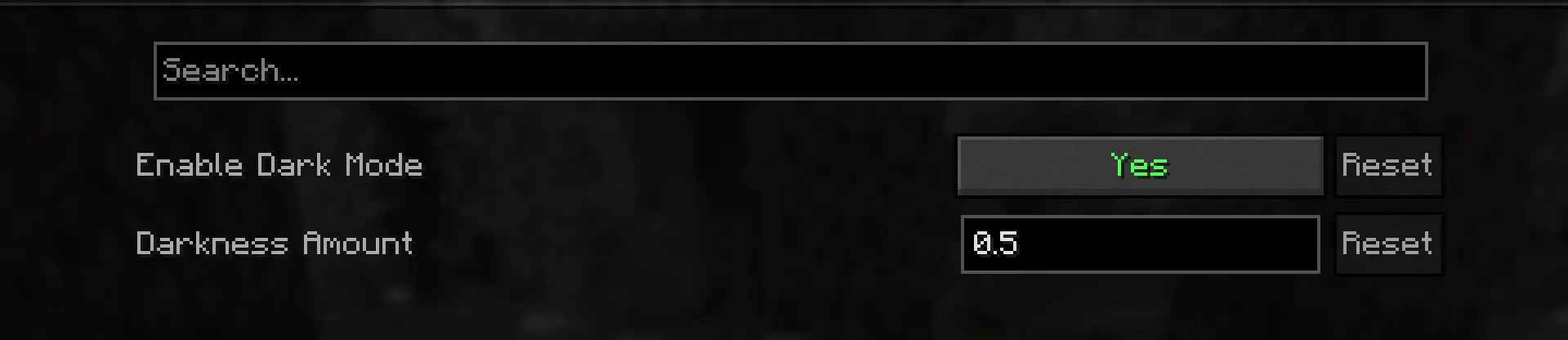
Config using Cloth Config:
Dependencies:
- Fabric API (1.21.4+)
- Cloth Config API (1.21.4+)
- Mod Menu (1.21.4+) Optional as of version 1.3.2
These can also been found in the versions tab.
Features:
This not only works with UI elements like buttons or sliders, but also GUI elements like the inventory screen. A customizable keybind (default F10), can be used to change the mode in-game, so you can have a seamless experience and a simple config screen for easy customization. Im my opinion, this mod looks best in 1.21.4 and 1.21.5, after 1.21.6, Mojang changed the rendering engine, so the dark effect won’t look as good, but it’s still decent.
常见问题
Let There Be Dark 支持哪些 Minecraft 版本?
Let There Be Dark 支持 Minecraft Java 版 1.21.4–1.21.8,共 5 个版本,可用的加载器:Fabric。下载时注意选择和你游戏版本一致的文件。
Let There Be Dark 怎么安装?
先用 PCL2 或 HMCL 启动器安装对应版本的 Fabric,再把下载的 .jar 文件放进游戏目录的 mods 文件夹,重新启动游戏即可。开启了版本隔离的,mods 文件夹在 versions/版本名 下面。运行环境:仅客户端。
jacobxny 的其他作品
查看全部 →
Seamless Shaders
Allows you to switch between Iris shaders using arrow keys, quick and easy
Seamless Shaders
Allows you to switch between Iris shaders using arrow keys, quick and easy

AI Chat
A fully integrated ChatGPT-like AI in Minecraft, no setup needed!

Note This!
A client side mod that allows you type notes about players in multiplayer.
评论
登录后评论和评分