介绍
Retouch Brush



A server-side Minecraft mod that lets you cycle through paintings using the brush!
📖 What is this mod?
This is a server-side mod that allows users to cycle through paintings using the brush.
Tired of breaking and replacing paintings just to get the right piece for your living room?
This server-side mod lets you effortlessly cycle through paintings.
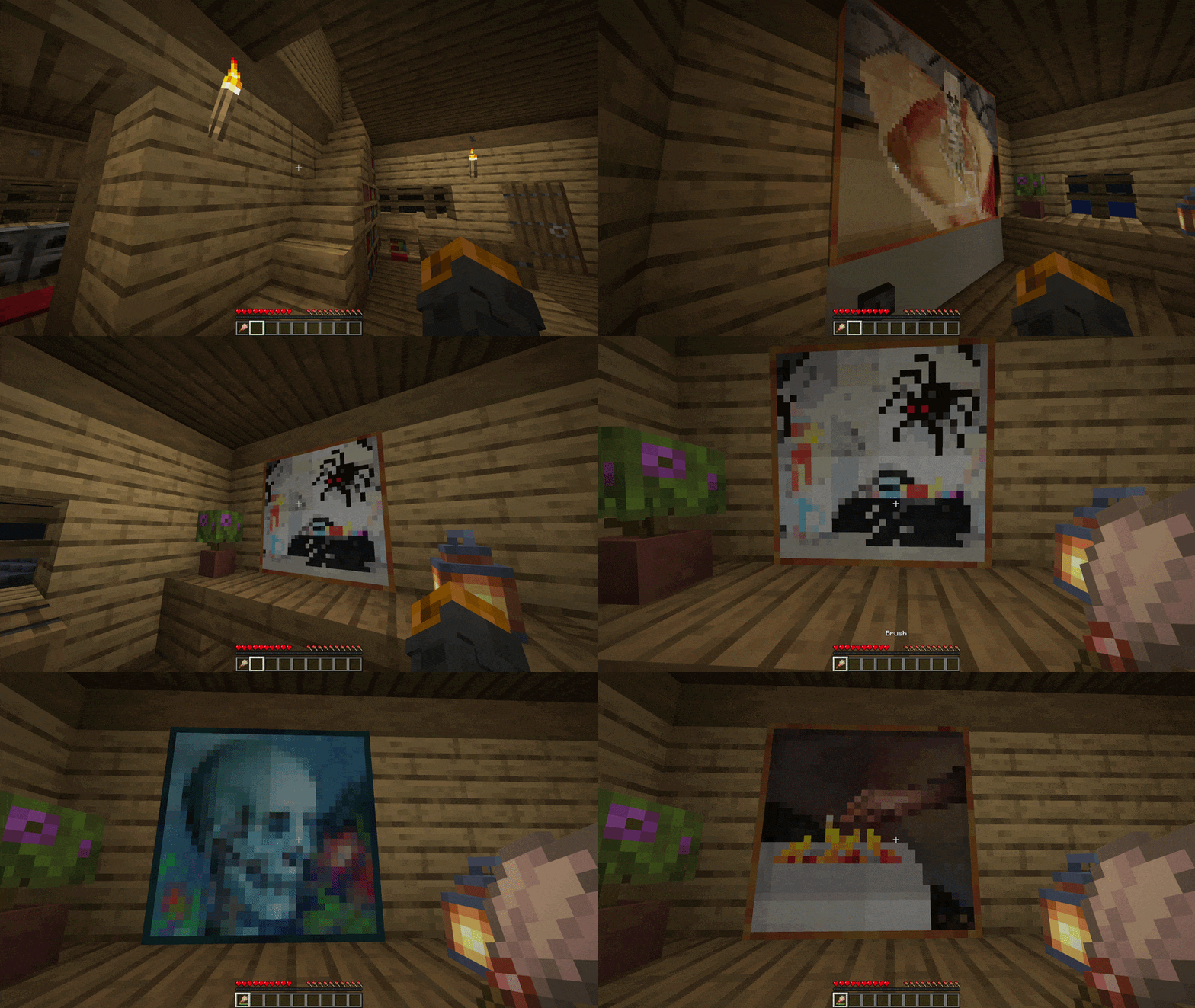
Simply right-click any painting with a brush to change it.
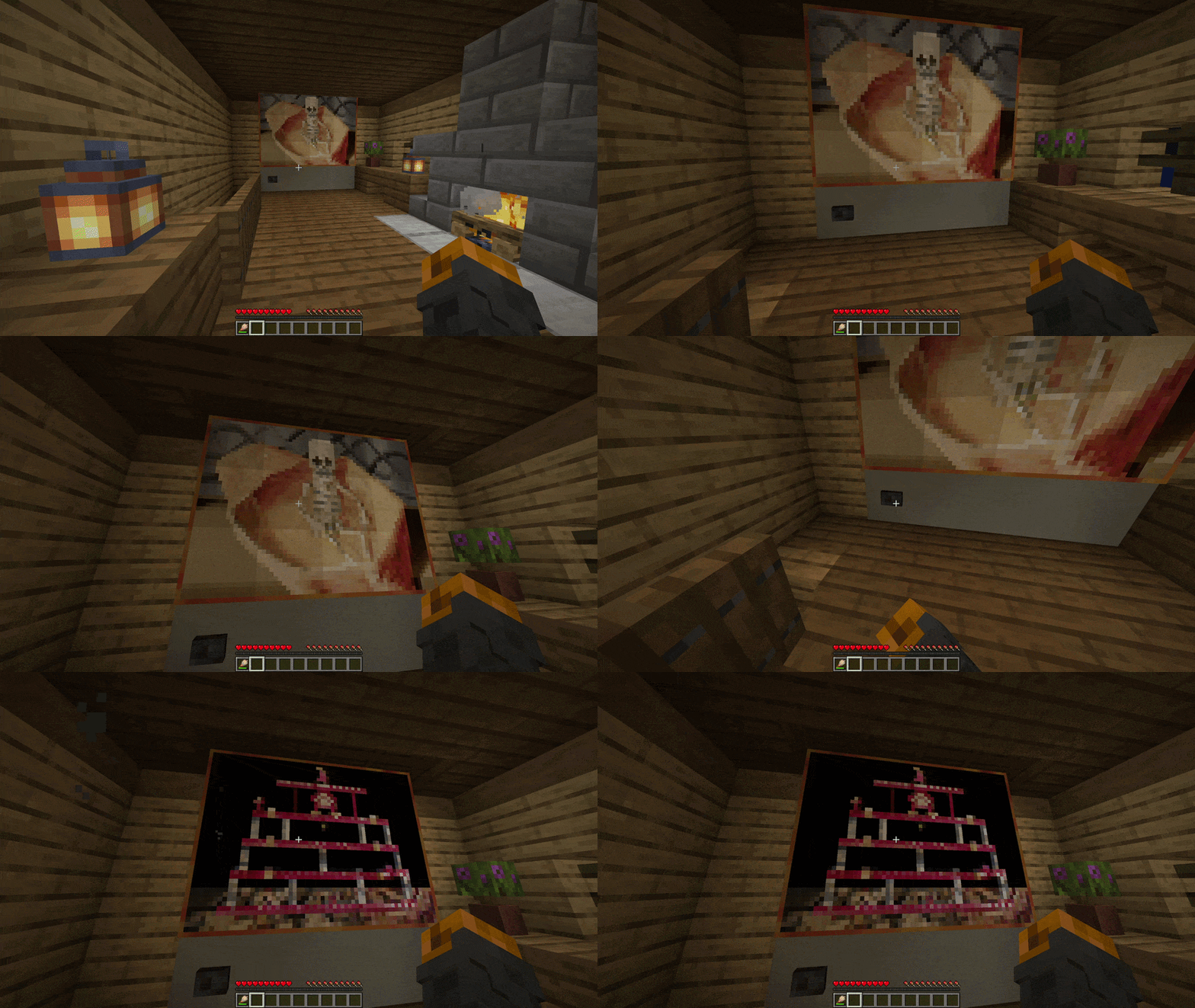
You can even make a functioning TV using dispensers
Here is a little showcase!
✅ Features
- Multi-Loader Support: Fully compatible with Fabric, Quilt, Forge and NeoForge
- Easy Painting Cycling: Right-click any painting with a brush to cycle through available art variants
- Dispenser Support: Use a dispenser loaded with a brush to cycle through paintings
- Server-Side Only: Install only on the server; Vanilla clients can connect without downloading anything
- Server Authoritative: Prevents client-side manipulation by enforcing all logic securely on the server
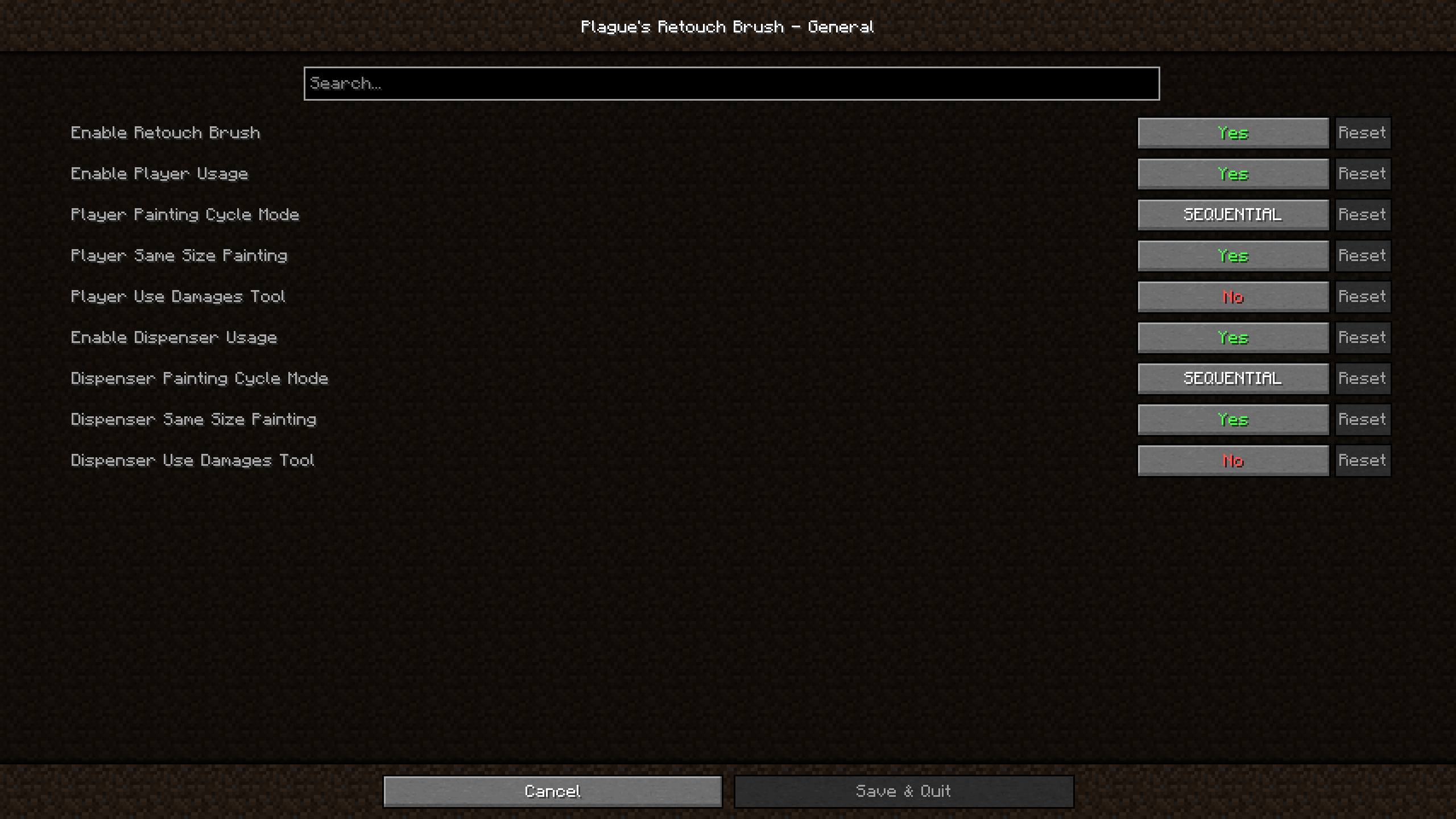
- In-Game Configuration: Adjust the mod’s behavior directly using in-game configuration screen
📖 Usage
Using this mod is very simple!
Put the jar file in your mods folder and you’re good to go!
For [Fabric] and [Quilt] version, if you wish to be able to access the settings of the mod within the game; you will also need to put [ModMenu] and [Cloth Config API] in your mods folder.
For [Forge] and [NeoForge] version, if you wish to be able to access the settings of the mod within the game; you will also need to put [Cloth Config API] in your mods folder.
You can also edit the configuration file found in config folder manually if you wish to do so.
📖 Compatibility
This mod should be compatible with every mod.
It works with mods and resource packs that add more vanilla paintings.
🚀 Supported Versions
| Minecraft | Fabric | Quilt | Forge | NeoForge |
|:———:|:——–:|:———:|:———:|:———:|
| 26.3 | ✅(1.0.3) | ✅(1.0.3)⁶ | ❌ | ✅(1.0.3) |
| 26.2 | ✅(1.0.3) | ✅(1.0.3)⁵ | ❌ | ✅(1.0.3) |
| 26.1.2 | ✅(1.0.3) | ✅(1.0.3)⁴ | ❌ | ✅(1.0.3) |
| 26.1.1 | ✅(1.0.3) | ✅(1.0.3)⁴ | ❌ | ✅(1.0.3) |
| 26.1 | ✅(1.0.3) | ✅(1.0.3)⁴ | ❌ | ✅(1.0.3) |
| 1.21.11 | ✅(1.0.3) | ✅(1.0.3)³ | ❌ | ✅(1.0.3) |
| 1.21.10 | ✅(1.0.2) | ✅(1.0.2) | ❌ | ✅(1.0.2) |
| 1.21.9 | ✅(1.0.2) | ✅(1.0.2) | ❌ | ✅(1.0.2)² |
| 1.21.8 | ✅(1.0.2) | ✅(1.0.2) | ❌ | ✅(1.0.2) |
| 1.21.7 | ✅(1.0.2) | ✅(1.0.2) | ❌ | ✅(1.0.2) |
| 1.21.6 | ✅(1.0.2) | ✅(1.0.2) | ❌ | ✅(1.0.2) |
| 1.21.5 | ✅(1.0.2) | ✅(1.0.2) | ❌ | ✅(1.0.2) |
| 1.21.4 | ✅(1.0.2) | ✅(1.0.2) | ✅(1.0.2)¹ | ✅(1.0.2) |
| 1.21.3 | ✅(1.0.2) | ✅(1.0.2) | ✅(1.0.2) | ✅(1.0.2) |
| 1.21.2 | ✅(1.0.2) | ✅(1.0.2) | ❌ | ✅(1.0.2) |
| 1.21.1 | ✅(1.0.2) | ✅(1.0.2) | ✅(1.0.2) | ✅(1.0.2) |
| 1.21 | ✅(1.0.2) | ✅(1.0.2) | ✅(1.0.2) | ✅(1.0.2) |
| 1.20.6 | ✅(1.0.2) | ✅(1.0.2) | ✅(1.0.2) | ✅(1.0.2) |
| 1.20.5 | ✅(1.0.2) | ✅(1.0.2) | ❌ | ✅(1.0.2) |
| 1.20.4 | ✅(1.0.2) | ✅(1.0.2) | ✅(1.0.2) | ✅(1.0.2) |
| 1.20.3 | ❌ | ❌ | ❌ | ❌ |
| 1.20.2 | ✅(1.0.2) | ✅(1.0.2) | ✅(1.0.2) | ✅(1.0.2) |
| 1.20.1 | ✅(1.0.2) | ✅(1.0.2) | ✅(1.0.2) | ❌ |
| 1.20 | ✅(1.0.2) | ✅(1.0.2) | ✅(1.0.2) | ❌ |
✅ – Supported ⏳ – Planned ❌ – Not supported
Notes:
- Latest mod version is written in parentheses
- ¹: 1.21.4 [Forge] users can use cloth config for 1.21.3 since there is no build of cloth config for 1.21.4 Forge
- ²: 1.21.9 [NeoForge] users should use NeoForge 21.9.15-beta or below since cloth config causes a crash on NeoForge 21.9.16-beta upon opening the mods list
- ³: 1.21.11 [Quilt] users should use Quilt 0.29.3-beta.1 or above since mod menu now requires Fabric 0.17.3
- ⁴: From 26.1 to 26.1.2 [Quilt] users should use Quilt 0.30.0-beta.4 or above since mod menu now requires Fabric 0.18.4
- ⁵: From 26.2 [Quilt] users should use Quilt 0.30.0-beta.8 or above for mod menu to work
- ⁶: From 26.3 [Quilt] users should use Quilt 0.30.2-beta.1 or above for the mod to work
常见问题
Retouch Brush 支持哪些 Minecraft 版本?
Retouch Brush 支持 Minecraft Java 版 1.20–26.3,共 23 个版本,可用的加载器:Fabric / Forge / NeoForge / Quilt。下载时注意选择和你游戏版本一致的文件。
Retouch Brush 怎么安装?
先用 PCL2 或 HMCL 启动器安装对应版本的 Fabric / Forge / NeoForge / Quilt,再把下载的 .jar 文件放进游戏目录的 mods 文件夹,重新启动游戏即可。开启了版本隔离的,mods 文件夹在 versions/版本名 下面。运行环境:仅服务端。
PlagueTR 的其他作品
查看全部 →
Plague’s Chat Timestamps
A Minecraft mod that adds customizable timestamps to chat!

Plague’s Chat Timestamps
A Minecraft mod that adds customizable timestamps to chat!

Plague’s Noisy Creepers
A client-side Fabric mod that adds footstep and idle sounds to creepers!
FramingLib
A lightweight, client-sided configuration library for creating interactive, draggable HUD layout screens
评论
登录后评论和评分