
Simple Timer/Stopwatch
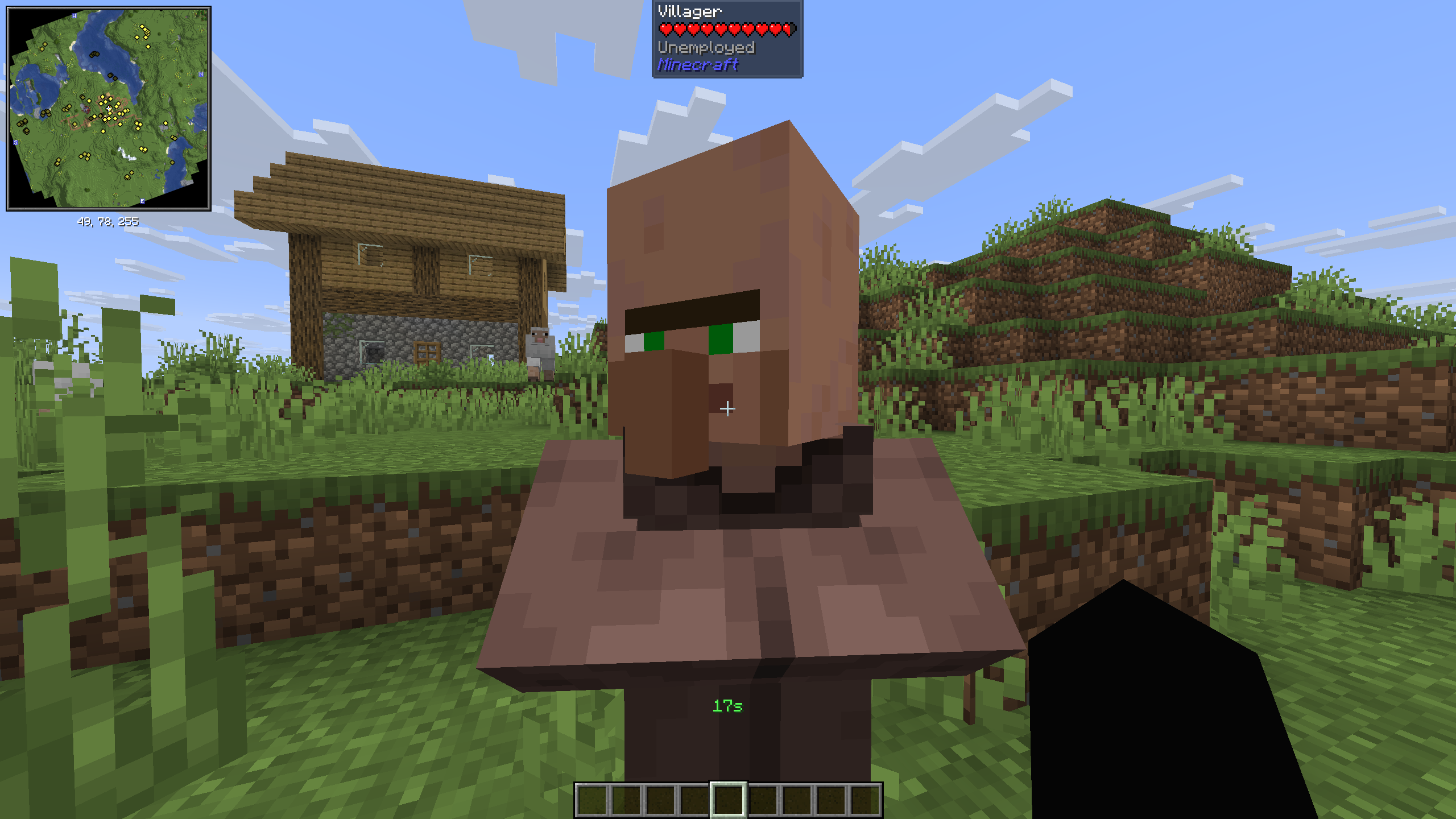
A minimalist, vanilla-style HUD timer and stopwatch that lives right above your XP bar.
截图
介绍
⏱️ Simple Timer & Stopwatch
A minimalist, vanilla-style HUD timer and stopwatch for Fabric.
Simple Timer & Stopwatch is a lightweight, client-side modification designed for players who need to track time without leaving the game or relying on clunky external apps. Whether you are timing a farm’s efficiency, tracking your speedrunning splits, or just setting a reminder for a real-life task, this mod provides a clean and non-intrusive solution.
✨ Key Features
Integrated HUD Display: A high-visibility green timer appears right above your health and hunger bars. It is designed to look like a natural part of the Minecraft UI.
Dual Mode Functionality: Works as both a countdown timer and a count-up stopwatch.
Zero Infrastructure: No config files, no heavy dependencies, and no complex menus. Everything is controlled via intuitive chat commands.
Client-Side Only: You don’t need the mod installed on the server to use it—perfect for playing on your favorite multiplayer servers!
🛠️ How to Use (Commands)
The mod is entirely command-driven for maximum speed and simplicity.
- Countdown Timer
Set a timer for a specific duration.
/starttimer
- Stopwatch
Track how much time has passed since you started an activity.
/stopwatch start – Begins counting up from zero.
/stopwatch stop – Ends the session and displays your final lap time in the chat for your records.
🚀 Technical Requirements
Mod Loader: Fabric
Minecraft Version: 1.21.10
Dependencies: Requires Fabric API
📋 Installation Guide
Ensure you have the Fabric Loader installed.
Download the Fabric API and place it in your mods folder.
Download Simple Timer & Stopwatch and place it in your mods folder.
Launch the game and start timing!
常见问题
Simple Timer/Stopwatch 支持哪些 Minecraft 版本?
Simple Timer/Stopwatch 支持 Minecraft Java 版 1.21.10–1.21.11,共 2 个版本,可用的加载器:Fabric。下载时注意选择和你游戏版本一致的文件。
Simple Timer/Stopwatch 怎么安装?
先用 PCL2 或 HMCL 启动器安装对应版本的 Fabric,再把下载的 .jar 文件放进游戏目录的 mods 文件夹,重新启动游戏即可。开启了版本隔离的,mods 文件夹在 versions/版本名 下面。运行环境:仅客户端。
评论
登录后评论和评分