
Create: Shared Access
Adds per-network permissions to Create’s Stock Ticker, allowing owners to manage trusted players on NeoForge servers
截图


介绍
Shared Access
Shared Access adds a per-network permission system to Create’s Stock Ticker. It allows the owner of each Stock Network to control which players can access and manage it.
Features
- Per-network ownership – The first player to place a Stock Ticker automatically becomes its owner.
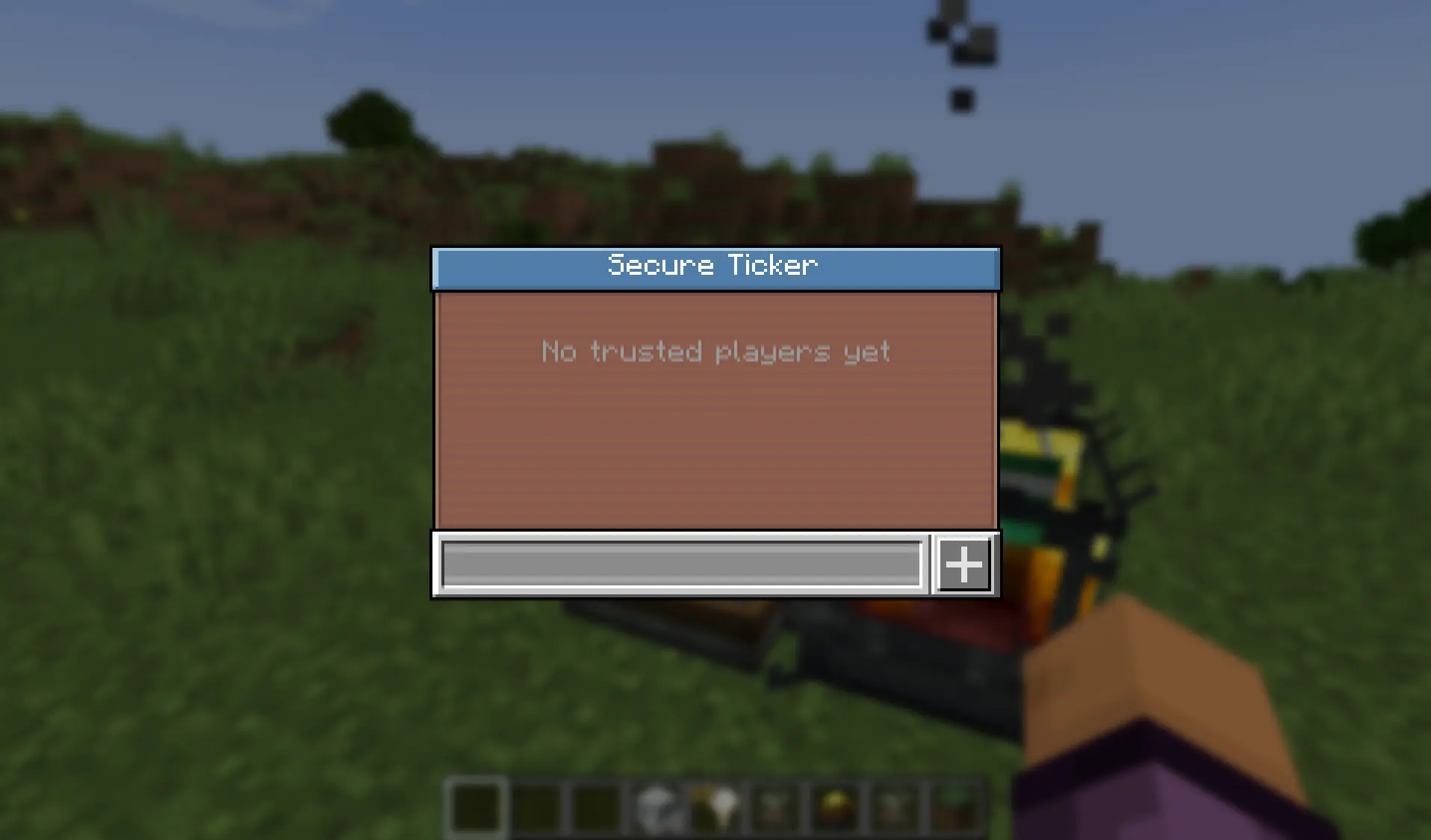
- Trusted players – Owners and trusted players can add or remove players through an in-game management GUI.
- Protected access – Only the owner and trusted players can interact with the Stock Ticker or access its network.
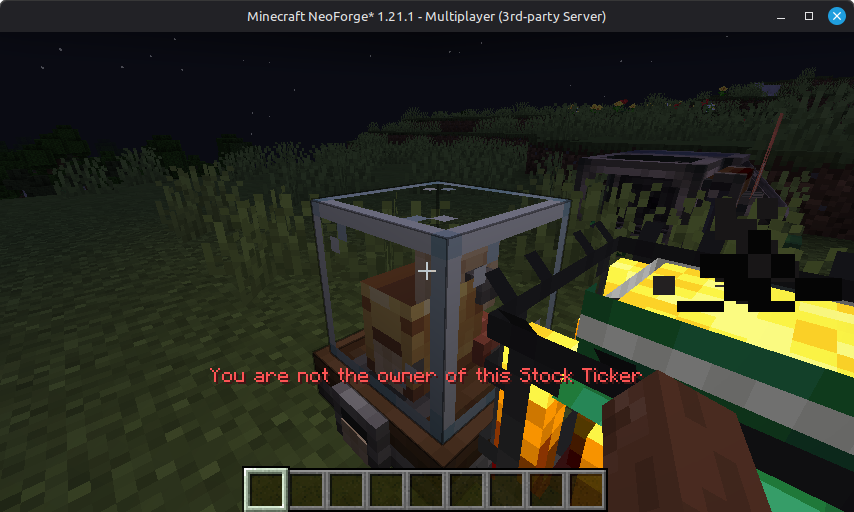
- Clear feedback – Unauthorized players receive a clear red message in the hotbar.
- Offline-mode compatible – Works with offline UUIDs.
How to Use
- Place a Stock Ticker to become its owner.
- Shift-right-click the Stock Ticker to open the management GUI.
- Add a trusted player by entering their name and clicking the + button.
- Remove a player by clicking the trash-can icon next to their name.
- Only the owner and trusted players can now access that Stock Network.
The owner and all trusted players can open the management GUI. Trusted players can use the Stock Ticker normally, including viewing inventories, requesting items, and managing the trusted-player list.
Unauthorized players are blocked and receive the following message:
You are not the owner of this Stock Ticker.
Requirements
- Minecraft: 1.21.x
- Mod loader: NeoForge
- Dependency: Create 6.0+
Fabric Support
A Fabric version is planned.
Bug Reports and Support
Please report bugs or request support on the Discord server.
常见问题
Create: Shared Access 支持哪些 Minecraft 版本?
Create: Shared Access 支持 Minecraft Java 版 1.21–1.21.11,共 12 个版本,可用的加载器:NeoForge。下载时注意选择和你游戏版本一致的文件。
Create: Shared Access 怎么安装?
先用 PCL2 或 HMCL 启动器安装对应版本的 NeoForge,再把下载的 .jar 文件放进游戏目录的 mods 文件夹,重新启动游戏即可。开启了版本隔离的,mods 文件夹在 versions/版本名 下面。运行环境:客户端和服务端都要装。

评论
登录后评论和评分