
截图


介绍
中文介绍正在准备中,下面暂时显示原文。
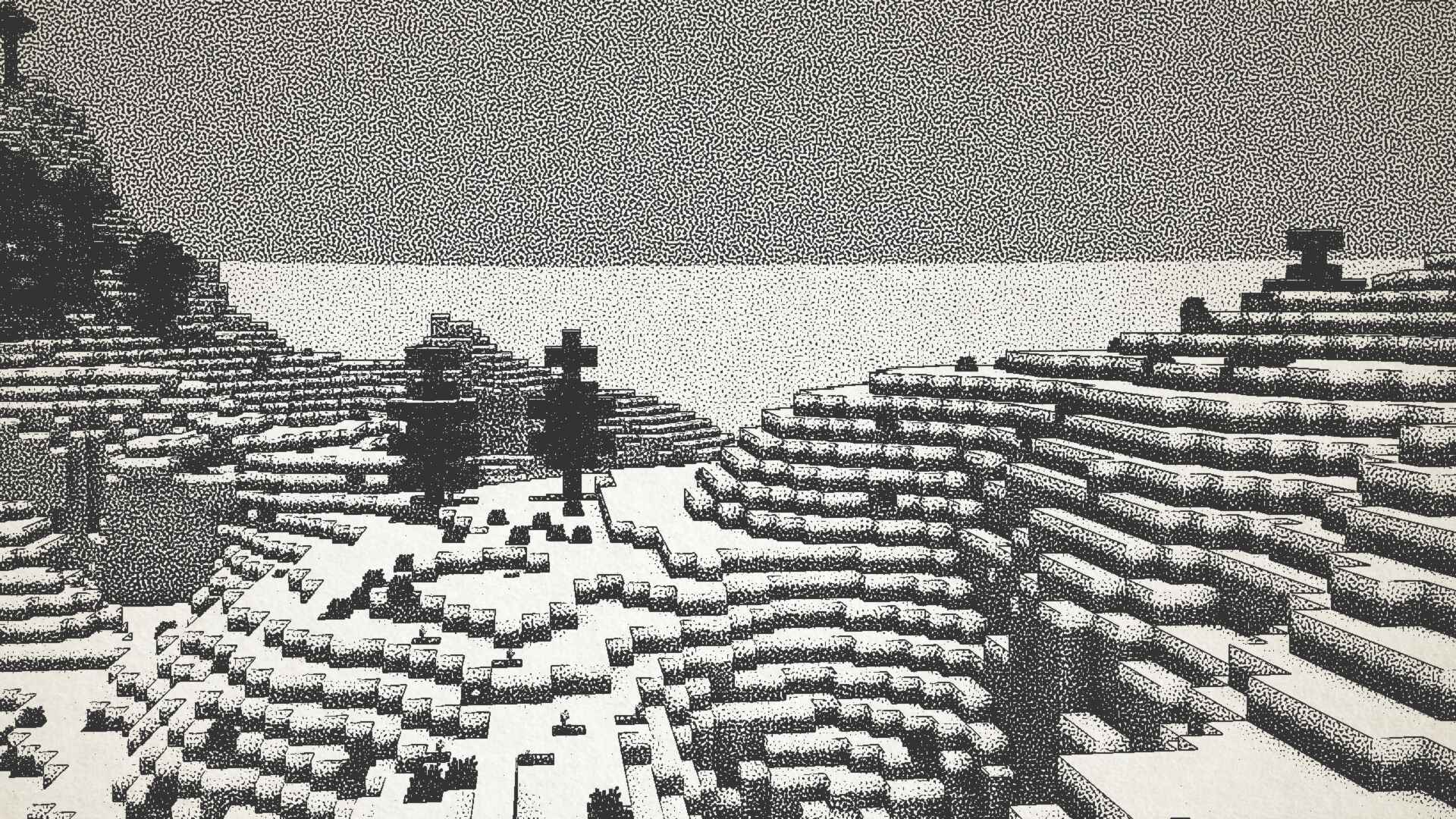
Ink Shader tries to visualise Minecraft as if it was printed with ink!
Current features include:
- Color Customisation
- Blur Effect
- Stippling
- Edge Detection
- and more!
_This shader was heavily inspired on Acerolas video and uses the paper asset that he uses_
I mostly tested on Iris 1.21, other versions might not work. If you find any bugs or incompatibilities, you can always report them, it helps me and others out 😀
Installation
- First you need to install either OptiFine or the Iris mod to be able to load shaderpacks. (Choose Iris if you are unsure)
- Then you need to launch the game, and get to the Shaderpacks/Shaders menu in Video Settings.
- Open the shaderpacks folder by clicking the button in the menu.
- Download the Ink Shader and put it in the shaderpacks folder.
- Get back in the game, and choose Ink_Shader in the shaderpacks menu. (Refresh the menu if it doesn’t appear)
BouncingElf10 的其他作品
查看全部 →
CRT Shader
by BouncingElf10
A stylized shader aimed to make your game look retro!
2.5万
2 年前
Modrinth

ASCII Shader
by BouncingElf10
A shader intended to make Minecraft render only with ASCII characters!
2.3万
2 年前
Modrinth
Dithered Shader
by BouncingElf10
A Minecraft shader with multiple dithering styles to stylize your game!
8,330
1 年前
Modrinth
评论
登录后评论和评分