
截图

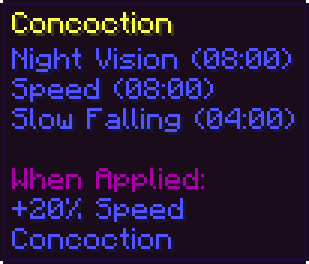
介绍
Concoction
Minecraft’s Potions are inconvenient, they take up way too much inventory space
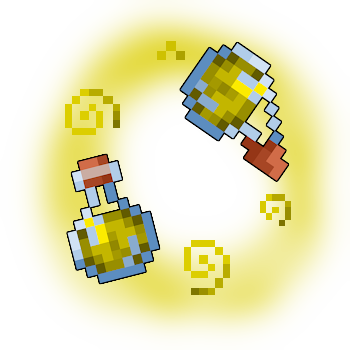
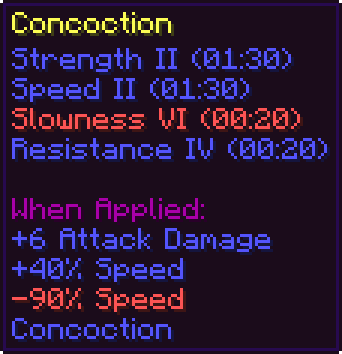
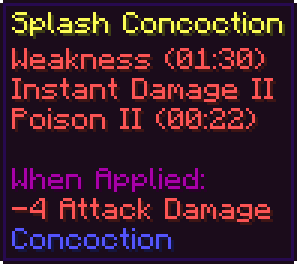
With Concoction, you can mix Potions or Splash Potions together to a single Potion that has all the effects in a single bottle

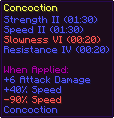


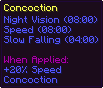
How to Mix
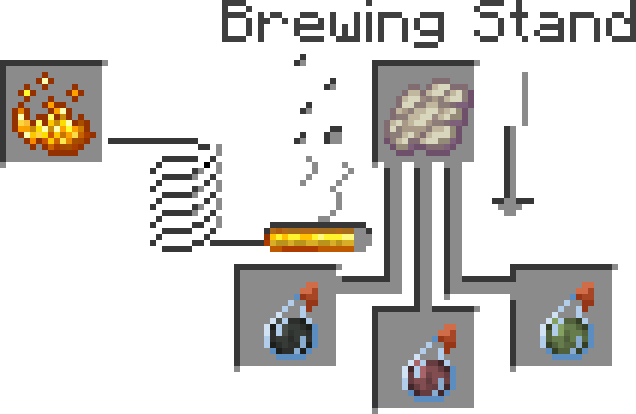
To mix a Concoction, just place 2 or 3 Potions or Splash Potions in a Brewing Stand and place a Phantom Membrane in the ingredient slot
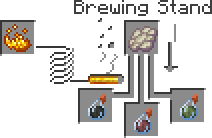
Note that a Phantom Membrane with an Akward Potion still creates a Slow Falling Potion, all vanilla recipes remain unchanged
Configure the Pack
You can configure the pack to your liking, by for example allowing Concoctions to be used in more Concoctions, creating potentially overpowered Potions or making Concoction brewing faster!
For that, type the following into chat (you need op rights):
/function psconco:_/All functions that show up in the TAB completion menu, can and should be used to configure the pack




常见问题
Concoction 支持哪些 Minecraft 版本?
Concoction 支持 Minecraft Java 版 1.20.3–1.20.4,共 2 个版本,可用的加载器:Fabric / Forge / NeoForge / Quilt。下载时注意选择和你游戏版本一致的文件。
Concoction 怎么安装?
先用 PCL2 或 HMCL 启动器安装对应版本的 Fabric / Forge / NeoForge / Quilt,再把下载的 .jar 文件放进游戏目录的 mods 文件夹,重新启动游戏即可。开启了版本隔离的,mods 文件夹在 versions/版本名 下面。运行环境:客户端 / 服务端。




评论
登录后评论和评分