
截图


介绍
中文介绍正在准备中,下面暂时显示原文。
Reconnect Button Mod
English
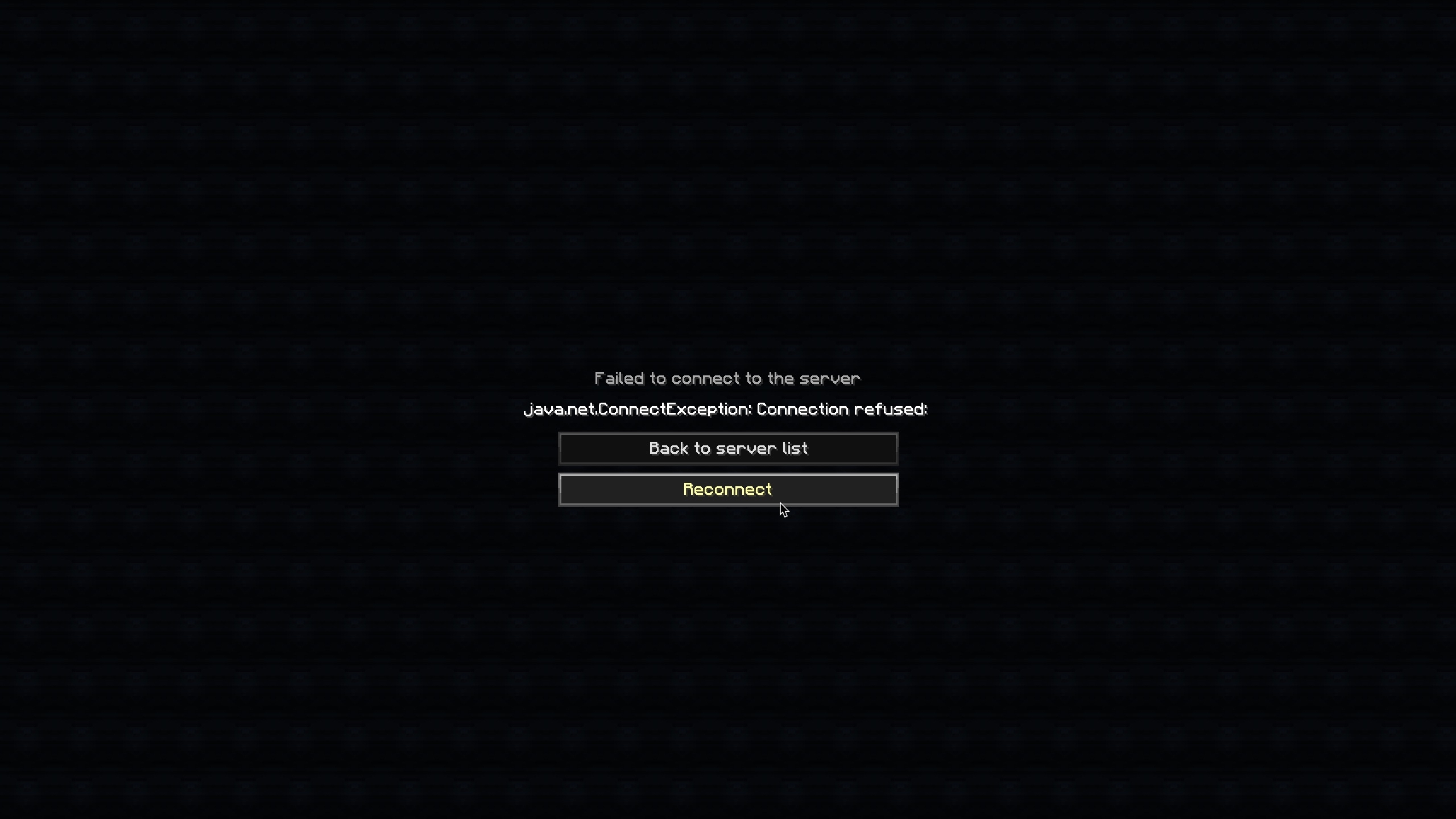
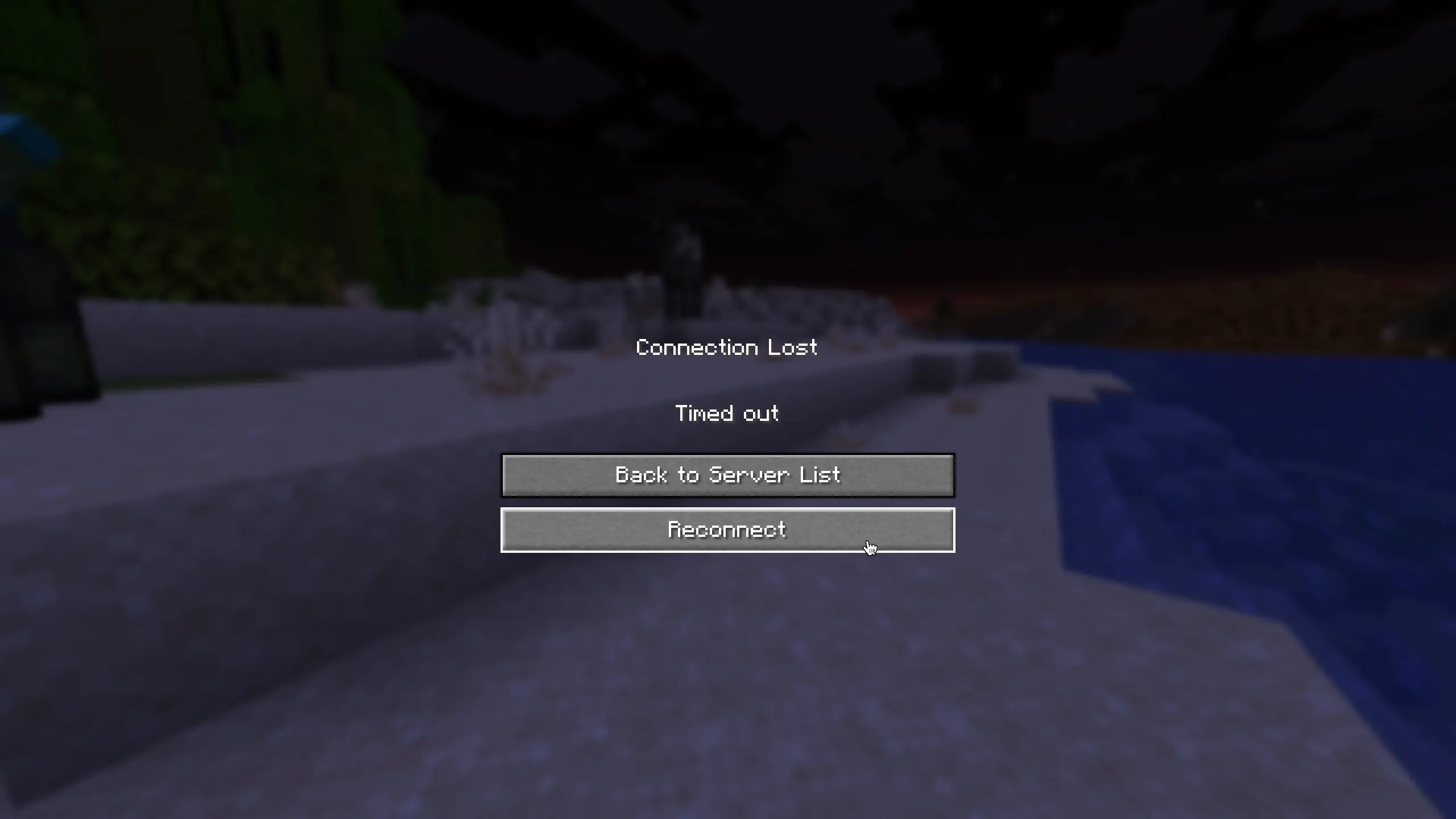
Adds a Reconnect button to the disconnect screen.
No more going back to the server list just to rejoin — simply click Reconnect!
Features
- Adds a Reconnect button below the “Back to server list” button on the disconnect screen
- Works on both the “Connection Lost” screen and the “Failed to connect to the server” screen
- Supports resource packs and custom translations
Supported Versions
| Version | Loader |
|———|——–|
| 1.21.11 | Fabric |
| 1.8.9 | Forge |
Translations
Built-in languages:
- English (
en_us) - Japanese (
ja_jp)
Want to add your language? Contributions are welcome on GitHub!
日本語 (Japanese)
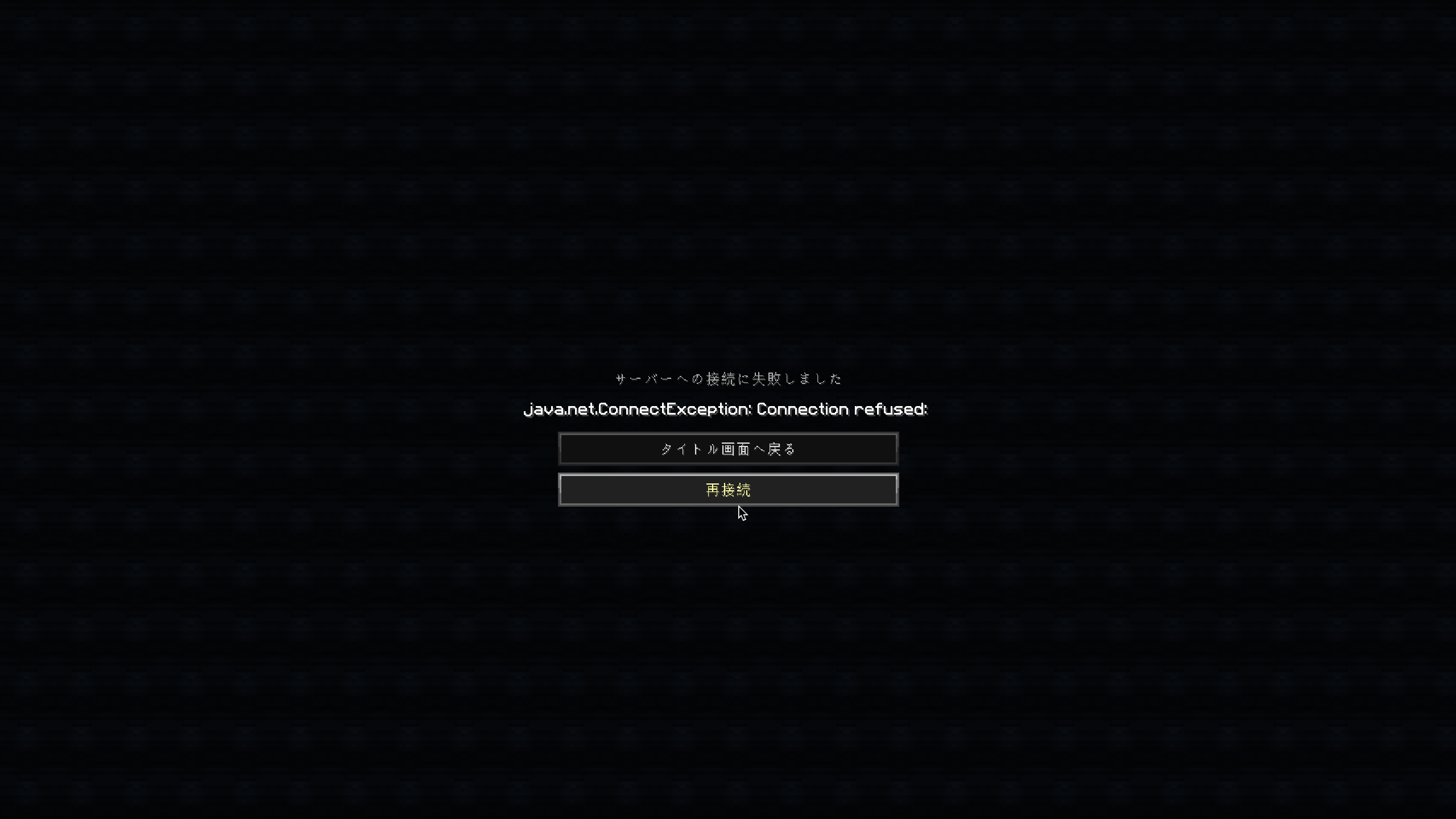
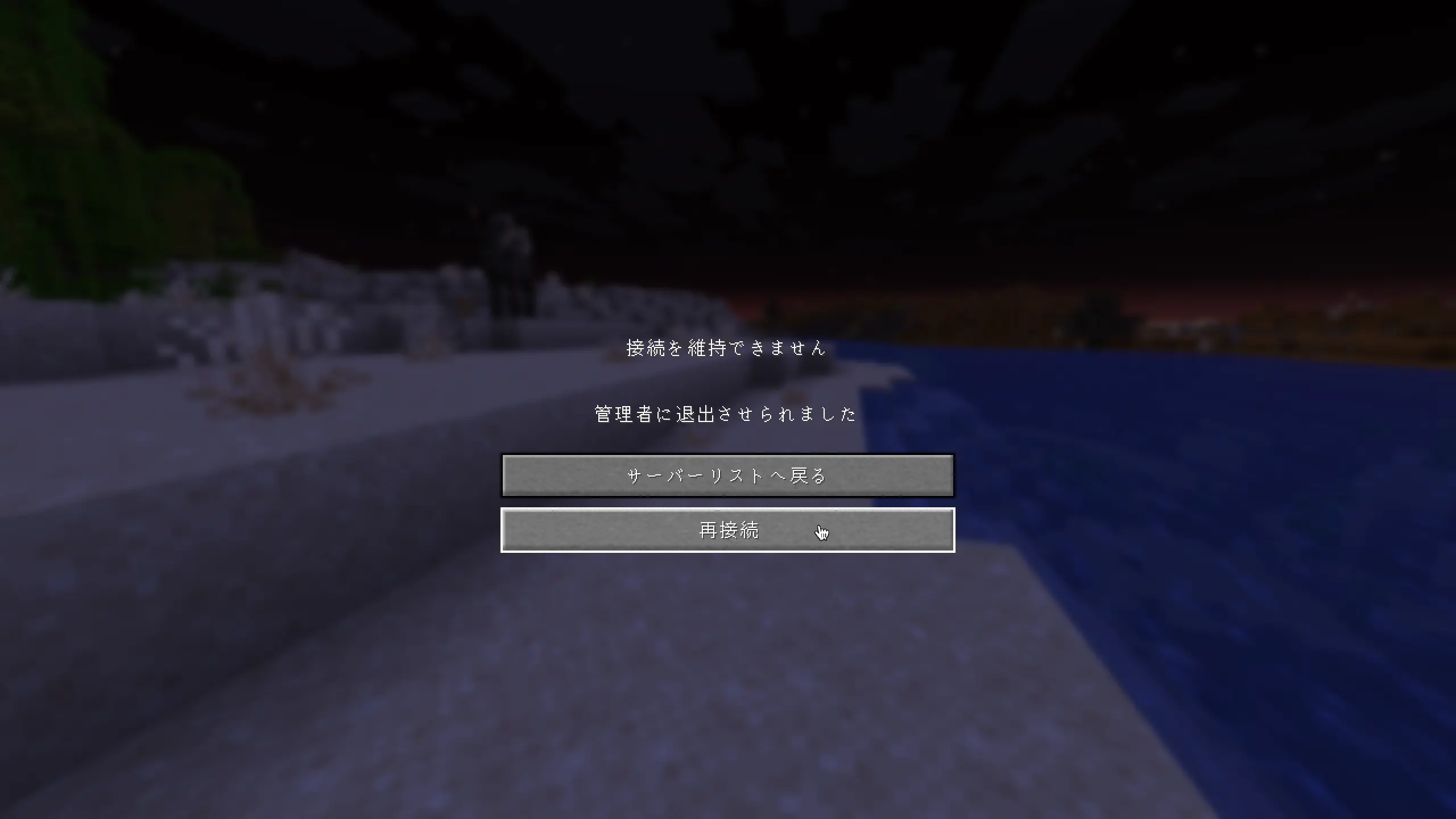
切断画面に「再接続」ボタンを追加します。
再接続するためだけにサーバーリスト画面に戻る必要はもうありません。「再接続」をクリックするだけでOKです!
機能
- 切断画面の「サーバーリストへ戻る」ボタンの下に「再接続」ボタンを追加しました。
- 「接続を維持できません」画面と「サーバーへの接続に失敗しました」画面の両方で機能します。
- リソースパックによるカスタム翻訳に対応しています。
サポートされているバージョン
| バージョン | ローダー |
|———|——–|
| 1.21.11 | Fabric |
| 1.8.9 | Forge |
常见问题
Reconnect Button Mod 支持哪些 Minecraft 版本?
Reconnect Button Mod 支持 Minecraft Java 版 1.8.9–1.21.11,共 2 个版本,可用的加载器:Fabric / Forge。下载时注意选择和你游戏版本一致的文件。
Reconnect Button Mod 怎么安装?
先用 PCL2 或 HMCL 启动器安装对应版本的 Fabric / Forge,再把下载的 .jar 文件放进游戏目录的 mods 文件夹,重新启动游戏即可。开启了版本隔离的,mods 文件夹在 versions/版本名 下面。运行环境:仅客户端。
评论
登录后评论和评分