截图
介绍
[𝗘𝗡𝗚𝗟𝗜𝗦𝗛]
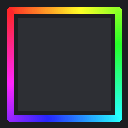
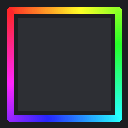
CustomPack Outline replaces vanilla Minecraft’s block outline with a customizable shader-based outline.
Features:
Colored outline — choose rainbow mode (cycling colors) or one of 16 solid colors (black, blue, brown, cyan, gray, green, light blue, light gray, lime, magenta, orange, pink, purple, red, white, yellow)
Adjustable outline thickness via slider (scale 1–10)
All settings accessible through the in-game Respackopts menu — change color or thickness anytime without reloading or switching packs
Shader-based, lightweight, and works well alongside other resource 𝗽𝗮𝗰𝗸𝘀
[𝗜𝗡𝗗𝗢𝗡𝗥𝗦𝗜𝗔]
CustomPack Outline mengganti outline block vanilla Minecraft jadi outline shader kustom yang bisa kamu atur sendiri.
Fitur:
Outline berwarna, pilih mode rainbow (warna berganti-ganti) atau salah satu dari 16 warna solid (hitam, biru, coklat, cyan, abu-abu, hijau, light blue, light gray, lime, magenta, orange, pink, purple, merah, putih, kuning)
Ketebalan garis outline bisa diatur lewat slider (skala 1–10)
Semua pengaturan diakses lewat menu Respackopts in-game — ganti warna atau ketebalan kapan aja tanpa perlu reload/ganti pack
Berbasis shader, ringan dan cocok dipakai bareng resource pack lain
常见问题
[Sk’y] CustomPack Outline 支持哪些 Minecraft 版本?
[Sk’y] CustomPack Outline 支持 Minecraft Java 版 26.1–26.2,共 4 个版本。下载时注意选择和你游戏版本一致的文件。
[Sk’y] CustomPack Outline 怎么安装?
把下载的 .zip 文件(不用解压)放进游戏目录的 resourcepacks 文件夹,进游戏后在「选项 → 资源包」里把它移到右边启用。
评论
登录后评论和评分