
截图
介绍
中文介绍正在准备中,下面暂时显示原文。
Verbose Subtitles
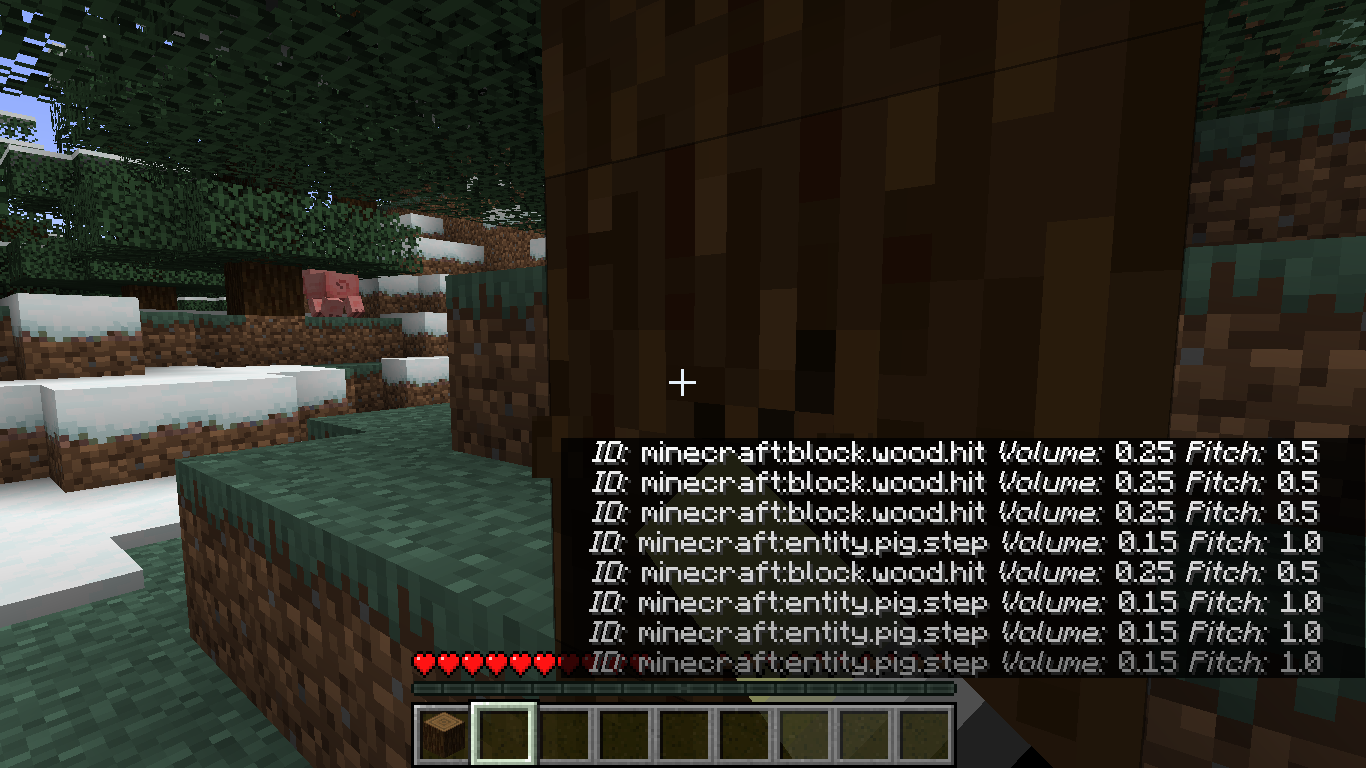
View additional information for the various sounds played in game. Replaces vanilla subtitles when enabled.
Have Feedback or Questions?
Connect with me directly on Discord:
@Vince the Animator#2359
or
join my support server (the server is for all of my coding projects, so navigate to the #projects forum channel and search for the Verbose Subtitles post):

Features
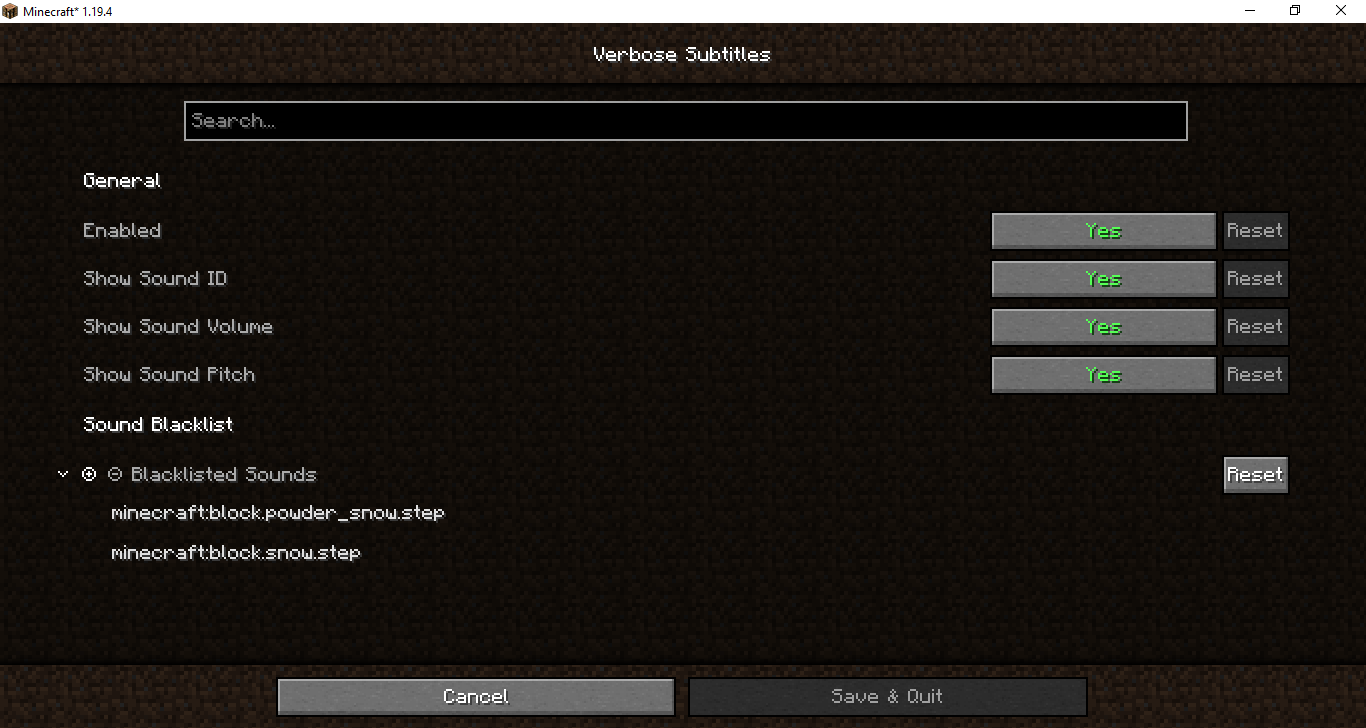
- Can be disabled in-game without removing mod
- Robust set of customization options
- Blacklist to prevent certain sounds from displaying at all
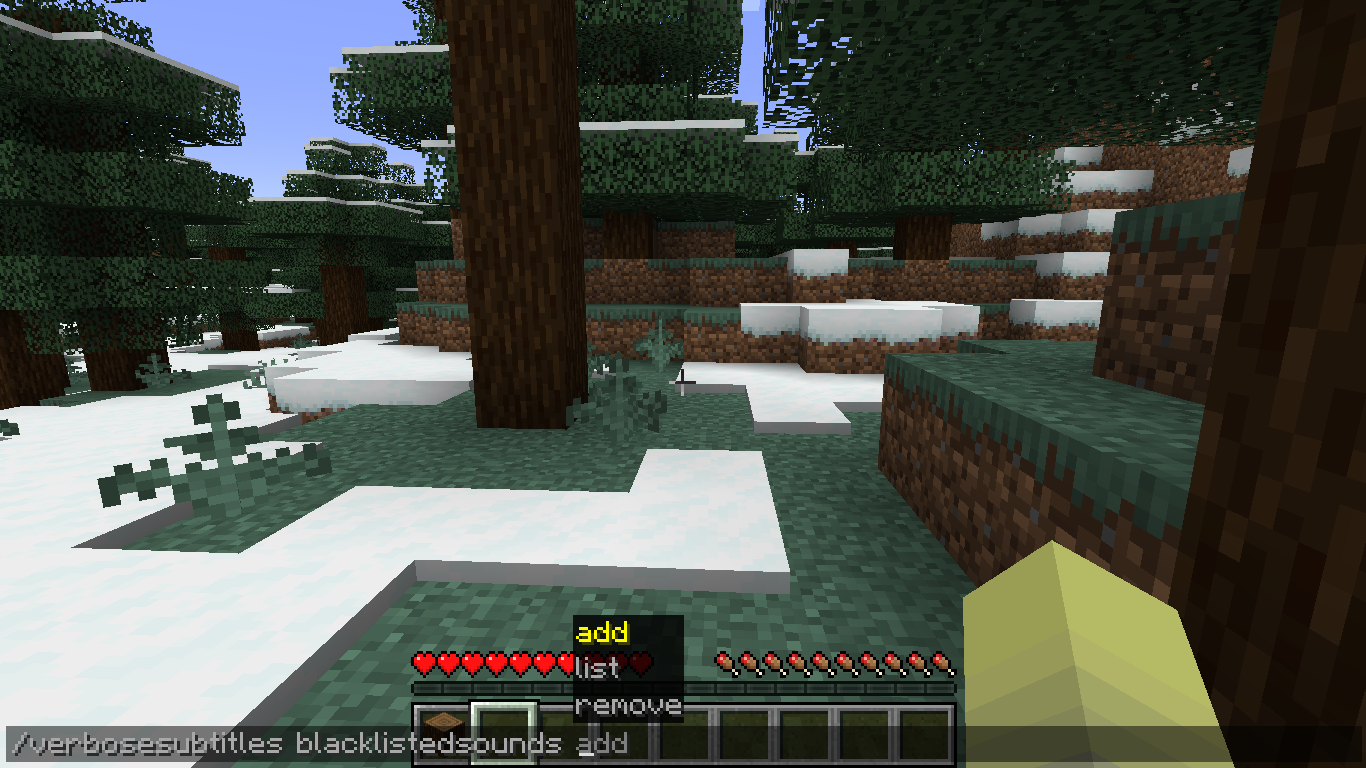
- Client-side commands for managing sound blacklist
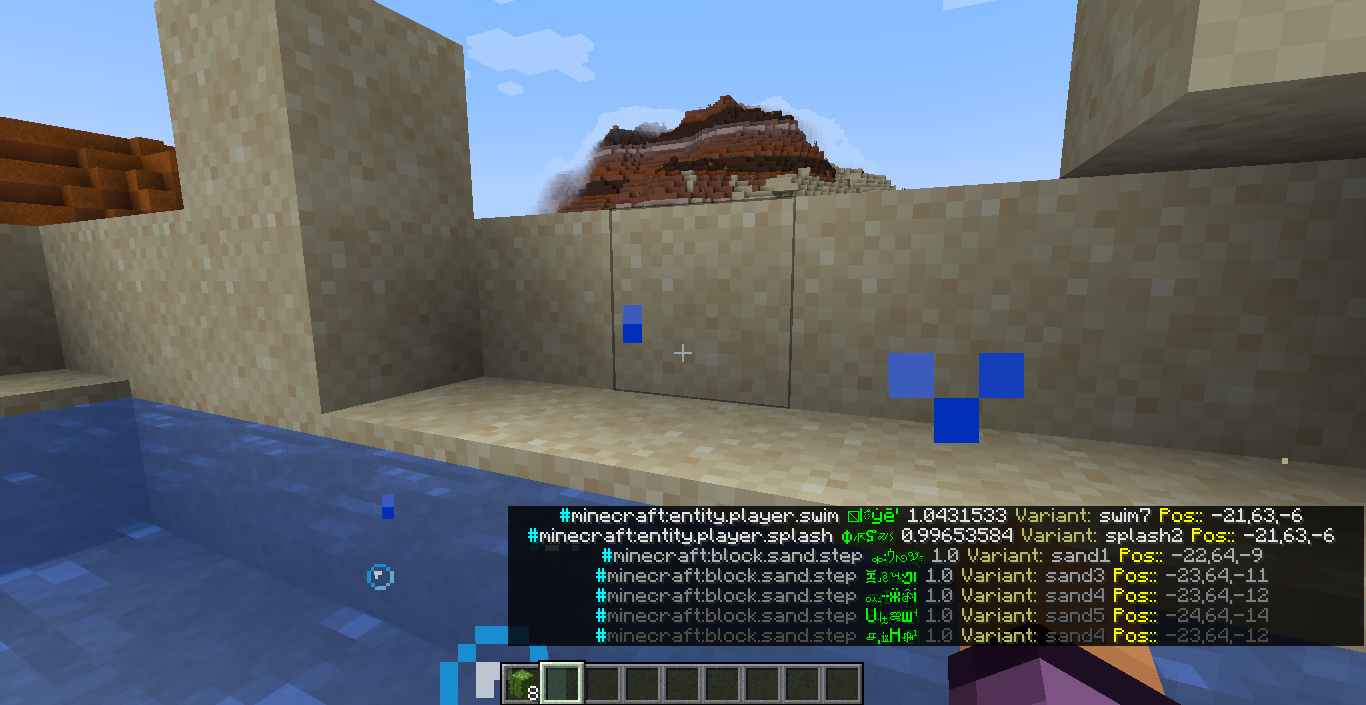
Available sound properties
- sound ID
- sound Display Name (the vanilla subtitle)
- sound Volume
- sound Pitch
- sound Variant (the exact variant of the sound based on the actual sound file played)
- sound Position (relative to the player)
Planned Features
- Ignore list to fallback to vanilla behavior for certain sounds
- Fallback to custom config system when
cloth-configis not installed - Client-side commands for managing all config options
Disclaimer
- I am new to the Fabric modding community, and this is my first mod. It is likely that I have and will make mistakes, so definitely do try to connect with me or submit an issue if you encounter any bugs.
Additional Credits
- Nia for posting the mod idea
- dicedpixels for creating the initial core mixin
- Felix14_v2 for Russian localization
- DerpDerpling for updating the mod to 1.20
- Amirhan-Taipovjan-Greatest-I for Tatar localization
常见问题
Verbose Subtitles 支持哪些 Minecraft 版本?
Verbose Subtitles 支持 Minecraft Java 版 1.19.4–1.21.6,共 7 个版本,可用的加载器:Fabric。下载时注意选择和你游戏版本一致的文件。
Verbose Subtitles 怎么安装?
先用 PCL2 或 HMCL 启动器安装对应版本的 Fabric,再把下载的 .jar 文件放进游戏目录的 mods 文件夹,重新启动游戏即可。开启了版本隔离的,mods 文件夹在 versions/版本名 下面。运行环境:仅客户端。
评论
登录后评论和评分