Chat Tweaks
Various chat tweaks that change the look and feel of the chat, for better or for worse.
截图
介绍
Features
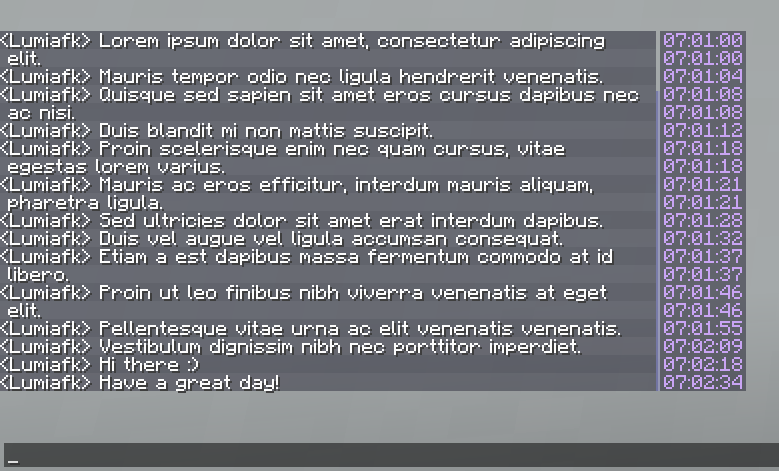
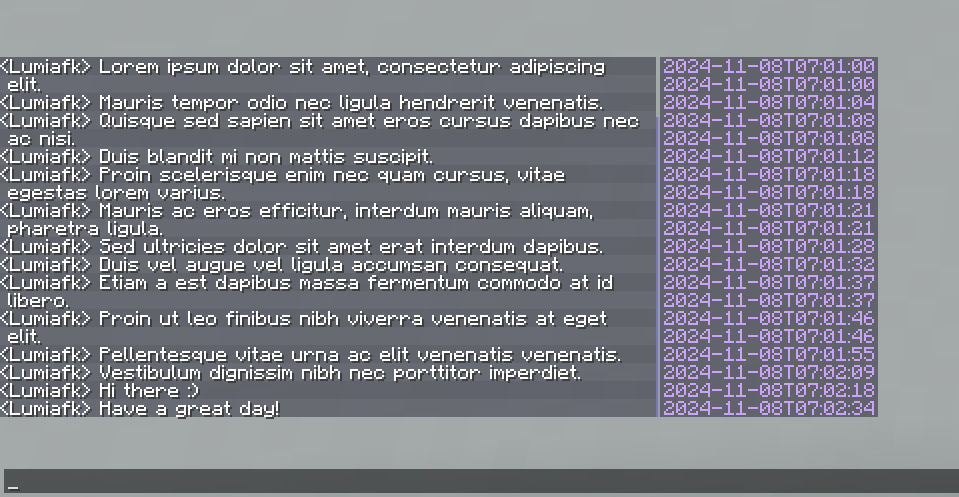
- Adds unintrusive timestamps to chat. It’s only visible when the chat is open and the mouse cursor is hovering over the chat box (but it can be configured to show at all times)
- Text color, background color and the format is configurable
- Timestamps will be grouped to reduce noise in spammy situations
- The time frame this grouping will activate in is also configurable
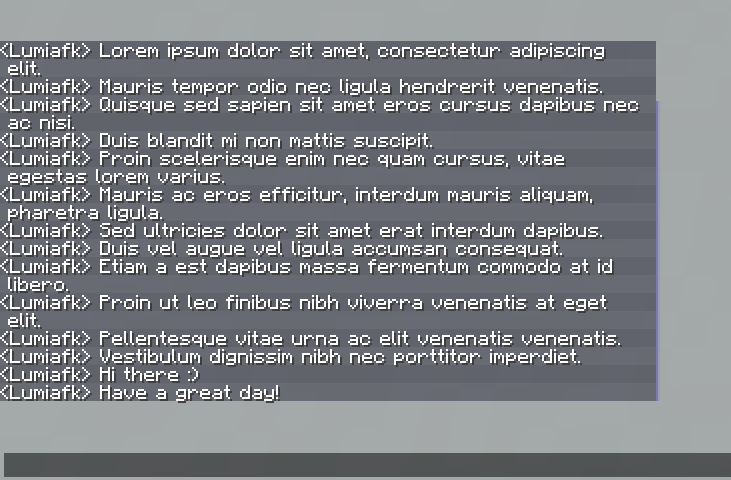
- Adds highlights for every other chat message
- The highlight color can be configured, but please note that the color will be overlaid on top of the background color, so the actual color displayed might be slightly different to what is configured if the highlight color is translucent.
- Removes that pesky white line at the left of chat called the message indicator, and moves the chat slightly left to fill the gap left behind
- Increases the chat’s input limit
- Note that messages containing over 256 characters will still be truncated to 256 characters when sent as the server expects a maximum of 256 characters.
- Allow changing the width and the focused/unfocused height of the chat beyond normal limits (via the mod’s configs)
- Adds key to peek the chat, defaults to
V - There’s an option to make it permanently show chat
Almost all of these features can be toggled on or off. For those that can’t be toggled, their values can be changed to effectively turn them off/default back to minecraft’s values.
Configuring
Simply use modmenu and/or run /chattweaks config.
Compatibility
The mod should be compatible with pretty much every mod that does not implement custom chat behaviour. I’ve avoided using a custom chat screen and only made modifications to the existing screen for this reason.
常见问题
Chat Tweaks 支持哪些 Minecraft 版本?
Chat Tweaks 支持 Minecraft Java 版 1.21.2–1.21.4,共 3 个版本,可用的加载器:Fabric。下载时注意选择和你游戏版本一致的文件。
Chat Tweaks 怎么安装?
先用 PCL2 或 HMCL 启动器安装对应版本的 Fabric,再把下载的 .jar 文件放进游戏目录的 mods 文件夹,重新启动游戏即可。开启了版本隔离的,mods 文件夹在 versions/版本名 下面。运行环境:仅客户端。
Rime 的其他作品
查看全部 →
Skyblocker • Hypixel Skyblock
Hypixel Skyblock 模组,适用于最新版本(26.2)

Chat Calc
The *fastest* calculator around; built right into your chat; just type in and you'll see your answer!

Hittable
A mod that makes mobs glow if they are within your reach.

Shut Up Narrator
Removes the narrator.
评论
登录后评论和评分