
Color Pointers
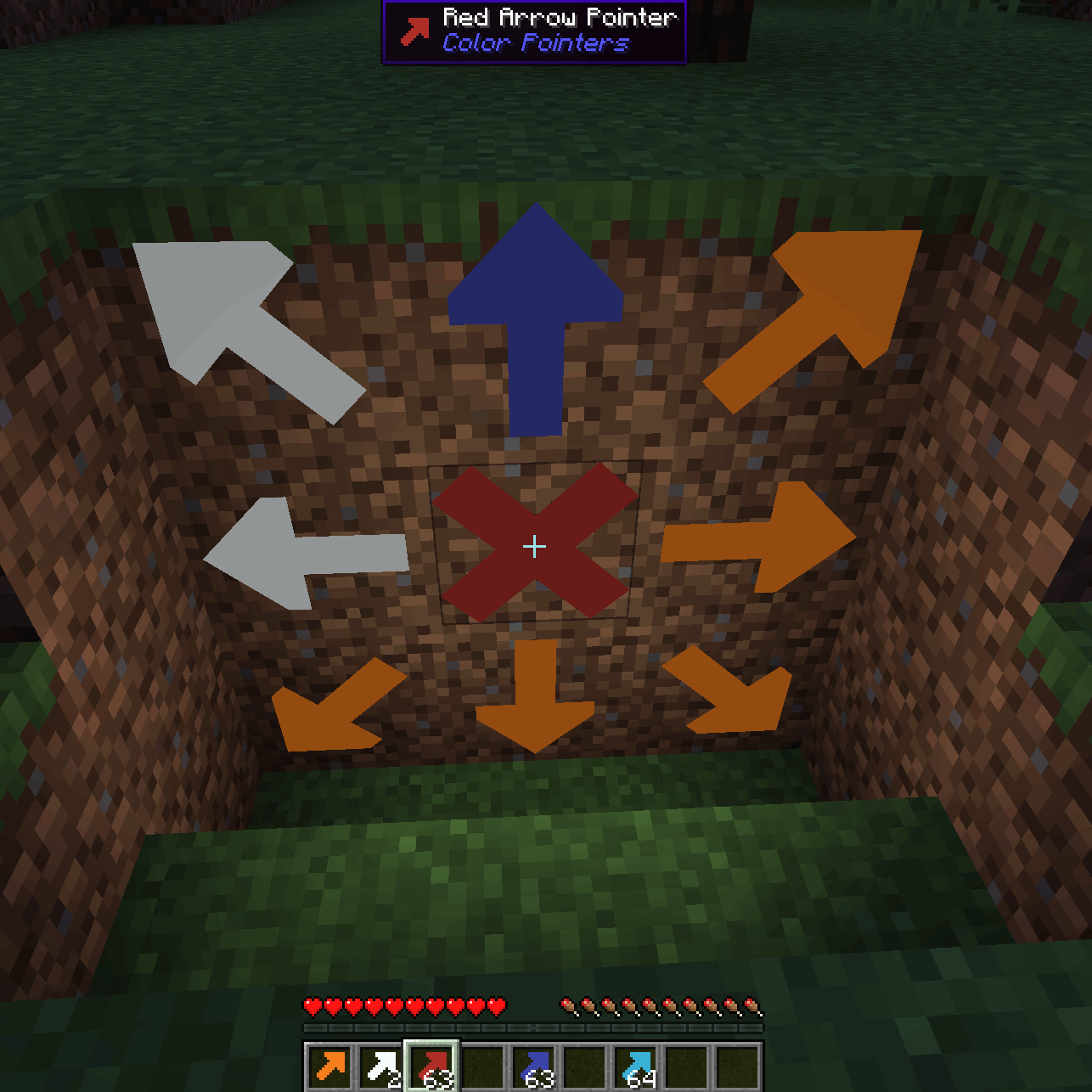
Place high contrast arrow pointers on any full block to aid you on your mining journeys.
截图

介绍
Color Pointers (Fabric and NeoForge)

Allows you to place high contrast arrow pointers on any full block to aid you on your mining journeys. Never lose your way again.
Hitting the corner of a block places an arrow pointing in that direction, hitting the center creates an X.
The placed arrows emit a faint light, and they are visible even in the dark.
License
Standard MIT license. Feel free to learn from it and incorporate it in your own projects.
Source code
Available on GitLab or on GitHub.
For developers
Quite often, when I start learning programming on a new platform, I find even the simplest examples too complicated.
Tutorials, written by experts, with years of experience programming on that platform, sometimes forget how difficult those first step are.
This is why I decided to make my first Minecraft mods publicly available.
Requires (Fabric)
Recommended addons
Iron Signs is a good companion mod to place matching color signs next to the arrows.
Alternative addons
Arrow Pointers allows you to mark your way with vanilla arrows.
Chalk provides a different way to mark your path with arrows.
And Chalk: Colorful Addon adds variants of chalk in every color!
See also
My other mods on Modrinth and on CurseForge.
常见问题
Color Pointers 支持哪些 Minecraft 版本?
Color Pointers 支持 Minecraft Java 版 1.20.1–26.2,共 19 个版本,可用的加载器:Fabric / NeoForge。下载时注意选择和你游戏版本一致的文件。
Color Pointers 怎么安装?
先用 PCL2 或 HMCL 启动器安装对应版本的 Fabric / NeoForge,再把下载的 .jar 文件放进游戏目录的 mods 文件夹,重新启动游戏即可。开启了版本隔离的,mods 文件夹在 versions/版本名 下面。运行环境:客户端和服务端都要装。
pinter.gabor 的其他作品
查看全部 →
Sign Edit Lite
Add color and formatting options to signs.

Balanced Ore Detector
Fully configurable Ore Detectors that do not break the balance of the game, and still make prospecting a challenge, without forcing you to hollow out the entire world.

EarlyToBed
In the beginning of the game you have to kill three sheep to create your first bed. How can you sleep soundly after such a brutal act? So I created the wooden shears to allow a less violent start.

DirtCheap
Dirt must be dirt cheap. But in Minecraft cobblestone is cheaper than dirt, because it is free. I did not like it, so I made dirt really cheap by adding a few recipes that allow duplication of dirt blocks.
评论
登录后评论和评分