
截图

介绍
Survival Light Block
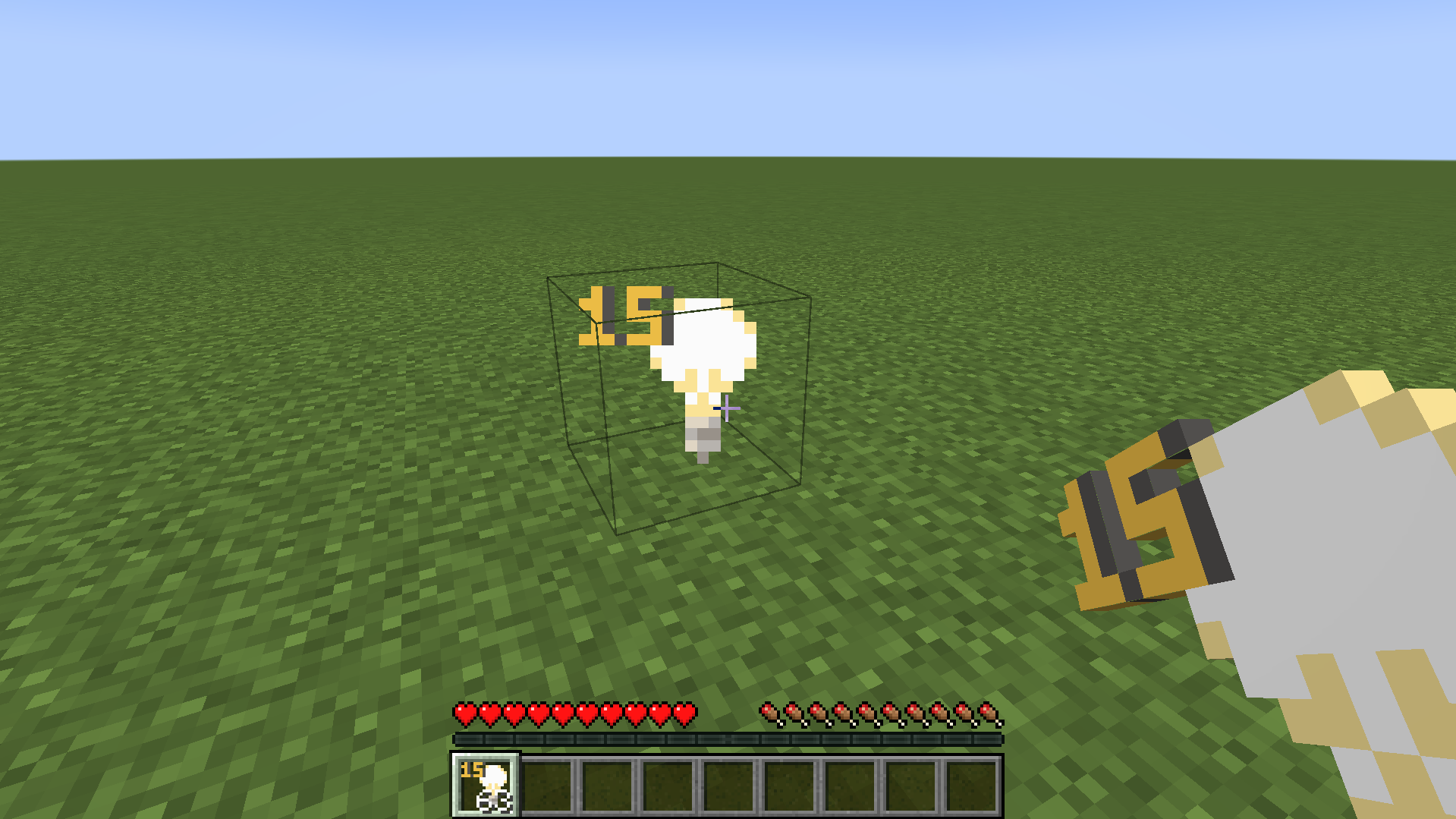
Elevate your survival experience with the Survival Light Block mod! No longer bound by the limitations of conventional lighting, this mod introduces craftable Light Blocks to Minecraft’s survival mode, giving you complete control over the brightness of your world.
Whether you’re building stunning creations, exploring dark caves, or securing your base from hostile mobs, Survival Light Block offers a seamless and highly customizable lighting solution. Say goodbye to endless torches and bulky glowstones—now you can fine-tune the light level for each block, creating the perfect atmosphere for any scenario.
Key Features:
- Craftable Light Blocks: Previously only available in creative mode, Light Blocks can now be crafted and used in survival mode.
- Adjustable Brightness: Set the light level from 0 to 15, allowing for precise control of the lighting in any situation.
- Invisible Lighting: Light Blocks are transparent, providing light without altering the aesthetics of your builds.
- User-Friendly: Simple crafting recipes and intuitive usage make this mod accessible to everyone, from beginners to experienced players.
- Performance Friendly: Enjoy advanced lighting without compromising performance.
Whether you’re an explorer, builder, or survival enthusiast, Survival Light Block will revolutionize the way you light up your world!
Preview:
常见问题
Survival Light Block 支持哪些 Minecraft 版本?
Survival Light Block 支持 Minecraft Java 版 1.18–1.21.1,共 17 个版本,可用的加载器:Fabric。下载时注意选择和你游戏版本一致的文件。
Survival Light Block 怎么安装?
先用 PCL2 或 HMCL 启动器安装对应版本的 Fabric,再把下载的 .jar 文件放进游戏目录的 mods 文件夹,重新启动游戏即可。开启了版本隔离的,mods 文件夹在 versions/版本名 下面。运行环境:客户端和服务端都要装。
HewkawAr 的其他作品
查看全部 →
ThaiFontFix
Make Thai fonts easier to read
ThaiFontFix
Make Thai fonts easier to read

TheRanks
Add Symbol Ranks to Minecraft
Survival Light Block
Use Light Block in survival mode
评论
登录后评论和评分