
FlintUnlocked – a Musket!
A vanilla-like musket added to your mid and early game arsenal! View the gallery page for in-game looks and crafting recipes, recommended for faction and pvp related minecraft servers!
截图
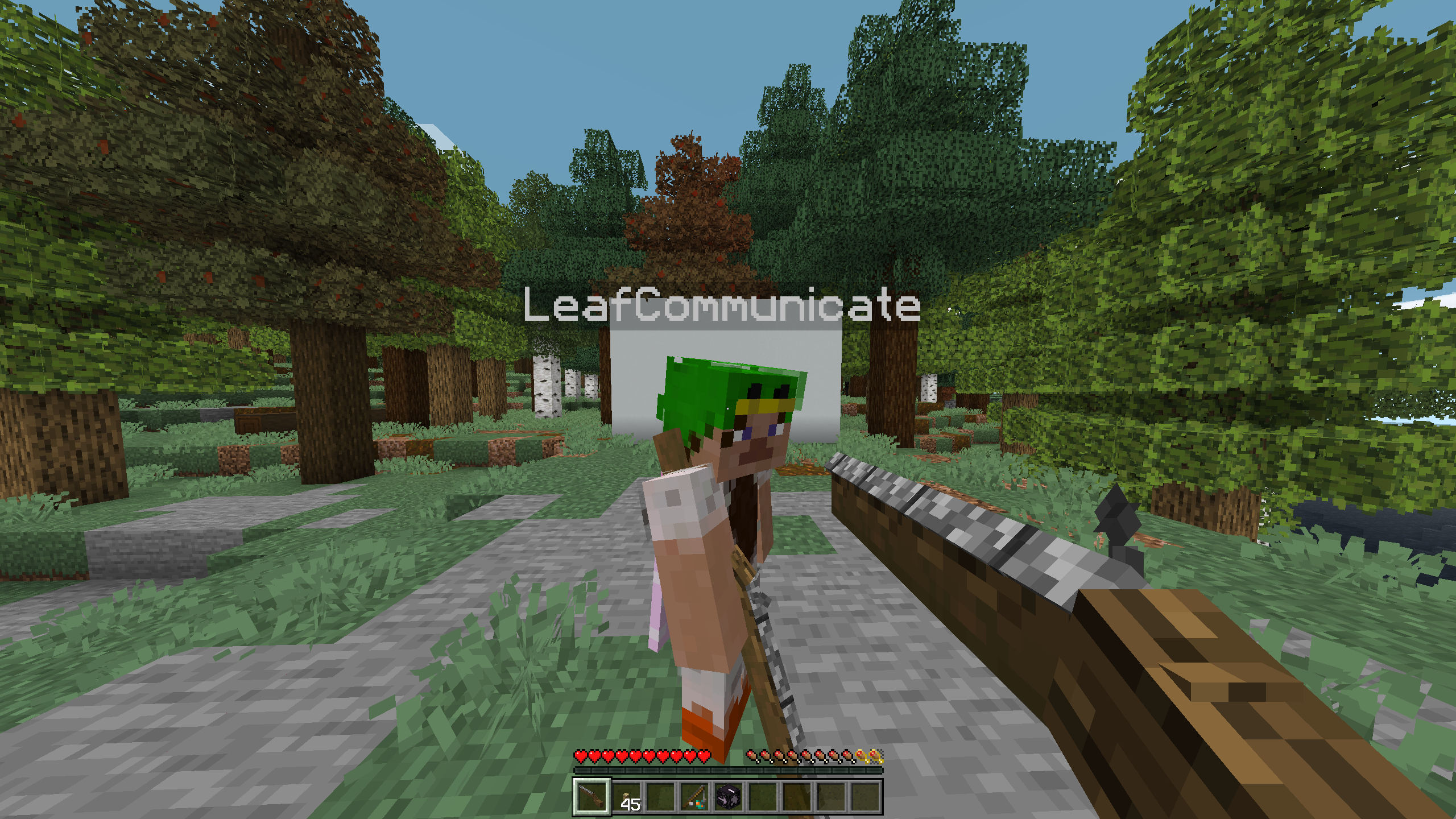
介绍
Whats this?
Its a musket datapack, easy to install and use.
While downloading the datapack please also install the provided resourcepack for better experience!
The musket does 16 damage (8 hearts) to players and 20 damage (10 hearts) to mobs, this can be reduced with armor and/or projectile protection enchantments. The projectile can travel thru air and most non-full blocks excluding water.
How its made?
Using 8 teleports and detections per tick an armor stand travels for 5 seconds in a straight line before disapearing, using the coordinate distance selector (dy=,dx=,dz=) it detects any entity’s hitbox within 0.5 block range from the projectile and deals the damage to it using the damage command, the damage type being arrow.
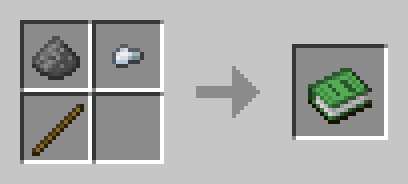
Reloading happens automatically and takes 10 seconds with actionbar messages every second, every shot requires the shell seen below.
To ensure the safety of the player shooting it, the hit detection is disabled for 1 tick after shot making the weapon ineffective at very close ranges.
I put effort into as much optimizing as possible but there is still multiple checks running every tick, This datapack was not tested with large numbers of projectiles existing at the same time.
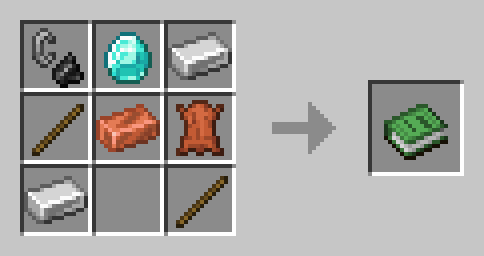
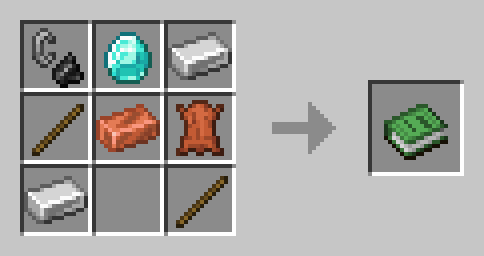
Musket ammo (shell) crafting recipe:
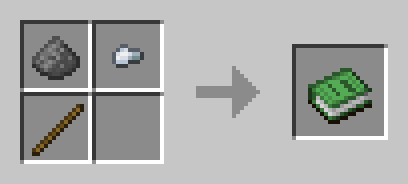
Musket crafting recipe:
#
ℹ️ – All Rights Reserved – Leaf’s Project Information
- You are allowed to include this project in any modrinth modpack.
- For other requests you should contact me and ask directly.

常见问题
FlintUnlocked – a Musket! 支持哪些 Minecraft 版本?
FlintUnlocked – a Musket! 支持 Minecraft Java 版 1.20.1,可用的加载器:Fabric / Forge / Quilt。下载时注意选择和你游戏版本一致的文件。
FlintUnlocked – a Musket! 怎么安装?
先用 PCL2 或 HMCL 启动器安装对应版本的 Fabric / Forge / Quilt,再把下载的 .jar 文件放进游戏目录的 mods 文件夹,重新启动游戏即可。开启了版本隔离的,mods 文件夹在 versions/版本名 下面。运行环境:客户端 / 服务端。
LeafForge 的其他作品
查看全部 →
Bows & Crossbows to Guns!
With realistic bolt-action! Did you perhaps want to do a old fashioned ww1-like battle in Minecraft? Well now with this vanilla-styled model you can! This resource pack adds two gun models and nice reload animation (replaces all crossbows and bows).

HomeoPatrix
Patrix-compatible textures for Homeostatic! Do you like Patrix but don't like the fact that mods have minecraft-ey textures? This fixes that!

ReciPeas – Better Crafting Recipes
Your friendly neighborhood recipe data-pack, adds a lot of new, updated and cheaper recipes for a lot of things!

Nether Brick Fence Gate
Adds Nether Brick fence gates, because for some reason they don't exist in vanilla.
评论
登录后评论和评分