
截图
介绍
Compass & Clock HUD
Enhance your Minecraft experience with a dynamic HUD that provides real-time information about your world.
Key Features:
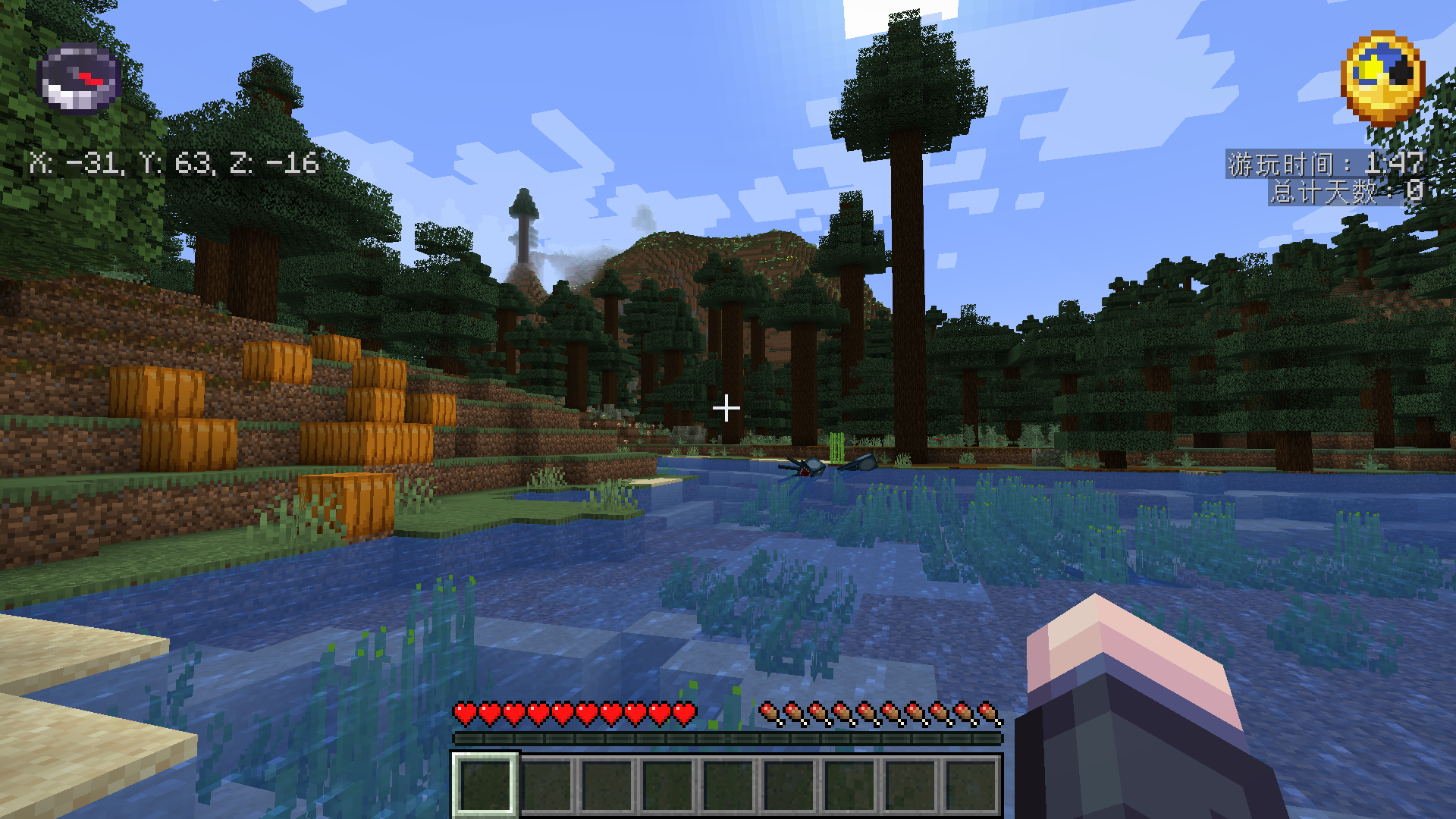
- Compass Display:
- Shows a compass on the screen to help you navigate.
- Automatically sets the compass target based on your current dimension.
- Coordinate Display:
- Displays your current X, Y, and Z coordinates for easy reference.
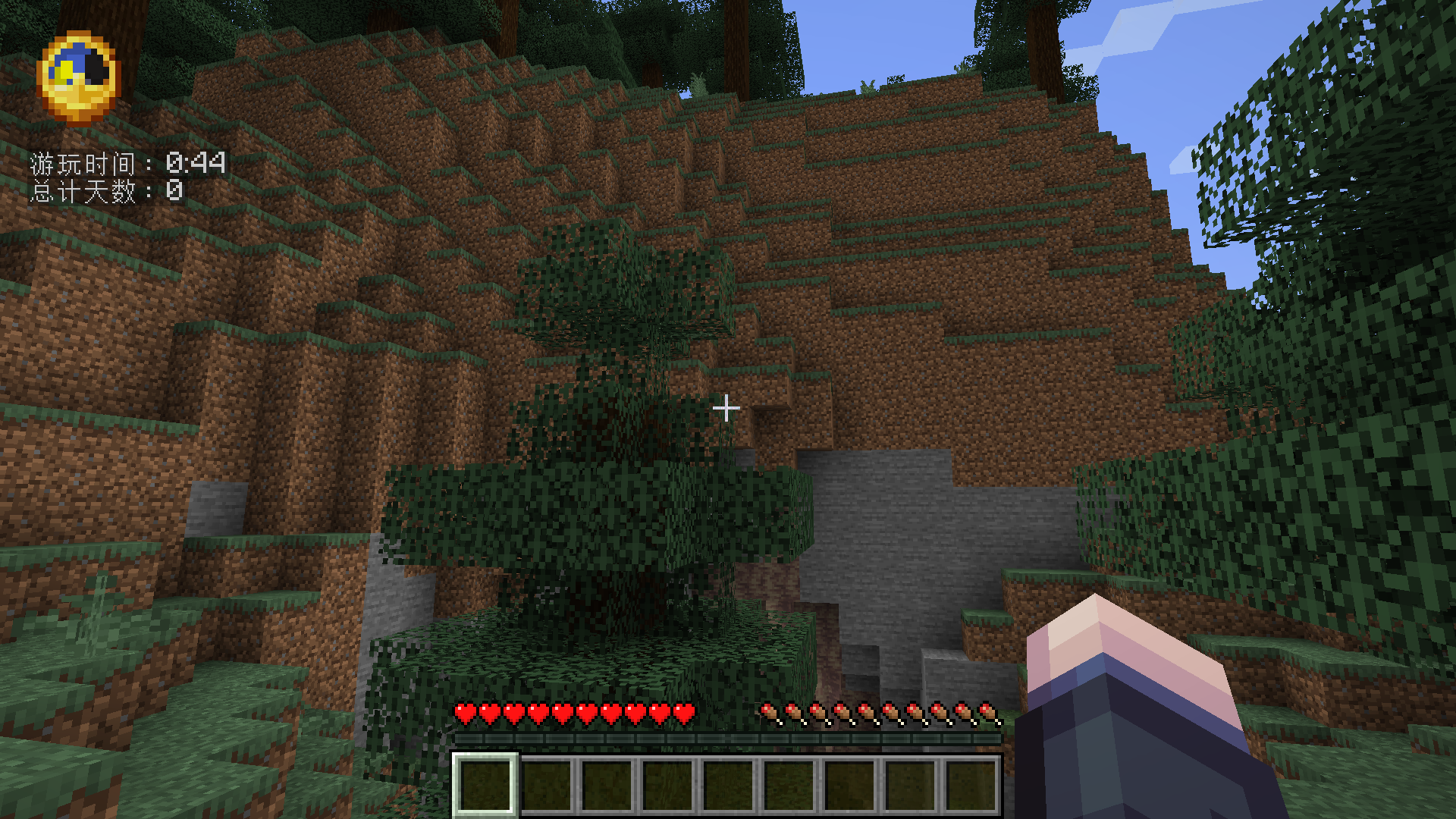
- Clock Display:
- Shows an in-game clock to keep track of time.
- Displays both the current time and the number of days passed in your world.
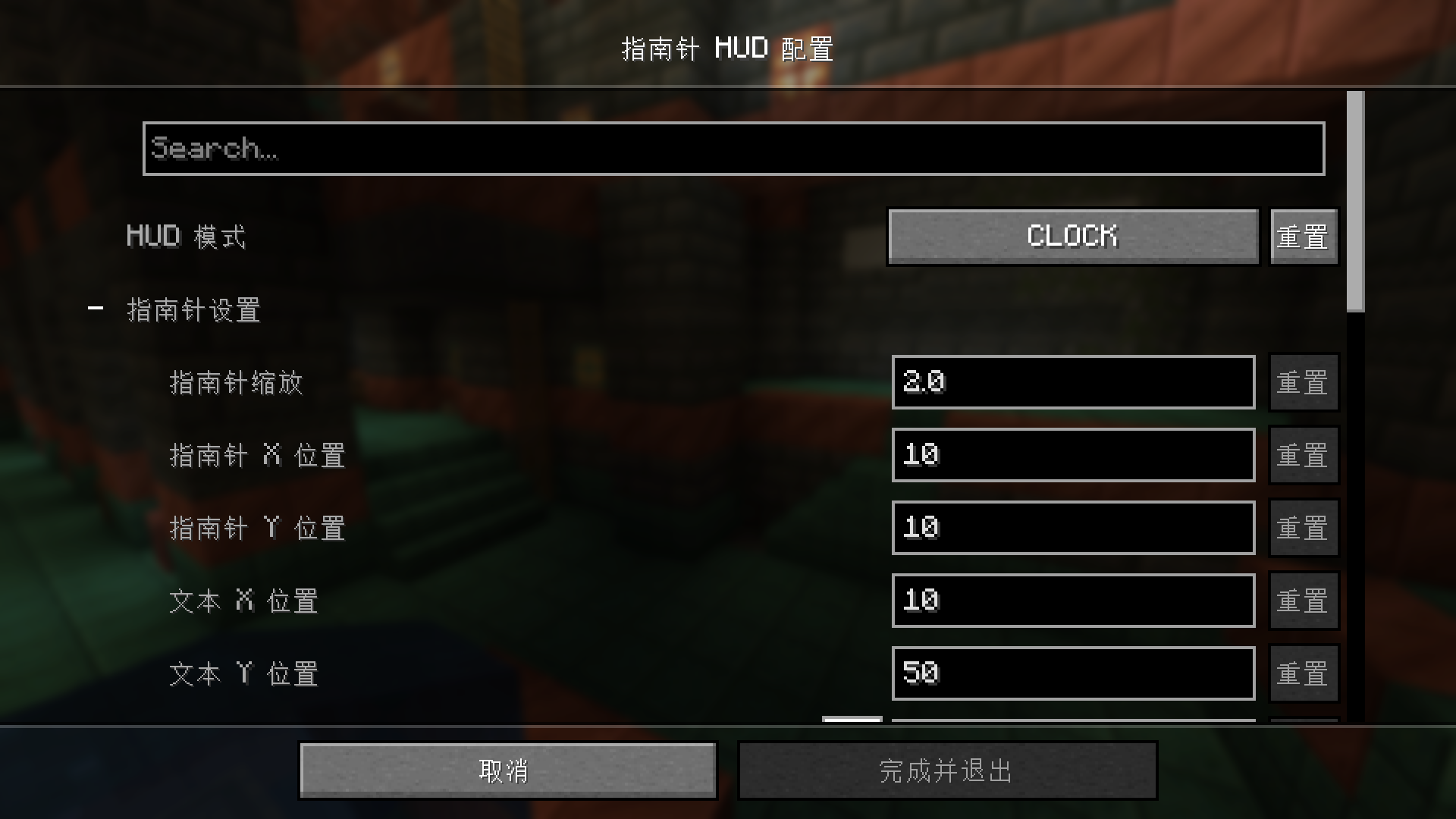
- Customizable Settings:
- Easily configure the position, scale, and color of the compass, coordinates, and clock through the mod’s configuration settings.
- Toggle between displaying only the compass, only the clock, or both.
This mod is perfect for players who want to stay oriented and keep track of time while exploring the vast Minecraft world. Configure your HUD to match your preferences and enhance your gameplay experience!
常见问题
CompassHUD 支持哪些 Minecraft 版本?
CompassHUD 支持 Minecraft Java 版 1.20.1–1.21,共 2 个版本,可用的加载器:Fabric / Forge / NeoForge。下载时注意选择和你游戏版本一致的文件。
CompassHUD 怎么安装?
先用 PCL2 或 HMCL 启动器安装对应版本的 Fabric / Forge / NeoForge,再把下载的 .jar 文件放进游戏目录的 mods 文件夹,重新启动游戏即可。开启了版本隔离的,mods 文件夹在 versions/版本名 下面。运行环境:仅客户端。
KalebLangley 的其他作品
查看全部 →
TexTrue’s Embeddium Options
Reese's Sodium Options 的非官方移植版,使其兼容 MinecraftForge/NeoForge 上的 Embeddium。为 Embeddium 提供的替代选项菜单。
ObsidianUI
SpruceUI 的非官方 Architectury 移植版。一款 Minecraft 前置库模组,为创建 GUI 界面提供了全新的抽象层。

MaFgLib
MaLiLib 非官方 Forge 移植版。用于 masa 系列模组(Neo)Forge 移植版的前置库。

RyoamicLights
LambDynamicLights 的非官方 Architectury 移植版。 一款适用于 Minecraft 的动态光源模组。
评论
登录后评论和评分