
截图


介绍
中文介绍正在准备中,下面暂时显示原文。
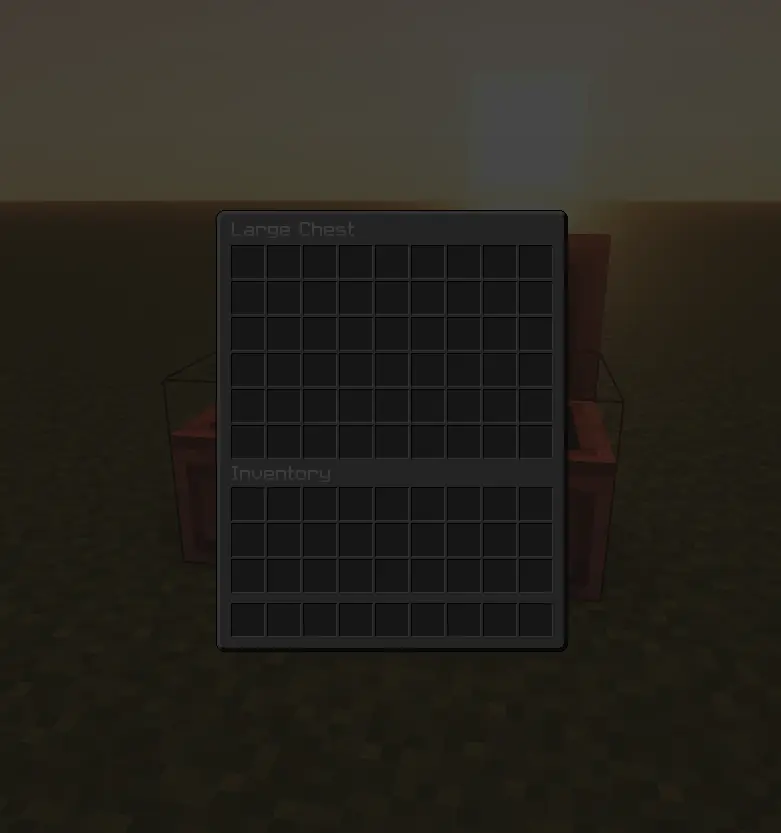
Dark GUI for Minecraft versions 1.21 and up!
Adds a darker look to all containers in Minecraft.
How to install:
- Download the pack
- Press Windows + R and enter: %appdata%/.minecraft/resourcepacks
- Drag and drop the pack folder in there
- Launch up the game and select the pack
常见问题
Dark GUI Overlay 支持哪些 Minecraft 版本?
Dark GUI Overlay 支持 Minecraft Java 版 1.21–26.1.2,共 15 个版本。下载时注意选择和你游戏版本一致的文件。
Dark GUI Overlay 怎么安装?
把下载的 .zip 文件(不用解压)放进游戏目录的 resourcepacks 文件夹,进游戏后在「选项 → 资源包」里把它移到右边启用。

评论
登录后评论和评分