
截图
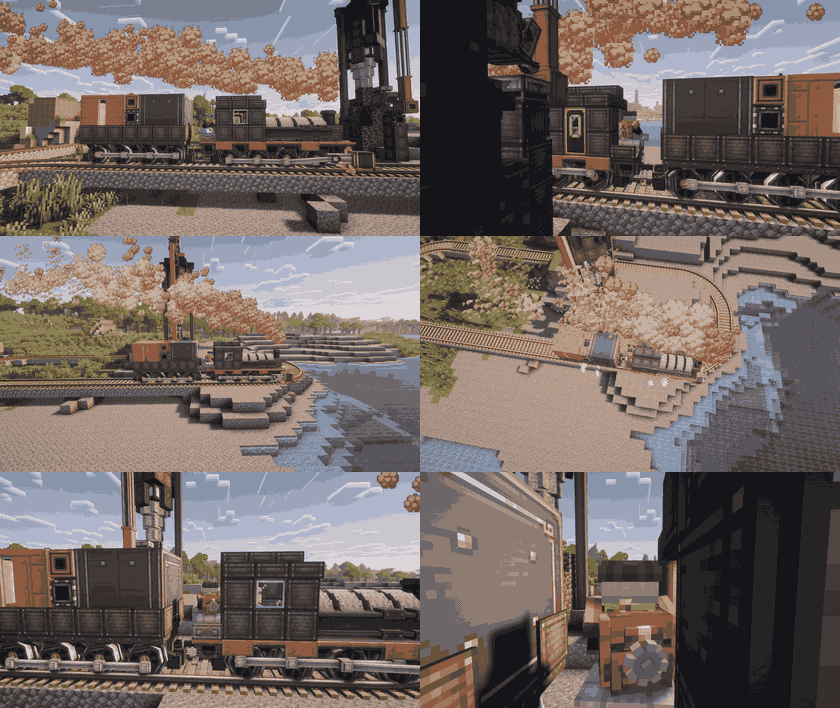
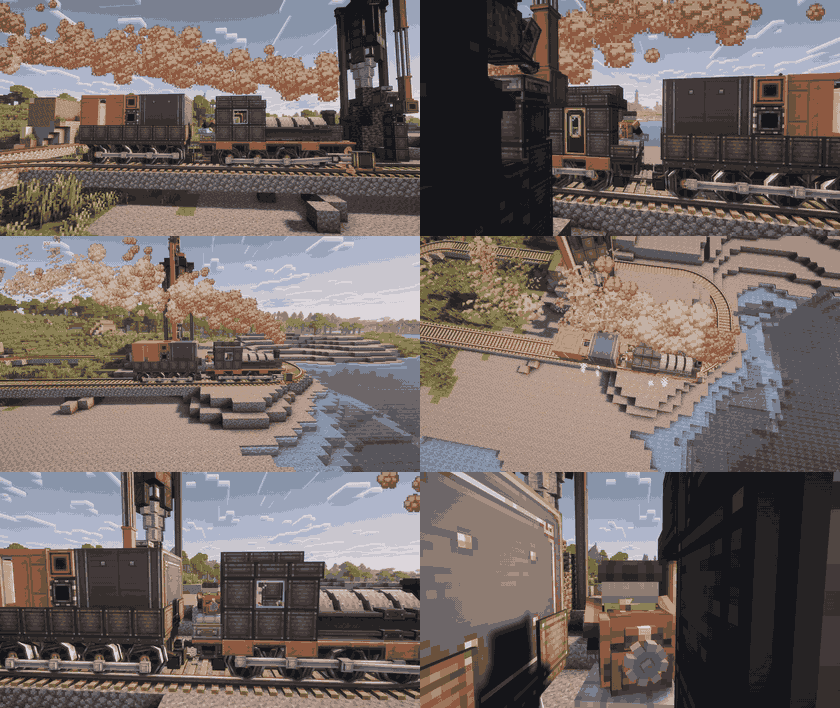
介绍
Create: Seats Third Person
[](https://www.curseforge.com/minecraft/mc-mods/create-seats-third-person)
[](https://discord.gg/CmHBNxGZRu)
[](https://modrinth.com/mod/create)
A lightweight Create addon that lets you zoom out into third-person view while sitting on Create seats.
Perfect for watching your trains, airships and moving contraptions from the outside while still riding them.
✨ Features
- Toggle a custom third-person seat camera
- Zoom in and out while sitting on a Create seat
- Works on moving contraptions, trains and aircraft
- Restores your original camera view when you stand up
- Fully rebindable controls
⚙️ How to Use
- Sit on a Create seat and press V to enable the third-person camera.
- Use the mouse wheel or the \[ / \] keys to adjust the zoom distance.
- Press V again, or stand up, to return to your normal camera.
- All keybinds can be changed in:
- Options → Controls → Create: Seats Third Person
Note: If you want to adjust the train speed while driving, you need to toggle the third-person camera off first (V), change the speed with the scroll wheel, then toggle it back on.
Compatibility
Works with Create trains, carriages, moving contraptions and Create: Aeronautics aircraft.
Other seat-like contraptions can be supported through the client config.
🧩 More Create Addons by Us
If you enjoy this addon, check out our other Create expansions:
- [⏳] Create: Time Manipulator — Bend time and weather using Create-powered mechanics.
Made by Rampage99TV
常见问题
Create: Seats Third Person 支持哪些 Minecraft 版本?
Create: Seats Third Person 支持 Minecraft Java 版 1.21.1,可用的加载器:NeoForge。下载时注意选择和你游戏版本一致的文件。
Create: Seats Third Person 怎么安装?
先用 PCL2 或 HMCL 启动器安装对应版本的 NeoForge,再把下载的 .jar 文件放进游戏目录的 mods 文件夹,重新启动游戏即可。开启了版本隔离的,mods 文件夹在 versions/版本名 下面。运行环境:客户端和服务端都要装。
Foundry Studios 的其他作品
查看全部 →
Create: Covered
Disguise Create's kinetic components as any block — shafts, gearboxes, tunnels and more blend into your builds while working exactly as before.
Create: Covered
Disguise Create's kinetic components as any block — shafts, gearboxes, tunnels and more blend into your builds while working exactly as before.

Create: Quarry
A Create addon that adds an automated, rotational-power-driven Quarry: link two Quarry Stakes to define a rectangular mining area, then let the Quarry excavate it layer by layer, filtering ores, replacing mined terrain, and optionally draining fluids.

Create: Better Speed Controller
Tune rotation speed with the Better Speed Controller, or distribute power independently across every output face with the Better Directional Speed Controller.
评论
登录后评论和评分