
截图

介绍
The Skin Replace Mod allows you to easily change your Minecraft skin without restarting the game. With this mod, you can quickly switch between different skins and try new looks while playing.
One of the best things about this mod is that it works in singleplayer, so you can change your skin anytime while playing your world. You can copy another player’s skin, load a skin from a URL, or even use a skin file stored on your computer.
⚠️ Note:
Currently, this mod works client-side only. This means if you join
a multiplayer server, the changed skin will only be visible to you.
Other players will still see your original skin.
If this mod receives good support and response, a server-side plugin version may be developed in the future so that skins can work properly on servers as well.
Commands
Here are the available commands in the mod:
- /skinc player — Copy a player’s skin
- /skinc url — Load a skin from a URL
- /skinc file — Load a skin from a local file
- /skinc model — Set the arm model type
- /skinc reset — Reset to your original skin
- /skinc help — Show help and command list
常见问题
Skin Replace 支持哪些 Minecraft 版本?
Skin Replace 支持 Minecraft Java 版 1.21–26.2,共 6 个版本,可用的加载器:Fabric。下载时注意选择和你游戏版本一致的文件。
Skin Replace 怎么安装?
先用 PCL2 或 HMCL 启动器安装对应版本的 Fabric,再把下载的 .jar 文件放进游戏目录的 mods 文件夹,重新启动游戏即可。开启了版本隔离的,mods 文件夹在 versions/版本名 下面。运行环境:仅客户端。
haiderlovestostudy 的其他作品
查看全部 →
Mace 3D
Tired of your Mace & Wind-Charge looking flat and boring in Minecraft? Amazing 3D Mace & Wind-Charge changes that! This resource pack turns the simple 2D texture into a cool 3D model, so your Mace & Wind-Charge looks heavier, stronger, and more realistic.
Waving
Makes Leaves, Flowers, Grass, & Water Wavey (Vanilla Minecraft Only)

Tung Tung Tung Sahur
This texture pack replaces the Totem of Undying with Tung Tung Tung Sahur by the Italian Brainrots
Visual Ping
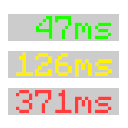
Displays the player's numerical ping in the tablist
评论
登录后评论和评分