PingTag
作者:Zuxt
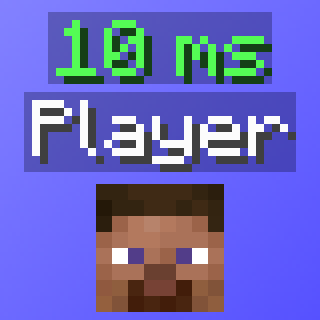
Adds a second nametag label above Player's usernames, that displays their ping value.
截图


介绍
中文介绍正在准备中,下面暂时显示原文。
PingTag
A lightweight Fabric mod adding a second nametag label above usernames, displaying the ping value.

Features:
Ping Display– Shows each player’s ping in ms as a second nametag above their name.Dynamic Ping Colors– Ping is automatically colored based on ping value/range.Toggle Keybind (Default: "P")– Press a configurable keybind to toggle the mod, with an action bar notification.NPC/Fake Player Filtering– NPC’s, bots, or fake players will not have a ping nametag rendered.
Config/Settings (ModMenu/YACL):
Enable– Toggles the ping nametag display.Hide When Sneaking– Hides the ping nametag when the player is sneaking (still retains vanilla functionality when sneaking).Hide If Zero– Hides the ping nametag when the value is 0.Prefix Text– Text to display before the ping value.Suffix Text– Text to display after the ping value.Y Offset– Vertical distance between the nametag and the ping nametag.Override Prefix Color– Use a custom color for the prefix instead of the ping color.Prefix Color– Color of the prefix text.Override Suffix Color– Use a custom color for the suffix instead of the ping color.Suffix Color– Color of the suffix text.Ping Range Colors– Customize the color for each of the five ping ranges.0 – 50ms– Green51 – 100ms– Yellow101 – 150ms– Gold151 – 200ms– Red200ms+– Dark Red
PingTag uses a YACL configuration, and is saved in your .minecraft\config folder as pingtag_config.json.
常见问题
PingTag 支持哪些 Minecraft 版本?
PingTag 支持 Minecraft Java 版 1.21.8–26.1.2,共 3 个版本,可用的加载器:Fabric。下载时注意选择和你游戏版本一致的文件。
PingTag 怎么安装?
先用 PCL2 或 HMCL 启动器安装对应版本的 Fabric,再把下载的 .jar 文件放进游戏目录的 mods 文件夹,重新启动游戏即可。开启了版本隔离的,mods 文件夹在 versions/版本名 下面。运行环境:仅客户端。

评论
登录后评论和评分