
Claudecraft
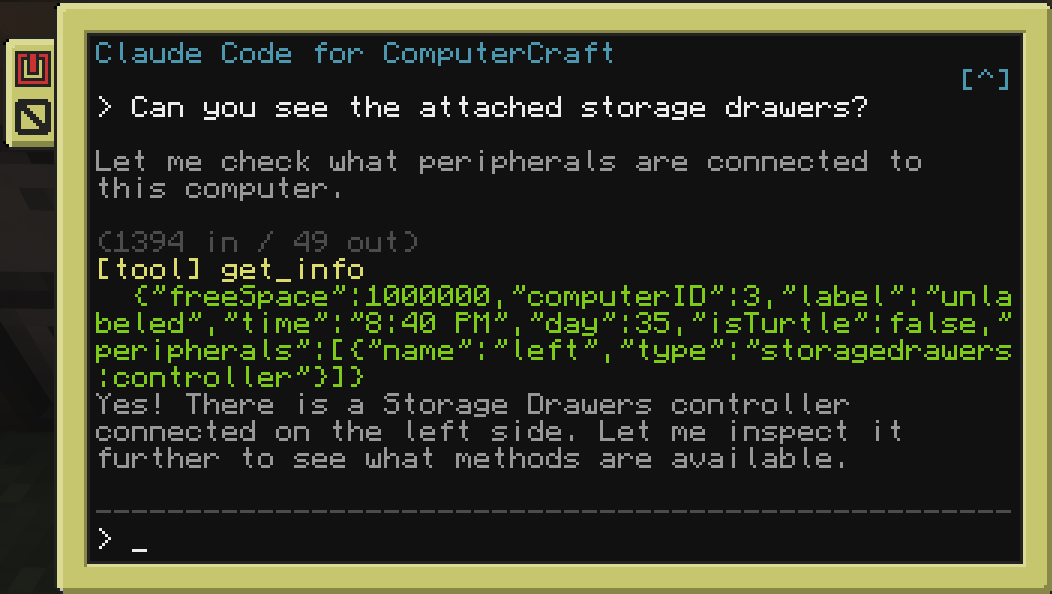
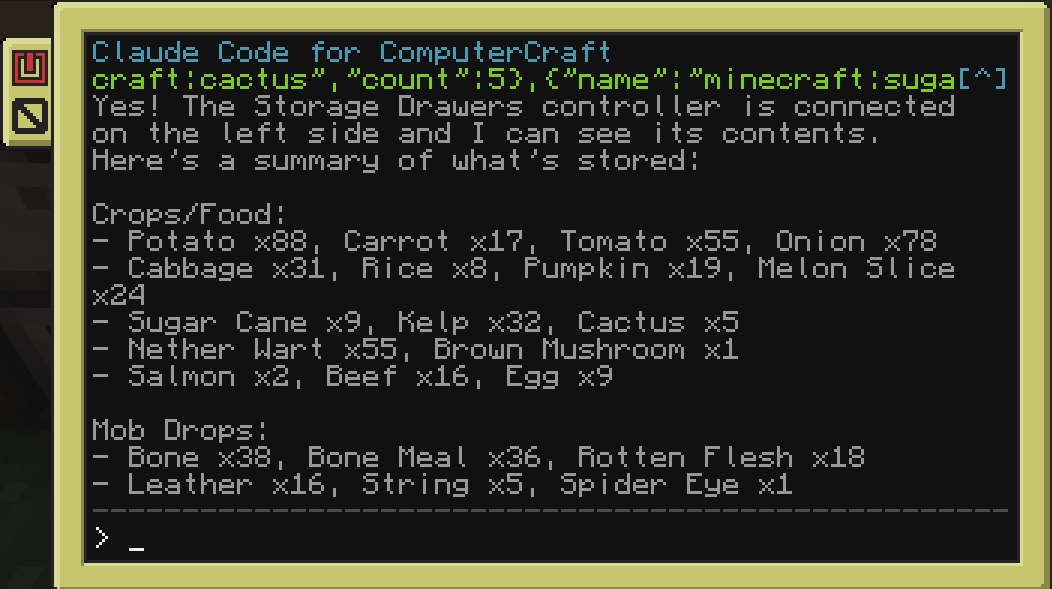
A Minecraft Forge mod that brings Claude AI into CC: Tweaked computers and turtles. Players interact with Claude through an in-game terminal - ask questions, run tools, automate tasks, and control turtles using natural language.
截图
介绍
ClaudeCraft
A Forge & NeoForge mod that brings Claude AI into CC: Tweaked computers and turtles.
Players interact with Claude through an in-game terminal: ask questions, run tools, automate tasks, and control turtles using natural
language.
Connection Modes
Both modes expose the same claude program in-game; pick whichever fits your setup:
- API Key mode – connect straight to the Anthropic API with your own key. Real-time streaming, key stored safely server-side.
- Channel mode (Claude Code) – connect through a local Claude Code session instead. No API key needed – it rides your existing Claude Code login and brings the full Claude Code agent into the computer, with one isolated session per computer or turtle.
Requirements
- Minecraft with Forge or NeoForge – see the Versions tab for the build matching your version
- CC: Tweaked 1.117.1+
- One of the following:
- An Anthropic API key for API Key mode, or
- Claude Code + Bun installed on the server host (for Channel mode)
Features
- Streaming responses: see Claude’s output in real time on the terminal (API Key mode).
- Tool use: Claude can read/write files, run shell commands, control redstone, interact with peripherals, and pilot turtles. Works with any peripheral mod automatically.
- Per-computer isolation: in Channel mode, every computer and turtle gets its own Claude Code session.
- Conversation history: persistent chat history stored per computer.
- Configurable: choose model, max tokens, system prompt, and concurrency limits.
In-Game Commands
Set your Anthropic API key (API Key mode):
/claudecraft setkey <key>Change the Claude model:
/claudecraft model <model>Show current configuration:
/claudecraft status常见问题
Claudecraft 支持哪些 Minecraft 版本?
Claudecraft 支持 Minecraft Java 版 1.16.5–1.21.11,共 22 个版本,可用的加载器:Forge / NeoForge。下载时注意选择和你游戏版本一致的文件。
Claudecraft 怎么安装?
先用 PCL2 或 HMCL 启动器安装对应版本的 Forge / NeoForge,再把下载的 .jar 文件放进游戏目录的 mods 文件夹,重新启动游戏即可。开启了版本隔离的,mods 文件夹在 versions/版本名 下面。运行环境:客户端和服务端都要装。

评论
登录后评论和评分