
ShadePlus
ShadePlus enhances Minecraft's vanilla look by reducing dull texture shading, making blocks and items appear brighter, cleaner, and more vibrant while preserving the original style and performance.
截图
介绍
🌟 ShadePlus
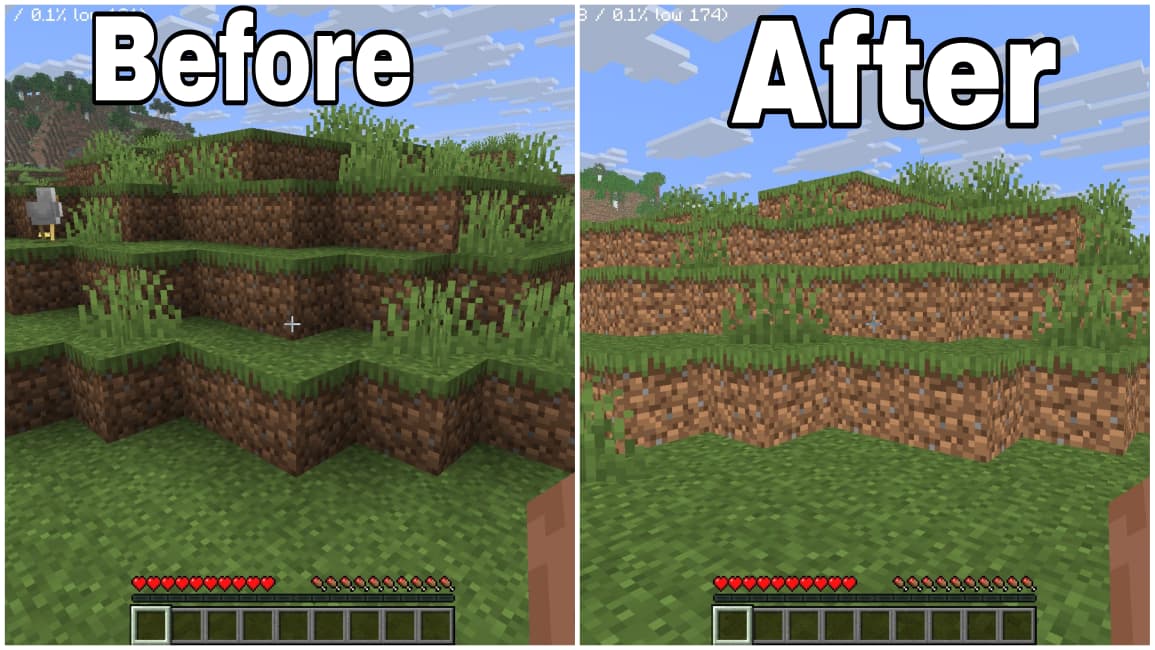
ShadePlus is a lightweight Minecraft resource pack that removes dull texture shading from vanilla blocks and items, making your world look brighter, cleaner, and more vibrant while preserving the original Minecraft style.
Unlike shaders or performance-heavy visual mods, ShadePlus works entirely as a resource pack. It enhances the appearance of Minecraft without affecting performance, giving you a fresh visual experience while keeping the classic vanilla feel.
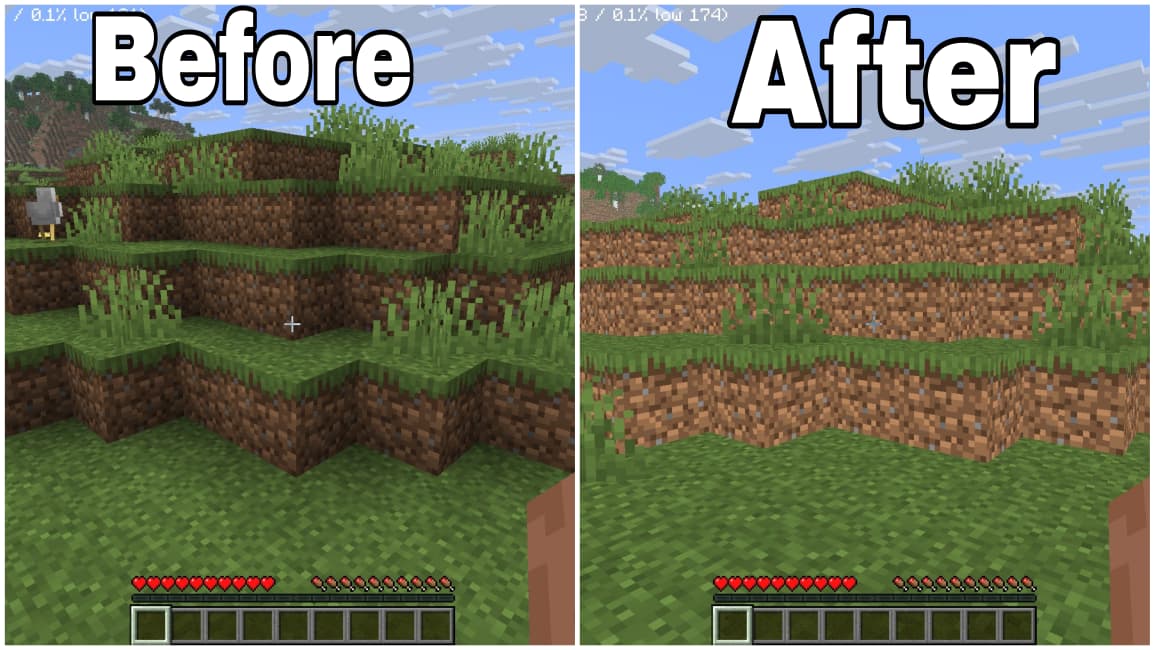
Check the comparison screenshots above to see the difference. ShadePlus reduces dull texture shading and improves overall visual clarity for a brighter Minecraft experience.
✨ Features
- 🌞 Removes dull texture shading from blocks and items.
- 🎨 Makes colors appear brighter and more vibrant.
- 🌿 Preserves the original vanilla Minecraft style.
- ⚡ Lightweight with virtually no FPS impact.
- 🔥 Compatible with most shader packs.
- 🪨 Improves texture clarity without replacing vanilla textures.
- 💎 Perfect for Survival, Creative, and Multiplayer.
- 📦 No mods required—just install and play.
✅ Why Choose ShadePlus?
Minecraft’s default textures can sometimes appear darker due to built-in shading. ShadePlus removes that unnecessary dullness, making every biome, structure, and build look cleaner and more colorful while staying true to the vanilla experience.
Whether you’re exploring, building, recording videos, or simply enjoying Minecraft, ShadePlus delivers a brighter and more immersive world.
📌 Compatibility
- ✔ Minecraft Java Edition
- ✔ Vanilla
- ✔ Fabric
- ✔ Forge
- ✔ NeoForge
- ✔ Quilt
- ✔ Compatible with most shader packs
Experience Minecraft the way it was meant to be—brighter, cleaner, and more vibrant with ShadePlus.
常见问题
ShadePlus 支持哪些 Minecraft 版本?
ShadePlus 支持 Minecraft Java 版 1.21.9–26.2,共 7 个版本。下载时注意选择和你游戏版本一致的文件。
ShadePlus 怎么安装?
把下载的 .zip 文件(不用解压)放进游戏目录的 resourcepacks 文件夹,进游戏后在「选项 → 资源包」里把它移到右边启用。

评论
登录后评论和评分