
截图
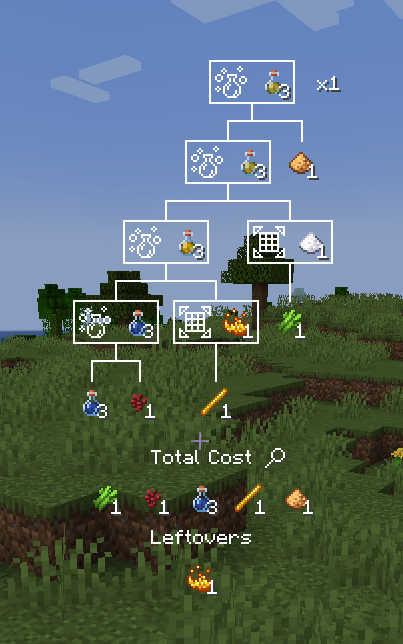
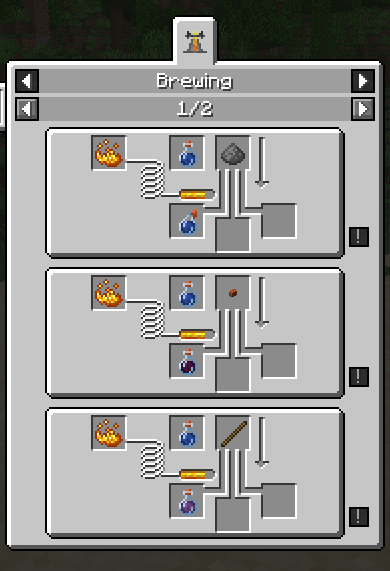
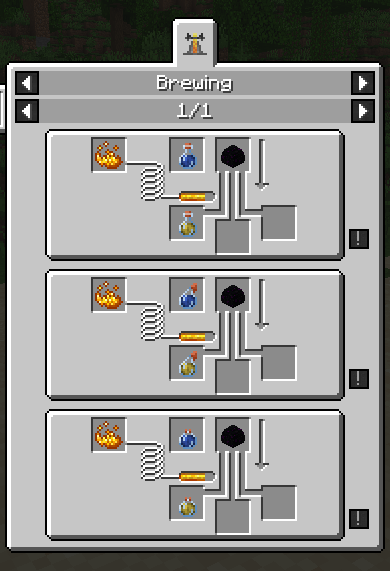
介绍
Custom Potions
Provides a server side only way to add custom potions using datapacks.
When installed on the client, it provides integration with REI and EMI. (Only up to 1.21.1. If you experience issues with it, you can disable it starting with 2.1.2+1.21.1 in config/custompotions.json)
Adding a potion
In a datapack, make a data/id/custom_potions/id.json file for your potion.
The available parameters are “fallback” for the fallback name of the potion, if translations are unvailable
(Potion of {fallback}, Arrow of {fallback}, Splash {fallback}, Lingering {fallback}),
an array of effects following the vanilla format, and an optional color using the same format as vanilla.
For example:
{
    "fallback": "Bad Luck",
    "effects": [
        {
            "id": "minecraft:unluck",
            "duration": 6000,
            "amplifier": 1
        }
    ],
    "color": 5841183
}
Adding a potion recipe
In your datapack, make a data/id/potion_recipes/id.json file for your recipe. The available parameters are “reagent”,
which takes in an item id, and is the ingredient used in the top of the brewing stand to make the potion. There are
also “base” and “result”, which both use the same format, and define the input and output potions used in the recipe.
They have the parameters “type”, which takes in either “custompotions:vanilla” for vanilla (or modded) potions, and
“custompotions:custom” for potions added by datapack using this mod.
For example:
{
    "reagent": "minecraft:poisonous_potato",
    "base": {
        "type": "custompotions:vanilla",
        "potion": "minecraft:awkward"
    },
    "result": {
        "type": "custompotions:custom",
        "potion": "potionstuffs:bad_luck"
    }
}
{
"reagent": "minecraft:nautilus_shell",
"base": {
"type": "custompotions:vanilla",
"potion": "minecraft:awkward"
},
"result": {
"type": "custompotions:vanilla",
"potion": "minecraft:luck"
}
}Translating
The translation key follows the format of custompotion.namespace.id.type. For example, custompotion.mypotions.bad_luck.normal, custompotion.mypotions.bad_luck.splash, custompotion.mypotions.bad_luck.lingering,
and custompotion.mypotions.bad_luck.arrow.
You can use these in a language json file like so:
{
    "custompotion.mypotions.bad_luck.normal": "Unlucky Potion",
    "custompotion.mypotions.bad_luck.splash": "Throwable Unlucky Potion",
    "custompotion.mypotions.bad_luck.lingering": "Lingering Unlucky Potion",
    "custompotion.mypotions.bad_luck.arrow": "Unlucky Arrow"
}
常见问题
Custom Potions 支持哪些 Minecraft 版本?
Custom Potions 支持 Minecraft Java 版 1.20.6–1.21.4,共 6 个版本,可用的加载器:Fabric / Quilt。下载时注意选择和你游戏版本一致的文件。
Custom Potions 怎么安装?
先用 PCL2 或 HMCL 启动器安装对应版本的 Fabric / Quilt,再把下载的 .jar 文件放进游戏目录的 mods 文件夹,重新启动游戏即可。开启了版本隔离的,mods 文件夹在 versions/版本名 下面。运行环境:客户端 / 服务端。


评论
登录后评论和评分