
截图
介绍

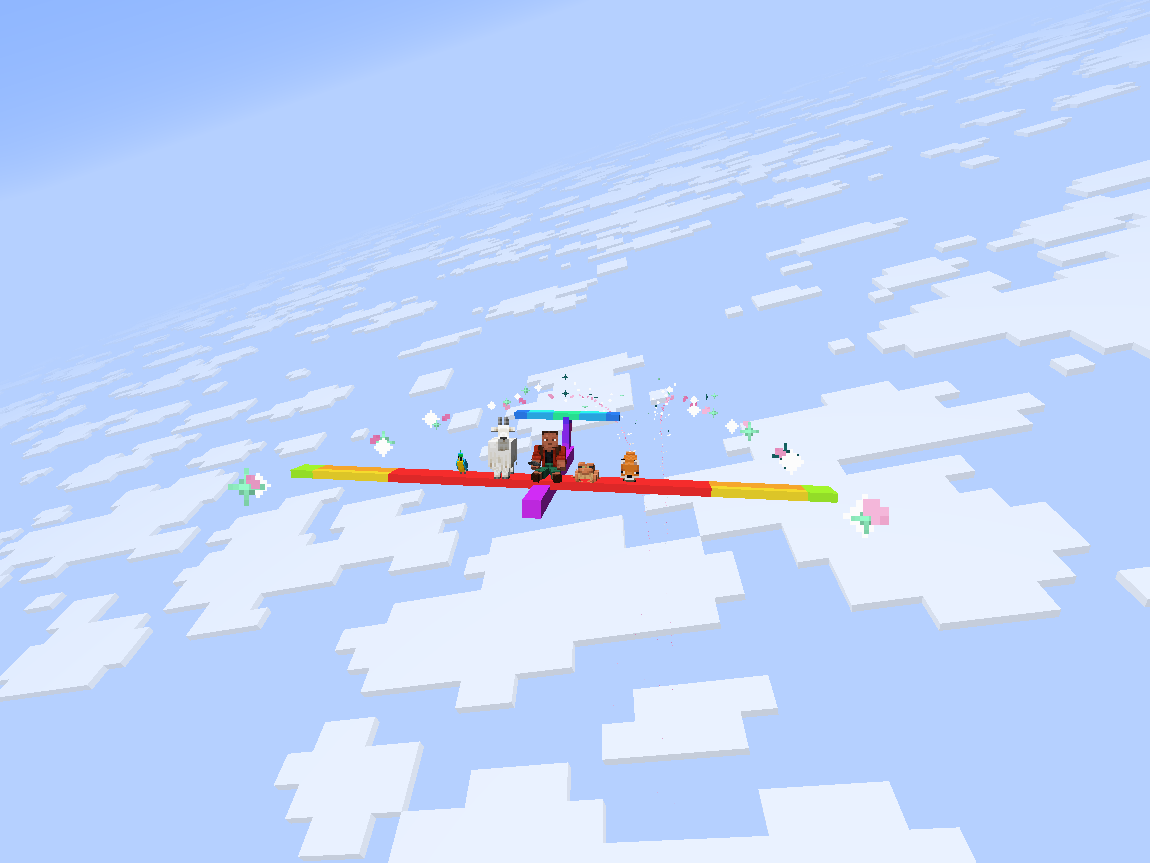
Step into a model glider and soar into a world of wonder.

Volo Volare adds a highly-configurable toy glider.
- Give yourself a speed boost by using gunpowder or blaze powder while flying. (item tag:
volare:thrust_source) - Extend your flight by flying through thermals produced by campfires, fire, magma, and lava. (block tag:
volare:thermal_source) - Configure arbitrary wingtip particles with the
volare:glider/particlescomponent.
/give @s volare:glider[volare:glider/particles=[{type:"minecraft:electric_spark"}, {type:"minecraft:heart"}]]- Give a glider an initial speed boost with the
volare:glider/frozen_motioncomponent.
/give @s volare:glider[volare:glider/frozen_motion=[0.0f, 0.0f, 0.8f]]
Config
To configure 1st- and 3rd-person roll, edit config/volare.json5 or use the in-game config screen.
To configure thermals and boost, edit <world_path>/serverconfig/volare-server.json5 or use the in-game config screen.
Server configs are automatically synced to clients.
Customization
Custom Textures
To create a glider with custom textures:
- Place a texture at the path
assets/<namespace>/textures/entity/glider/<texture_name>.png - Create a translation for the key
entity.volare.glider.variant.<namespace>.entity.glider.<texture_name>inassets/<namespace>/lang/en_us.json - Spawn a glider with the texture using the command:
/give @s volare:glider[volare:glider/variant="<namespace>:entity/glider/<texture_name>"]Modifying Volo Volare’s Creative Tab
Custom gliders can be added to Volo Volare’s creative tab by creating a JSON file in your resourcepack at assets/volare/volare_item_groups/main.json
{
  "entries": [
    {
      "id": "volare:glider",
      "components": {
        "volare:glider/variant": "<namespace>:entity/glider/<texture_name>"
      }
    }
  ]
}
Area Lib Integration
Flak
An area can be configured to shoot down any gliders that fly through it using the /volare area flak command.
Thermals
An area can be configured to act as an updraft or downdraft using the /volare area thermal command.
About the name: The first two principal parts of the latin verb for flight are ‘volo volare’ (‘I fly’, ‘to fly’), but ‘volo’ also means ‘I want’, thus ‘volo volare’ means ‘I want to fly’.
常见问题
Volo Volare 支持哪些 Minecraft 版本?
Volo Volare 支持 Minecraft Java 版 1.21.8,可用的加载器:Fabric。下载时注意选择和你游戏版本一致的文件。
Volo Volare 怎么安装?
先用 PCL2 或 HMCL 启动器安装对应版本的 Fabric,再把下载的 .jar 文件放进游戏目录的 mods 文件夹,重新启动游戏即可。开启了版本隔离的,mods 文件夹在 versions/版本名 下面。运行环境:客户端和服务端都要装。
SlimeistDev 的其他作品
查看全部 →
机械动力:蒸汽与铁路 Create: Steam ‘n’ Rails
为机械动力的铁路网络与蒸汽系统增添深度

Create: Numismatics
兼具美观与实用、机械动力风格的货币模组

Create: Steam ‘n’ Rails Server
The official Steam n' Rails Modpack

ACME Admin Tools
Silly and fun in-game tools to amuse and help server owners moderate their players in a diegetic fashion.
评论
登录后评论和评分