
Pehkui Height Scale
A Pehkui-based height selection GUI designed for roleplay servers and custom projects
截图
介绍
📖 What This Mod Does?
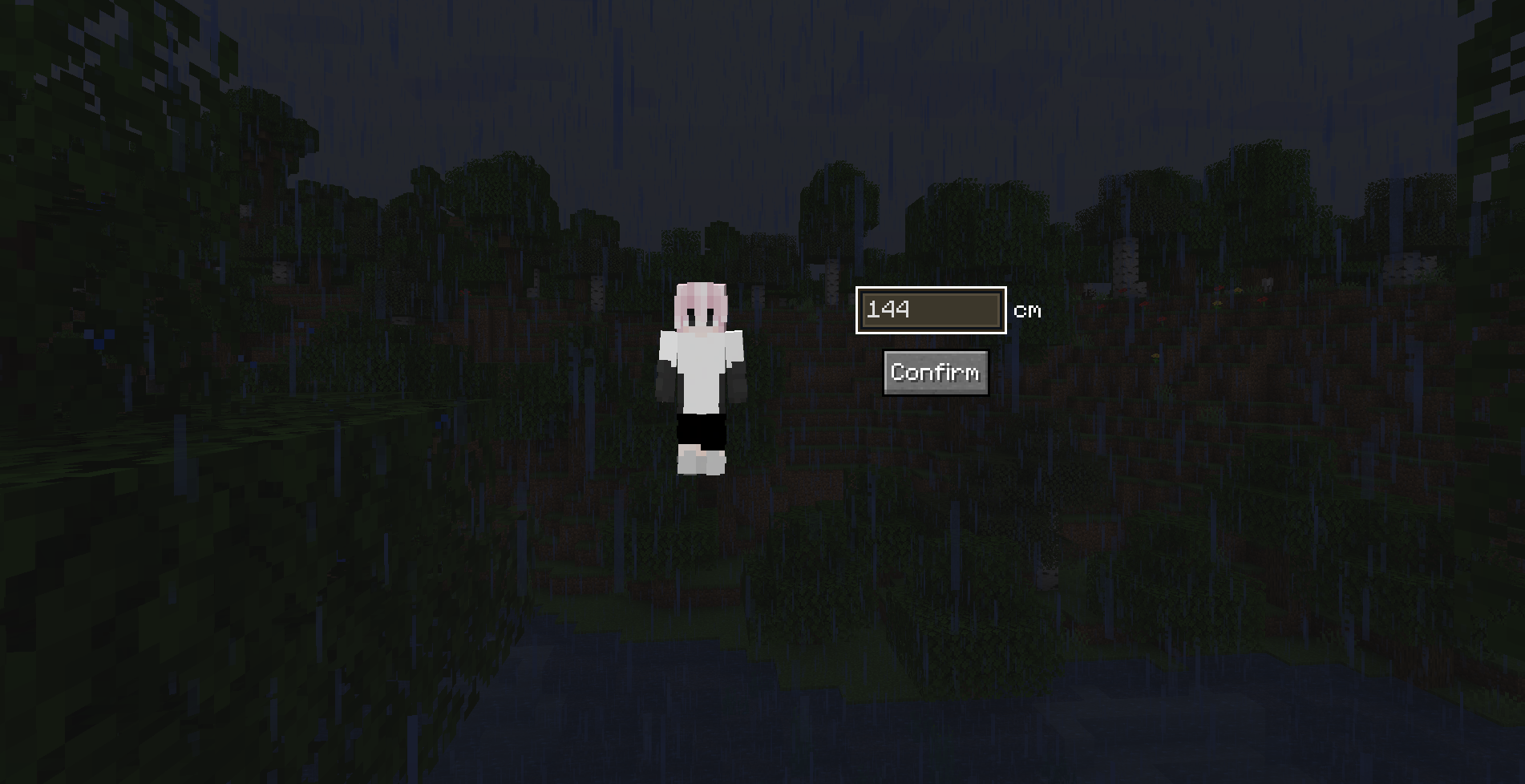
This mod adds a height selection GUI that appears when a player joins a world or server.
Players can enter their character’s height, and the mod will automatically adjust their scale using the Pehkui system.
It is designed to simplify height-based scaling for roleplay servers and custom gameplay setups
✨ Features
• Automatic height selection GUI when joining a world or server
• Converts player height (cm) into Pehkui scale values
• Server-side command support for managing player height
• Designed for roleplay servers and immersive gameplay
💬 Commands
/height gui <target>
Opens the height selection GUI for the target player.
/height set <target> <value>
Manually sets the scale value for the target player.
/height clear <target>
Resets the player’s scale back to the default value.
📥 Installation
Minecraft Version: Forge,Fabric 1.20.1
⛓️ Required Dependency
⚙️ Scale Limitation
The maximum scale value is capped at base 20.
This limitation helps maintain gameplay stability and prevents extreme scaling that could cause gameplay or rendering issues.
📏 Height to Scale Conversion
The player’s scale is automatically determined by the height entered in the GUI.
| Height (cm) | Scale |
|————–|——|
| 140 – 145 | 0.80 |
| 146 – 150 | 0.85 |
| 151 – 154 | 0.90 |
| 155 – 159 | 0.95 |
| 160 – 165 | 1.00 |
| 166 – 170 | 1.03 |
| 171 – 179 | 1.06 |
| 180 – 184 | 1.08 |
| 185+ | 1.11 |

常见问题
Pehkui Height Scale 支持哪些 Minecraft 版本?
Pehkui Height Scale 支持 Minecraft Java 版 1.20.1,可用的加载器:Fabric / Forge。下载时注意选择和你游戏版本一致的文件。
Pehkui Height Scale 怎么安装?
先用 PCL2 或 HMCL 启动器安装对应版本的 Fabric / Forge,再把下载的 .jar 文件放进游戏目录的 mods 文件夹,重新启动游戏即可。开启了版本隔离的,mods 文件夹在 versions/版本名 下面。运行环境:客户端和服务端都要装。
评论
登录后评论和评分