
MCLLM
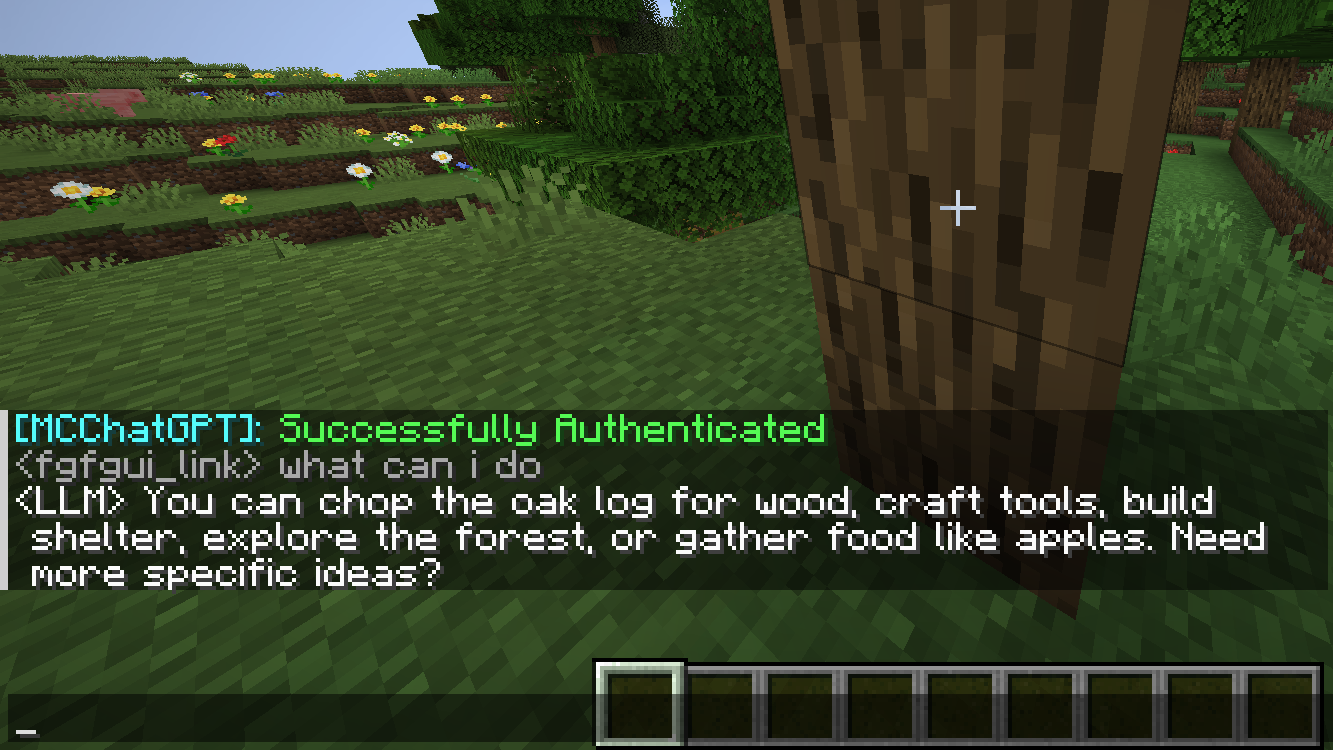
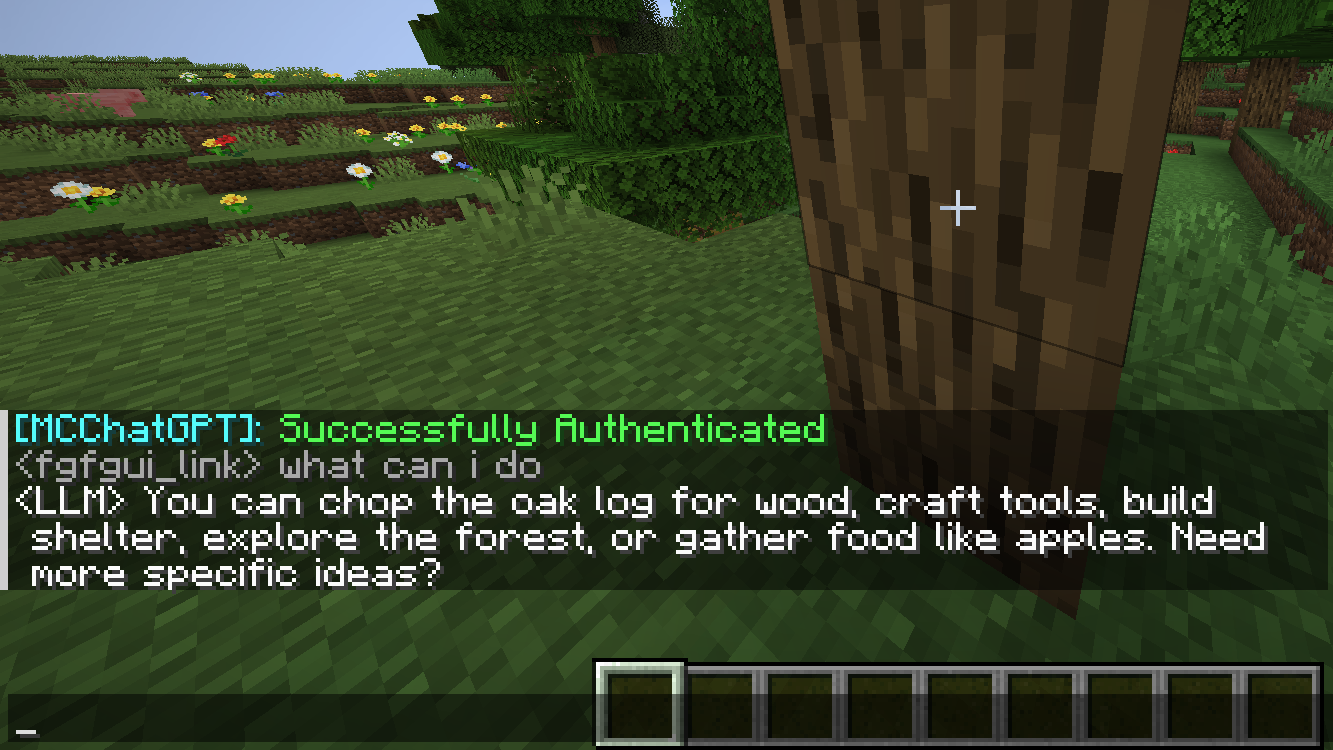
MCLLM is a fork of MCChatGPT for players who want to use non-OpenAI LLM servers. You are not locked into OpenAI's service and can use alternatives like DeepSeek, Claude, Gemini, among others.
截图
介绍
MCLLM
If you like this project, please consider giving it a ⭐ on GitHub!
This is a fork of MCChatGPT.
Unlike the original, the base URI is no longer hardcoded—you can now configure it via a file, making it compatible with nearly any LLM service, not just OpenAI.
How to Use
- Download the JAR file compatible with your Minecraft version from Modrinth or GitHub, and place it in your
modsfolder. (Make sure the appropriate mod loader is installed.)
- Download the required dependencies from the same source and also place them in the
modsfolder. (They are usually listed on the Modrinth.)
- Supported platforms: Fabric (>= 1.20.1), Forge (1.19.4–1.20.1), and NeoForge (>= 1.21.1)
- Launch the game once to generate the configuration file.
- Open
config/mcllm.jsonand edit the following fields:
baseurl: Set this to the endpoint of your preferred LLM service, e.g.https://api.deepseek.com/v1model: Specify the model name, e.g.deepseek-chat
- Re-launch the game, then run:
/mcllm-auth YourTokenThis securely stores your token (it will be encrypted in the config file).
- Use
/ask YourQuestionto send a message to the LLM. The LLM’s reply will appear in your local chat—only you can see it.
常见问题
MCLLM 支持哪些 Minecraft 版本?
MCLLM 支持 Minecraft Java 版 1.19.4–26.1.2,共 6 个版本,可用的加载器:Fabric / Forge / NeoForge。下载时注意选择和你游戏版本一致的文件。
MCLLM 怎么安装?
先用 PCL2 或 HMCL 启动器安装对应版本的 Fabric / Forge / NeoForge,再把下载的 .jar 文件放进游戏目录的 mods 文件夹,重新启动游戏即可。开启了版本隔离的,mods 文件夹在 versions/版本名 下面。运行环境:仅客户端。
link-fgfgui 的其他作品
查看全部 →
EMI Patternizer
Automatically Encoding Patterns from the EMI Recipe Tree.
JEI++–
A client-side mod that bridges JEI and EMI, syncing their behavior and adding QoL tweaks.

CompactMachinesPOR
Pack massive assembly lines into a compact machine, assess their production yield, and convert them into a single Factory Block.
CompactMachinesPOR
Pack massive assembly lines into a compact machine, assess their production yield, and convert them into a single Factory Block.
评论
登录后评论和评分