
CobbleBadgesBox(es)
100% Customizable Badges Box(es) for Cobblemon | Custom Badges | Custom Effects | Multi-Box | ...
截图
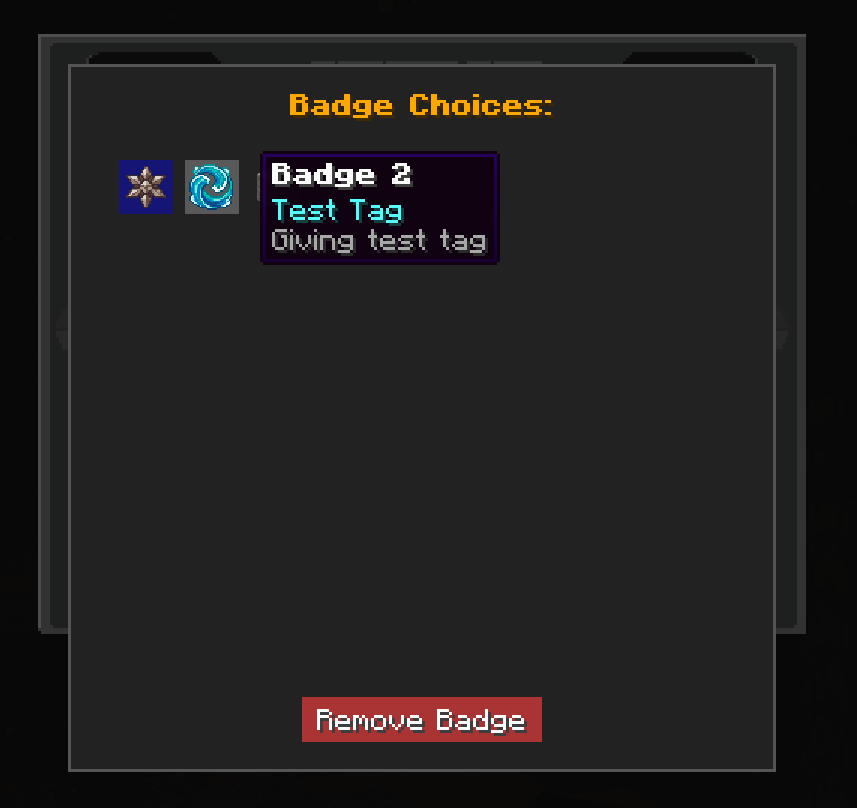

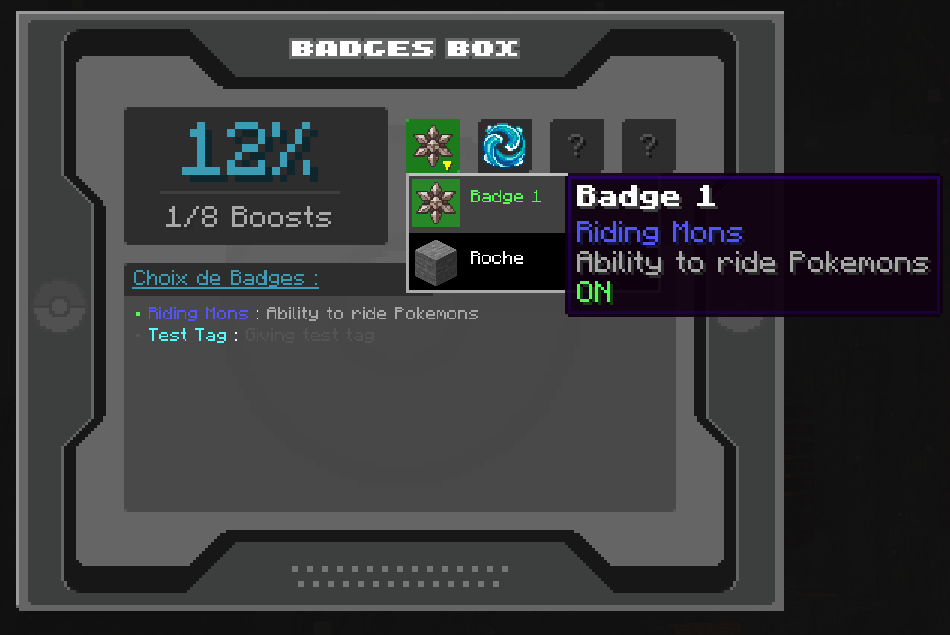
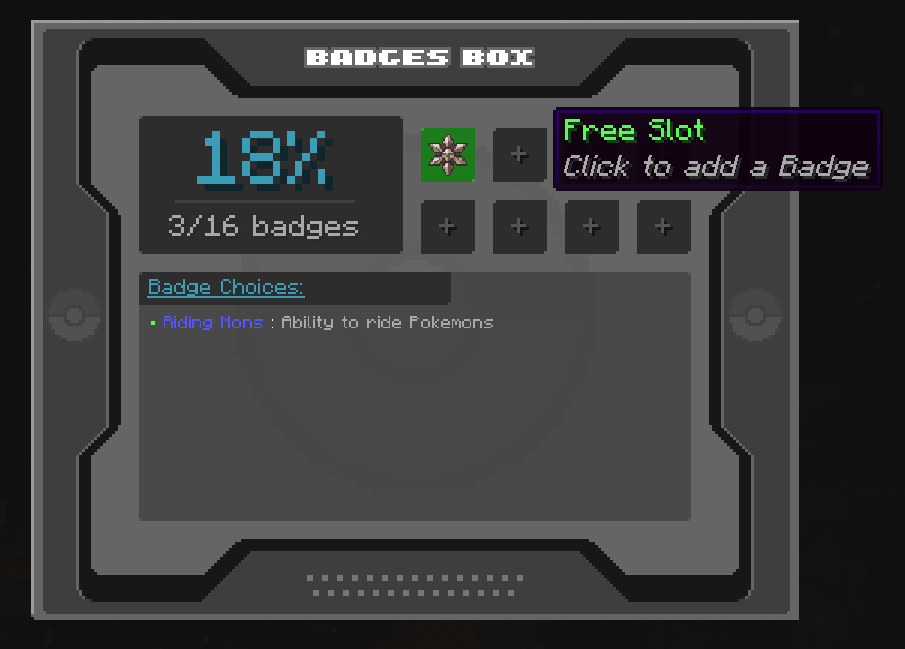
介绍
CobbleBadgesBox
(Multi-)Box 8 Badges-Slot with customizable boosts !
CobbleBadgesBox introduces a unique Badges Box(es) & Permanent activable Boosts system. Collect badges to unlock permanent passive bonuses for your character and your Pokémon team!
Features
- !NEW! Standard Multi-Page / Seasonal Boxes / Free Modes ! > MULTI = Multi-page with page button, cumulative boosts / SEASONAL = More than 8 badges possible, but, no page button, only 8 slot and boost available, perfect for seasonal badges and/or over-cumulative bonus cause of only 8 boost slots can be enabled / FREE = More than 8 badges possible, but player is free to choose !
- !NEW! TAG & RIDE “Boost” > TAG = giving specified tag in tag / RIDE = Let the player been able to ride his Pokemon
- !NEW! Disabling Riding by default Setting _(False by default)_
- !NEW! KeepBadgesonDeath / DropBadgesonDeath Settings _(True / False by default)_
- !NEW! Badge Box Item _(not craftable)_
- !NEW! Ability to unable / disable the “/cbb” command via config
- Custom Interface: A dedicated 8-slot inventory for your badges (
/cbb). - Custom Effects: Custom Effects Types + Values : POTION / XP_BOOST / IV_BOOST / EV_BOOST / CATCH_RATE / !NEW! TAG / !NEW! RIDE
- Custom Badges: Set which badge item id is for each slot and define your own custom effect, name, color and description !
- Multi-Boxes: You will can create as many 8-slot pages you want !
- Minecraft Boosts: Unlock effects like 25% Walk Speed & Infinite Water Breathing or any Potion effect you want !
- Cobblemon Boosts:
XP Boost: +10% & +15% experience boosts for a total of 25% Exp final Boost.
Catch Rate: +10% capture chance for cathing more pokémon.
IV / EV : Boosts IVs upon capture (up to +4 for EVERY capture) and accelerates EV training trough battles with 25% boost.
- Total Control: Toggle each badge’s effect on or off at any moment via a clean GUI directly in-game.
- Integrated default Badges: 8 integrated default Badges in you don’t have others !
- Auto-Grabbing/Stocking: When player get the item defined as a badge in the config, the system grab it and lock it into the data & interface
- Keep Badges at death or not: Setting for losing badges or not when player died + if player looting his badges or not
Commands
/cbb
Opens the badge management interface.
/cbb add-page
Adding a 8-Slot page to the BadgesBox (will add a page switching button to the interface).
/cbb reload
Reload config changes (yes it’ll check badges too so if id change > Slot will be wiped).
/cbb reset <player> <slot_number|all>
(Admin) Resets a player’s badges (useful for new seasons).
Config
- Data: world > data > cobblebadgesbox_data.dat
- Mod Required: Cobblemon 1.7.1 | 1.7.2 | 1.7.3
- Modloader : Fabric
- Version : 1.21.1
- Config file: config > cobblebadgesbox.json
Example of config with each type of boost :
{
  "mode": "SEASONAL",
  "totalPages": 2,
  "keepBadgesOnDeath": true,
  "dropBadgesOnDeath": true,
  "ridingLockedUntilBadgeUnlocked": true,
  "badges": {
    "0": {
      "itemId": "cobblebadgesbox:badge_1",
      "displayName": "Riding Mons",
      "description": "Ability to ride Pokemons",
      "effectType": "RIDE",
      "effectId": "",
      "value": 0.0,
      "color": "BLUE"
    },
    "1": {
      "itemId": "cobblebadgesbox:badge_2",
      "displayName": "Test Tag",
      "description": "Giving test tag",
      "effectType": "TAG",
      "effectId": "test",
      "value": 0.0,
      "color": "AQUA"
    },
    "2": {
      "itemId": "cobblebadgesbox:badge_3",
      "displayName": "XP Boost",
      "description": "+10% Pokémon XP gain",
      "effectType": "XP_BOOST",
      "effectId": "",
      "value": 1.1,
      "color": "DARK_RED"
    },
    "3": {
      "itemId": "cobblebadgesbox:badge_4",
      "displayName": "Catch Boost",
      "description": "+10% Catch Rate",
      "effectType": "CATCH_RATE",
      "effectId": "",
      "value": 1.1,
      "color": "LIGHT_PURPLE"
    },
    "4": {
      "itemId": "cobblebadgesbox:badge_5",
      "displayName": "IV Boost",
      "description": "+2 IVs to all stats when caught",
      "effectType": "IV_BOOST",
      "effectId": "",
      "value": 2.0,
      "color": "YELLOW"
    },
    "5": {
      "itemId": "cobblebadgesbox:badge_6",
      "displayName": "XP Boost+",
      "description": "+15% Pokémon XP gain",
      "effectType": "XP_BOOST",
      "effectId": "",
      "value": 1.15,
      "color": "DARK_AQUA"
    },
    "6": {
      "itemId": "cobblebadgesbox:badge_7",
      "displayName": "EV Boost",
      "description": "+25% EV gain",
      "effectType": "EV_BOOST",
      "effectId": "",
      "value": 1.25,
      "color": "GOLD"
    },
    "7": {
      "itemId": "cobblebadgesbox:badge_8",
      "displayName": "IV Boost+",
      "description": "+2 IVs to all stats when caught",
      "effectType": "IV_BOOST",
      "effectId": "",
      "value": 2.0,
      "color": "GREEN"
    },
    "8": {
      "itemId": "minecraft:stone",
      "displayName": "Page 2 Badge 1",
      "description": "Description P2 B1",
      "effectType": "NONE",
      "effectId": "",
      "value": 0.0,
      "color": "WHITE"
    },
    "9": {
      "itemId": "cobblebadgesbox:badge_2",
      "displayName": "Page 2 Badge 2",
      "description": "Default Description",
      "effectType": "NONE",
      "effectId": "",
      "value": 0.0,
      "color": "WHITE"
    },
    "10": {
      "itemId": "cobblebadgesbox:badge_3",
      "displayName": "Page 2 Badge 3",
      "description": "Default Description",
      "effectType": "NONE",
      "effectId": "",
      "value": 0.0,
      "color": "WHITE"
    },
    "11": {
      "itemId": "cobblebadgesbox:badge_4",
      "displayName": "Page 2 Badge 4",
      "description": "Default Description",
      "effectType": "NONE",
      "effectId": "",
      "value": 0.0,
      "color": "WHITE"
    },
    "12": {
      "itemId": "cobblebadgesbox:badge_5",
      "displayName": "Page 2 Badge 5",
      "description": "Default Description",
      "effectType": "NONE",
      "effectId": "",
      "value": 0.0,
      "color": "WHITE"
    },
    "13": {
      "itemId": "cobblebadgesbox:badge_6",
      "displayName": "Page 2 Badge 6",
      "description": "Default Description",
      "effectType": "NONE",
      "effectId": "",
      "value": 0.0,
      "color": "WHITE"
    },
    "14": {
      "itemId": "cobblebadgesbox:badge_7",
      "displayName": "Page 2 Badge 7",
      "description": "Default Description",
      "effectType": "NONE",
      "effectId": "",
      "value": 0.0,
      "color": "WHITE"
    },
    "15": {
      "itemId": "cobblebadgesbox:badge_8",
      "displayName": "Page 2 Badge 8",
      "description": "Default Description",
      "effectType": "NONE",
      "effectId": "",
      "value": 0.0,
      "color": "WHITE"
    }
  }
}
常见问题
CobbleBadgesBox(es) 支持哪些 Minecraft 版本?
CobbleBadgesBox(es) 支持 Minecraft Java 版 1.21.1,可用的加载器:Fabric。下载时注意选择和你游戏版本一致的文件。
CobbleBadgesBox(es) 怎么安装?
先用 PCL2 或 HMCL 启动器安装对应版本的 Fabric,再把下载的 .jar 文件放进游戏目录的 mods 文件夹,重新启动游戏即可。开启了版本隔离的,mods 文件夹在 versions/版本名 下面。运行环境:客户端和服务端都要装。

评论
登录后评论和评分