
ONClient
This Mod add Client-Like Features. Like a Custom Menu, little Modules and Capes. This mod does not add hacks/cheats.
截图
介绍
🚀 ONClient – The Ultimate Vanilla+ HUD & Feature Client
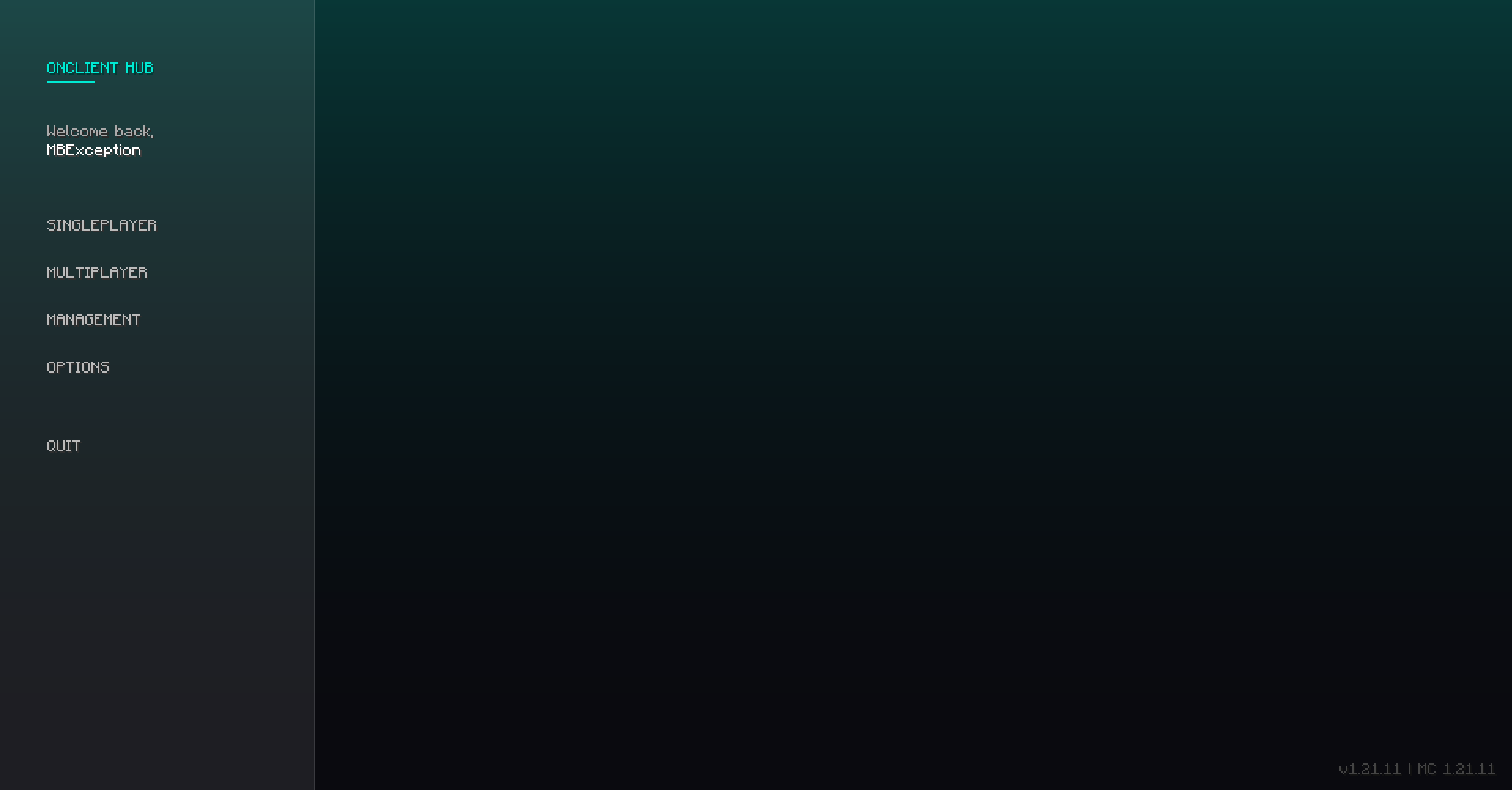
ONClient is a sleek, all-in-one modification for Minecraft 1.21.11 designed to enhance your gameplay with essential Quality-of-Life features, wrapped in a beautiful, modern, and minimalist user interface.
Unlike heavy, bloated client launchers that restrict what you can play, ONClient is lightweight and built with maximum compatibility in mind—making it the perfect addition to your existing modpacks or custom mod setups!
⚠️ 100% Fair Play: ONClient is purely a Quality-of-Life utility. It contains no cheats, no hacks, and no unfair advantages. It is fully compliant and safe to use on your favorite multiplayer servers!
🧩 Great Mod Compatibility
ONClient doesn’t touch engine rendering or performance internals, meaning it works perfectly alongside other mods. Whether you want to pair it with Sodium, Iris Shaders, or your favorite gameplay mods, ONClient blends right into your setup without causing conflicts.
🔥 Features & Modules
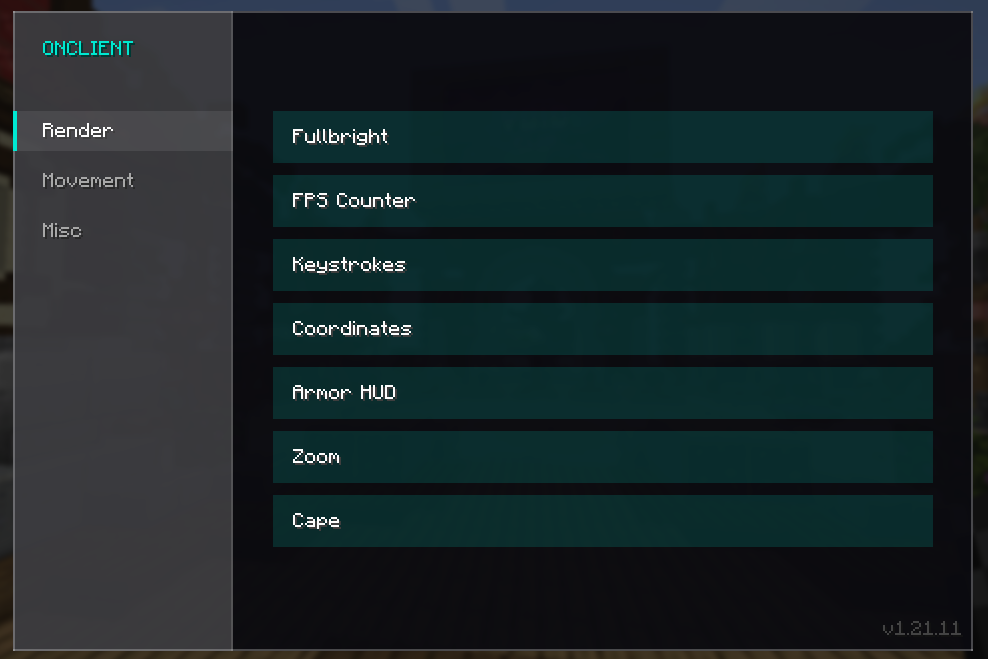
Easily toggle your modules on or off using our clean, built-in GUI menu:
📺 Render & HUD
- FPS Counter: Keep a crisp, real-time eye on your frames per second.
- Keystrokes: Displays your movement and mouse inputs (WASD, Space, LMB, RMB) directly on screen—perfect for PvP or recording content.
- Coordinates Display: A compact HUD element showing your current X/Y/Z position and facing direction.
- Fullbright: No more pitch-black caves. Perfect visibility, anytime, anywhere.
- Armor HUD: Keep track of your armor’s durability right in your main view.
- Zoom: Smoothly focus on distant objects with a dedicated zoom function.
- Custom Cape: Show off your exclusive, built-in ONClient cape!
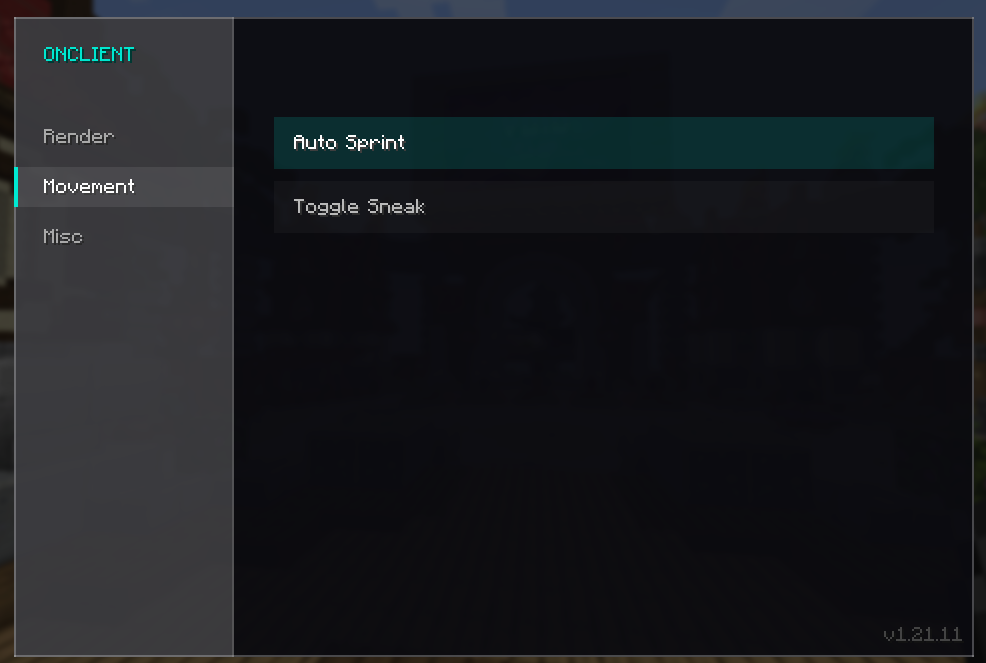
🏃 Movement
- Auto Sprint: Automatically sprint without continuously holding down extra keys.
- Toggle Sneak: Keep sneaking toggled with a single press to save your fingers.
📌 Current Limitations & Future Plans
- Fixed HUD Positions: Please note that HUD elements (like Keystrokes, FPS, and Coordinates) currently have fixed screen positions and cannot be dragged or repositioned yet.
- What’s Next: Full HUD customization, element resizing, and draggable modules are planned for an upcoming release!
🛠️ Installation
- Ensure you are running Minecraft 1.21.11.
- Download the
.jarfile and drop it into yourmodsfolder along with any other mods you like. - Boot up the game to experience the beautiful new main menu hub and clean module setup!
常见问题
ONClient 支持哪些 Minecraft 版本?
ONClient 支持 Minecraft Java 版 1.21.11,可用的加载器:Fabric。下载时注意选择和你游戏版本一致的文件。
ONClient 怎么安装?
先用 PCL2 或 HMCL 启动器安装对应版本的 Fabric,再把下载的 .jar 文件放进游戏目录的 mods 文件夹,重新启动游戏即可。开启了版本隔离的,mods 文件夹在 versions/版本名 下面。运行环境:仅客户端。
评论
登录后评论和评分