
截图
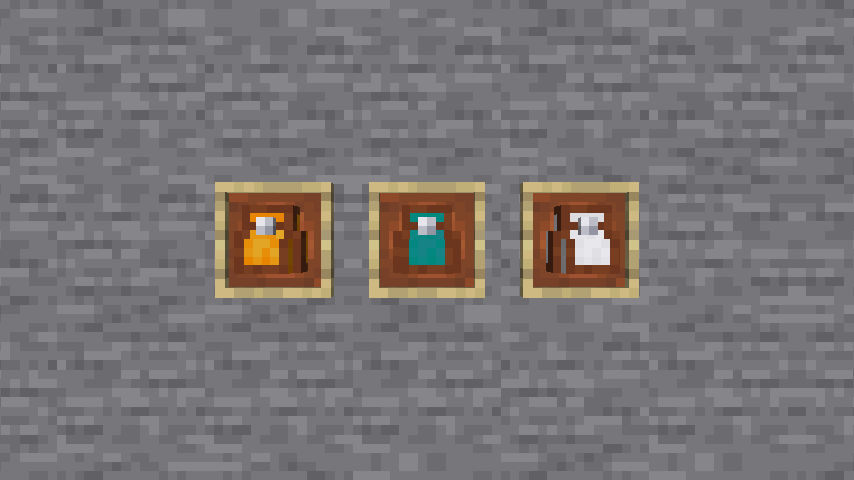


介绍

Hello! I’m Focal. I added Backpack in Minecraft.
About this pack
- Crafting
- First, You need craft a Advanced Crafting Table.
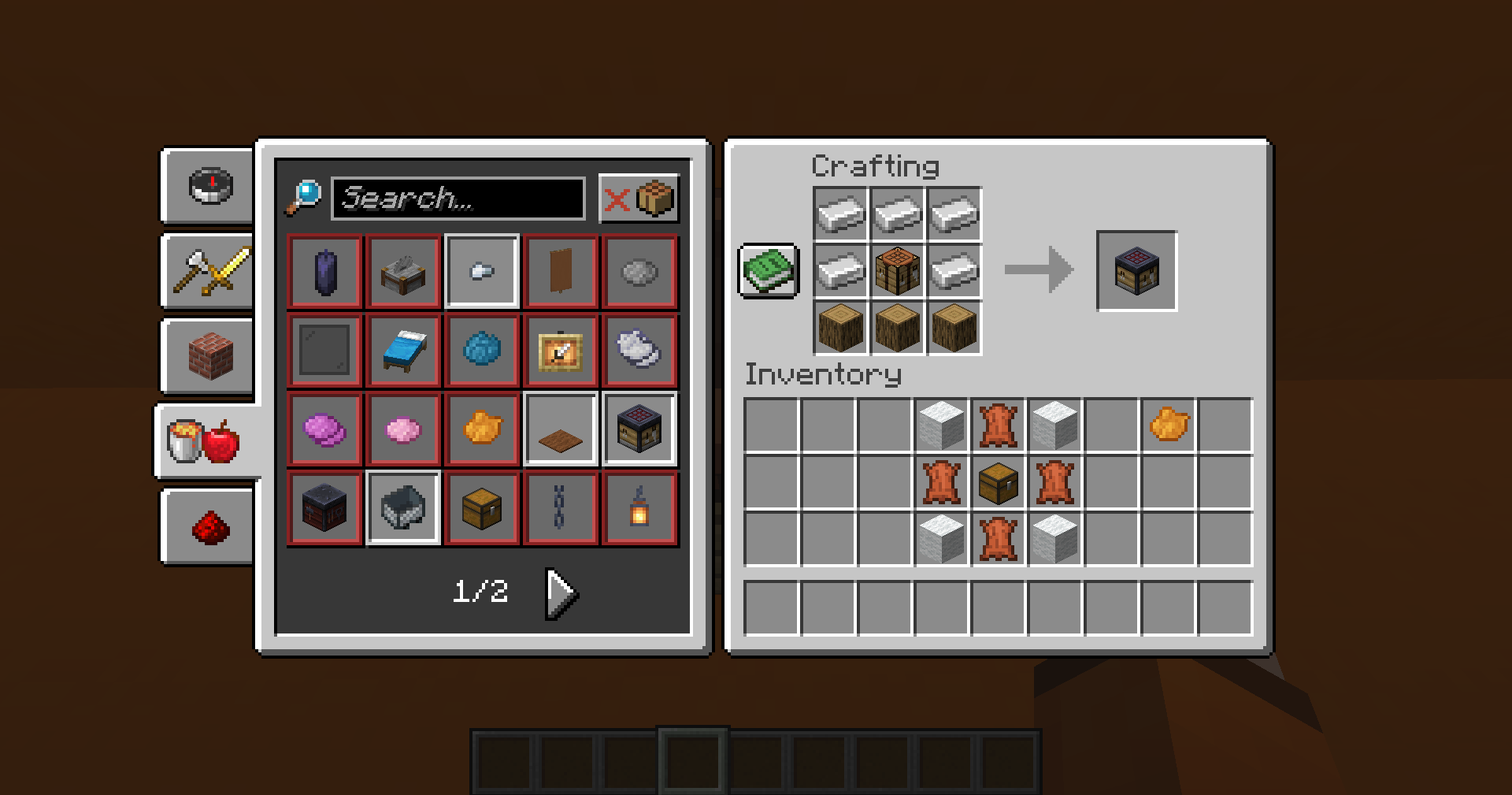
- Then watch recipes in the advancements pages.
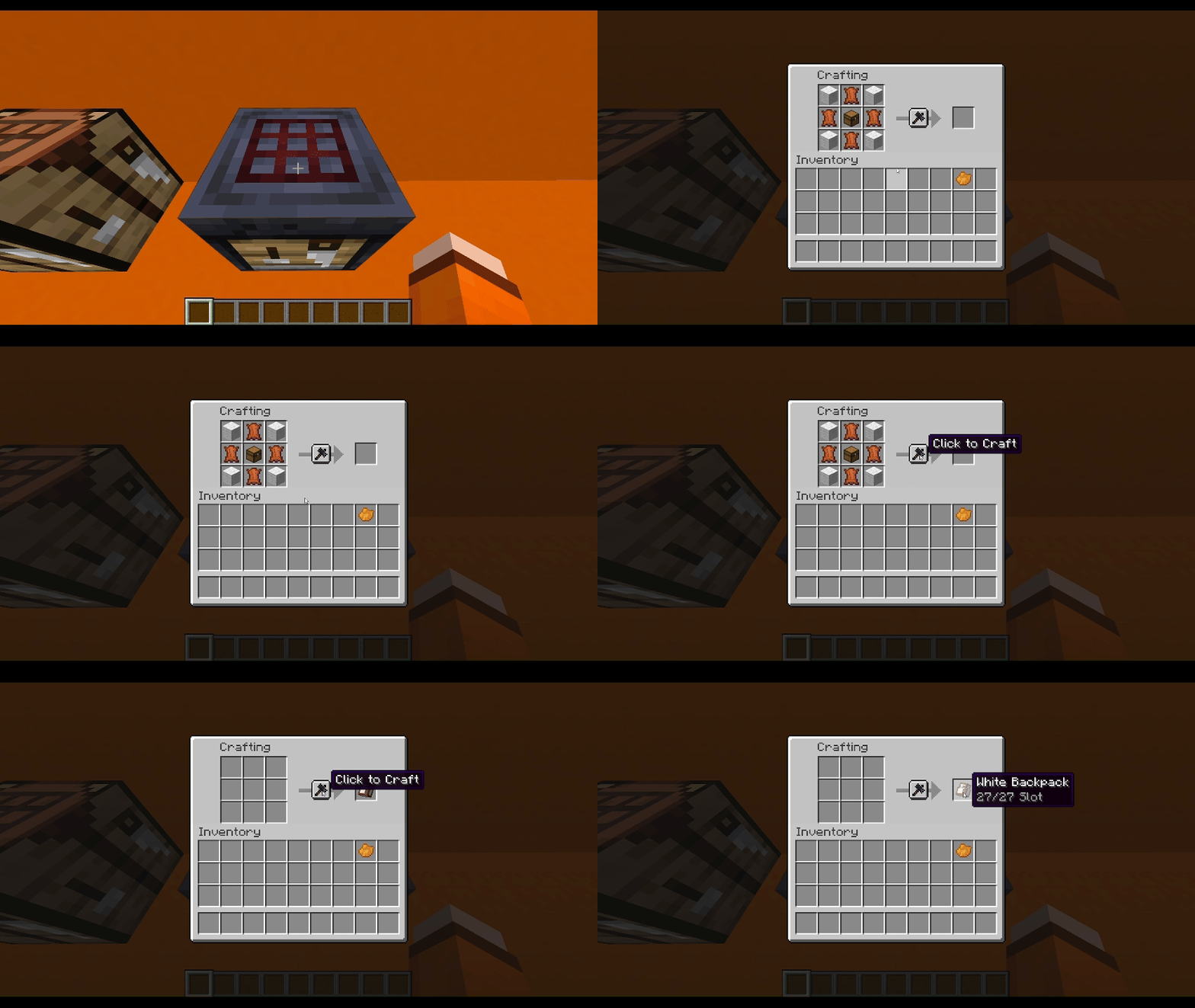
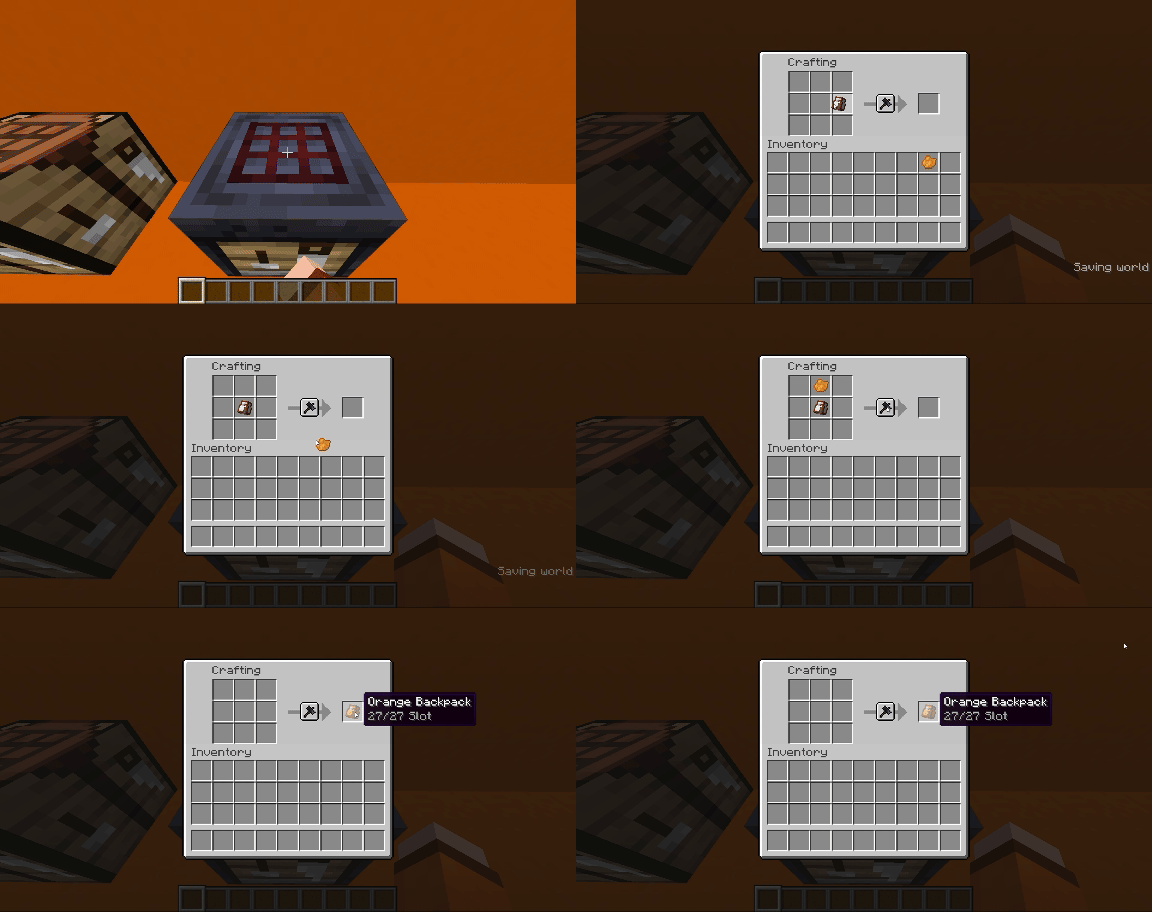
You will get recipes when you get chest
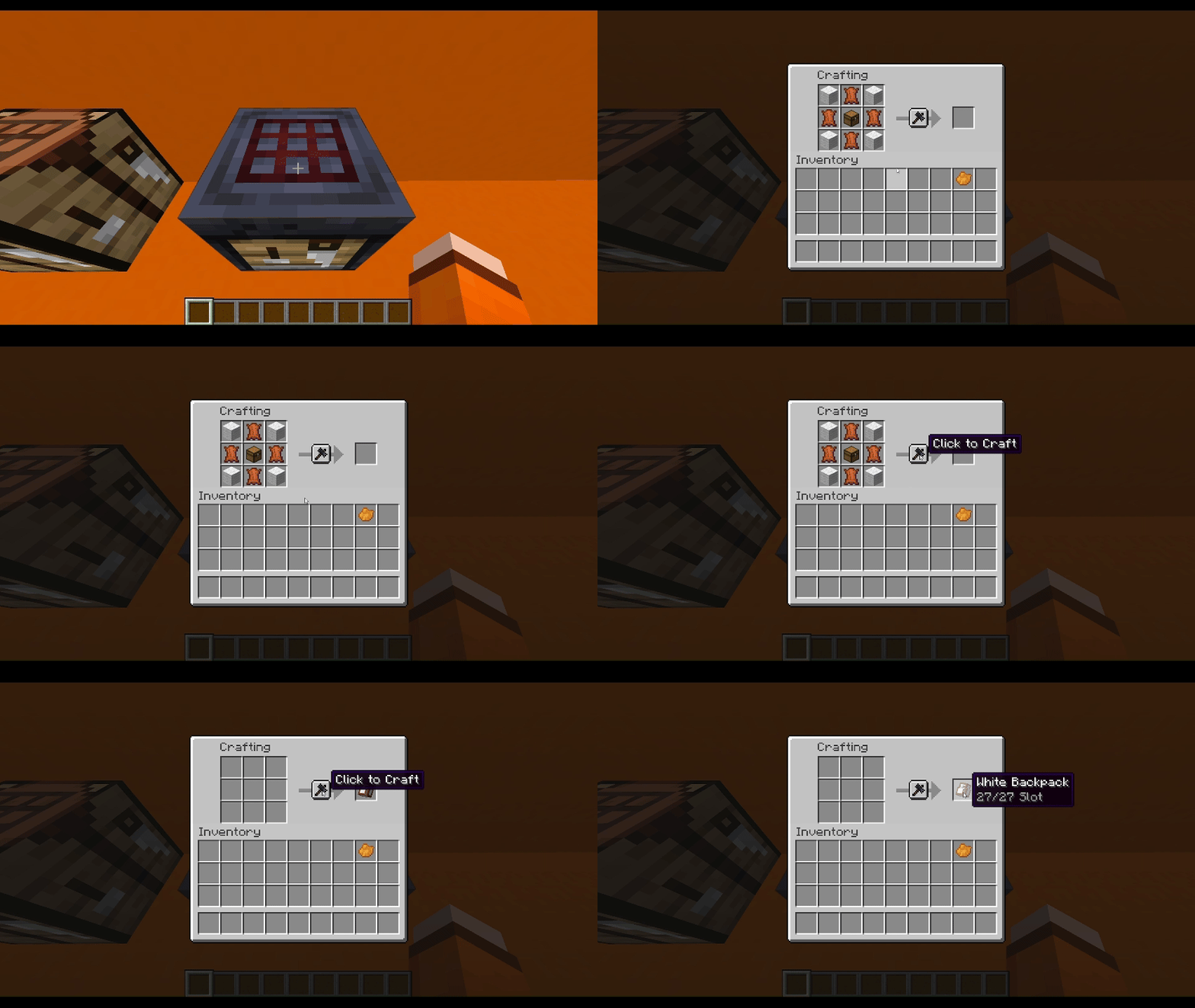
If you want dye your backpack, here is recipe
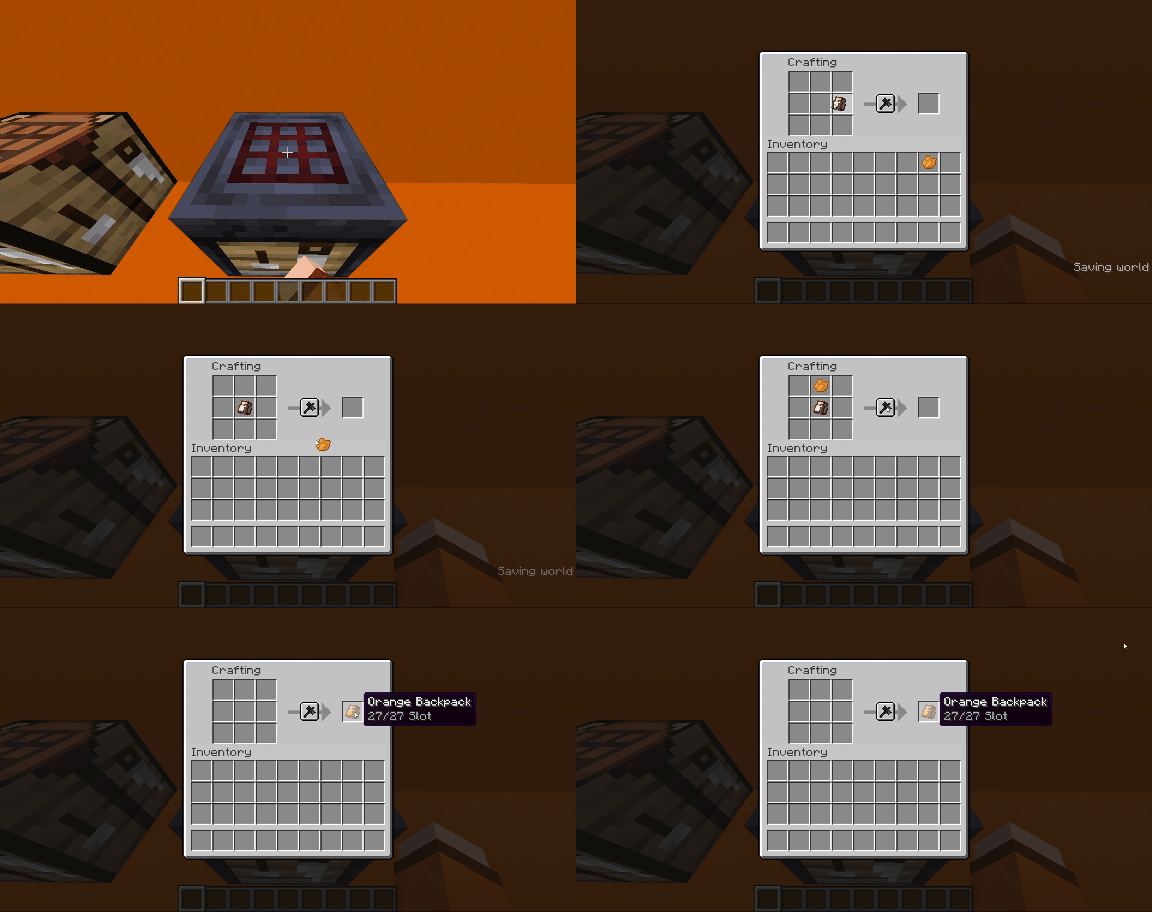
How to Use Backpack
When right click with the backpack in your main hand, it will toggle between your inventory and the backpack.
The backpack’s description will show the remaining space.
I know I’m making this too complicated, but you can download it and try it out for yourself.
If you want to see me create more content, supporting my work gives me the energy to make more stuff.


Any BUG or Suggest, welcome to my Discord Server to report.
Hope you like it, enjoy 😀
常见问题
Focal’s Backpack 支持哪些 Minecraft 版本?
Focal’s Backpack 支持 Minecraft Java 版 1.20.5–1.21,共 3 个版本,可用的加载器:Fabric / Forge / Quilt。下载时注意选择和你游戏版本一致的文件。
Focal’s Backpack 怎么安装?
先用 PCL2 或 HMCL 启动器安装对应版本的 Fabric / Forge / Quilt,再把下载的 .jar 文件放进游戏目录的 mods 文件夹,重新启动游戏即可。开启了版本隔离的,mods 文件夹在 versions/版本名 下面。运行环境:客户端 / 服务端。
Focal_Salt 的其他作品
查看全部 →
Wynncraft Tooltips
Added Wynncraft style tooltips using vanilla shader

Wynncraft Hud Font More Readable
Turn wynncraft font to more readable

Ame’s Stuff Datapack
Add the pistol and pocket watch in Minecraft

Wynncraft Legendary Tooltips
Added 9 custom tooltips using Legendary Tooltips
评论
登录后评论和评分