
Minescript HUD Addon
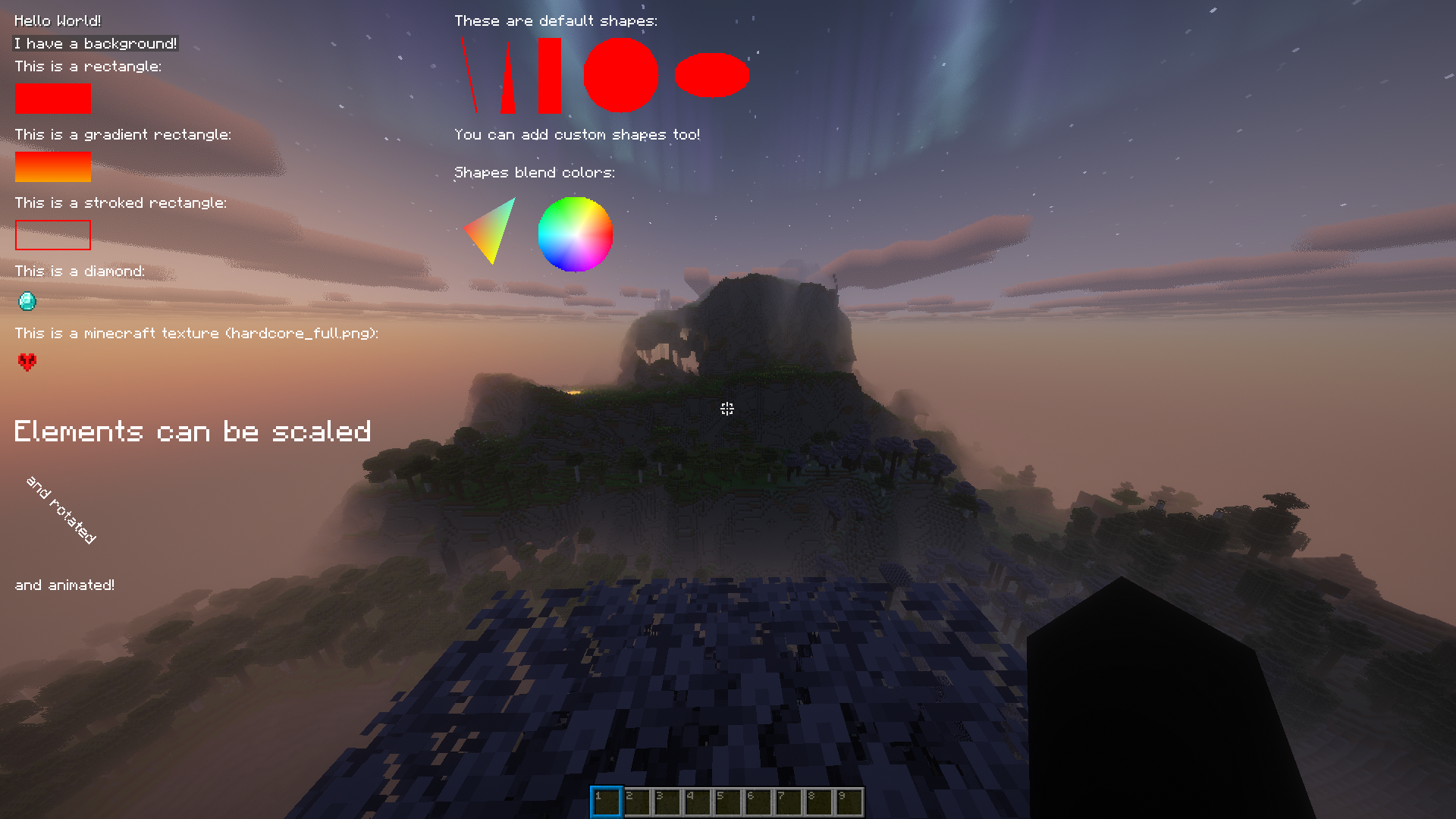
This mod adds the ability to draw custom HUD elements in Minescript.
截图
介绍
Minescript HUD Addon
This mod adds the ability to draw custom HUD elements in Minescript.
For rendering objects in the world, I will be making a seperate mod.
Documentation can be found in the wiki.
Bugs/Features
If you have any suggestions, or found any bugs, please fill out this google form.
currently working on adding in world drawing.
Features
- Draw text on the HUD
- Draw rectangles and gradient rectangles
- Render items
- Render textures
- Render custom shapes
- Animate all element properties
- Detect mouse hover and click events
- Control display duration and render layers
Installation
- Install Minescript.
- Place this addon in your
modsfolder. - Launch the game.
Example
from hud_renderer import *

add_text("Hello World",x=10,y=10,color=argb(255,255,255,255),shadow=True,display_duration=5)
Animations
All HUD elements can be animated using animation functions.
from hud_renderer import *

def move(text:TextObject):
    text.x+=1

_id=add_text("I can MOVE!",x=10,y=10,color=Colors.WHITE,shadow=True,display_duration=5)

animate_text(_id,move)
Mouse Events
All objects can detect mouse hover and click events.
from minescript import echo
from hud_renderer import *

def hover(text:TextObject,mouse:MouseObject,exited:bool):
    if (exited):
        text.color=Colors.WHITE
    else:
        text.color=Colors.GREEN

def click(text:TextObject,mouse:MouseObject):
    echo("Clicked!")

_id=add_text("Click me!",x=10,y=10,color=Colors.WHITE,shadow=True,display_duration=10)

add_mouse_callbacks_and_wait(_id,on_hover=hover,on_click=click)
Layer System
Elements are rendered in layers.
Elements with higher layer values render above elements with lower layers.
API Overview
A more detailed API can be found on the wiki.
Text
add_text(...)add_text_with_background(...)add_advanced_text(...)add_advanced_text_with_background(...)animate_text(...)animate_text_with_background(...)
Rectangles
add_rectangle(...)add_rectangle_from_corners(...)add_gradient_rectangle(...)add_stroked_rectangle(...)animate_rectangle(...)
Items
add_item(...)add_advanced_item(...)animate_item(...)
Textures
Note: Custom textures must be added by a resource pack in the
assets/minescripthud/textures/gui/sprites/folder.
add_texture(...)add_advanced_texture(...)animate_texture(...)
Shapes
add_shape(...)add_advanced_shape(...)animate_shape(...)add_line(...)add_multiline(...)add_triangle(...)add_quad(...)add_circle(...)add_ellipse(...)
Anti-Aliased Shapes (with smooth edges)
add_anti_aliased_shape(...)add_advanced_anti_aliased_shape(...)animate_anti_aliased_shape(...)add_line_with_thickness(...)add_anti_aliased_quad(...)add_anti_aliased_rectangle(...)add_anti_aliased_rectangle_with_round_corners(...)get_points_for_circle(...)add_anti_aliased_circle(...)get_points_for_ellipse(...)add_anti_aliased_ellipse(...)
Utility functions
argb(...)argb_to_int(...)alpha_from_int(...)add_async_mouse_callbacks(...)add_mouse_callbacks_and_wait(...)wait_until_removed(...)remove_element(...)clear()suppress_done_message()
常见问题
Minescript HUD Addon 支持哪些 Minecraft 版本?
Minescript HUD Addon 支持 Minecraft Java 版 1.21.6–26.1.2,共 8 个版本,可用的加载器:Fabric。下载时注意选择和你游戏版本一致的文件。
Minescript HUD Addon 怎么安装?
先用 PCL2 或 HMCL 启动器安装对应版本的 Fabric,再把下载的 .jar 文件放进游戏目录的 mods 文件夹,重新启动游戏即可。开启了版本隔离的,mods 文件夹在 versions/版本名 下面。运行环境:仅客户端。
评论
登录后评论和评分