
截图

介绍
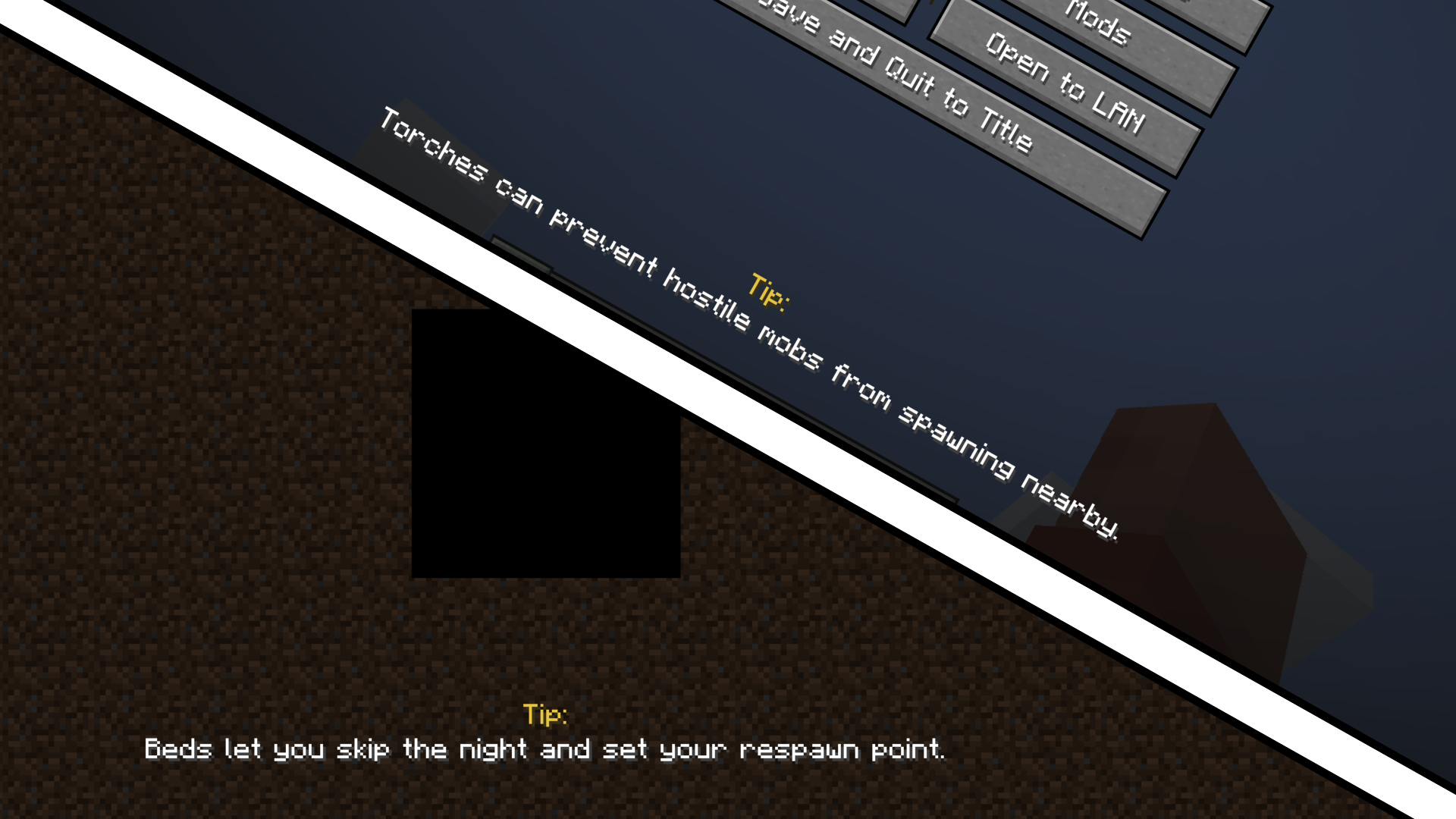
Cozy Tips is a lightweight client-side mod that adds fully customizable tips and messages to your game.
Display your own fun facts, helpful hints, or modpack-specific information during loading screens or in the pause menu.

All tips are stored locally in a config file, making it easy for modpack creators to customize messages, hints, or fun facts.

How to configure:
- Open the config folder and find cozytips.json file
- You can change:
- enabled: says for itself, you can disable the tips if you want
- cycleTimeMs: how often the tip changes
- title: the title of your tip
- titleColor: the color of your tip title
- textColor: the color of your tip text
- yOffset: how low/high should the tip be placed on screen
- tips: add your own tips, you can add as much as you want!
Features:
- Fully customizable tips via a config file
- Supports long and detailed messages
- Tips can appear during loading screens or in the pause menu
- Client-side only
- Available for Fabric 1.20 and above, however I do plan to port it to Forge and NeoForge in the future!
The goal of this mod is to add a simple way to add some custom tips to your modpack with a simple config file rather than using some external source like github or your own custom mod / resource pack.
Whether you want gameplay hints, lore, or some fun facts, Cozy Tips makes it easy to add personality to your loading screens.
常见问题
Cozy Tips 支持哪些 Minecraft 版本?
Cozy Tips 支持 Minecraft Java 版 1.20–26.3,共 24 个版本,可用的加载器:Fabric。下载时注意选择和你游戏版本一致的文件。
Cozy Tips 怎么安装?
先用 PCL2 或 HMCL 启动器安装对应版本的 Fabric,再把下载的 .jar 文件放进游戏目录的 mods 文件夹,重新启动游戏即可。开启了版本隔离的,mods 文件夹在 versions/版本名 下面。运行环境:仅客户端。
JustErikSK 的其他作品
查看全部 →
Cave Horror Project 1 – Best Horror Modpack with Quests!
Forge 1.20.1|第 6 章现已推出!|最佳恐怖任务整合包!立即游玩!

Creepy Decorations
Add a chilling atmosphere to your world with a mod designed to bring horror-themed decorative blocks to Minecraft!

CHP: Core
A simple core mod for Cave Horror Project.

CHP: Core
A simple core mod for Cave Horror Project.
评论
登录后评论和评分