
Simple FPS Overlay
Clean FPS overlay, drag it anywhere, tweak it your way ~no clutter, just vibes.
截图
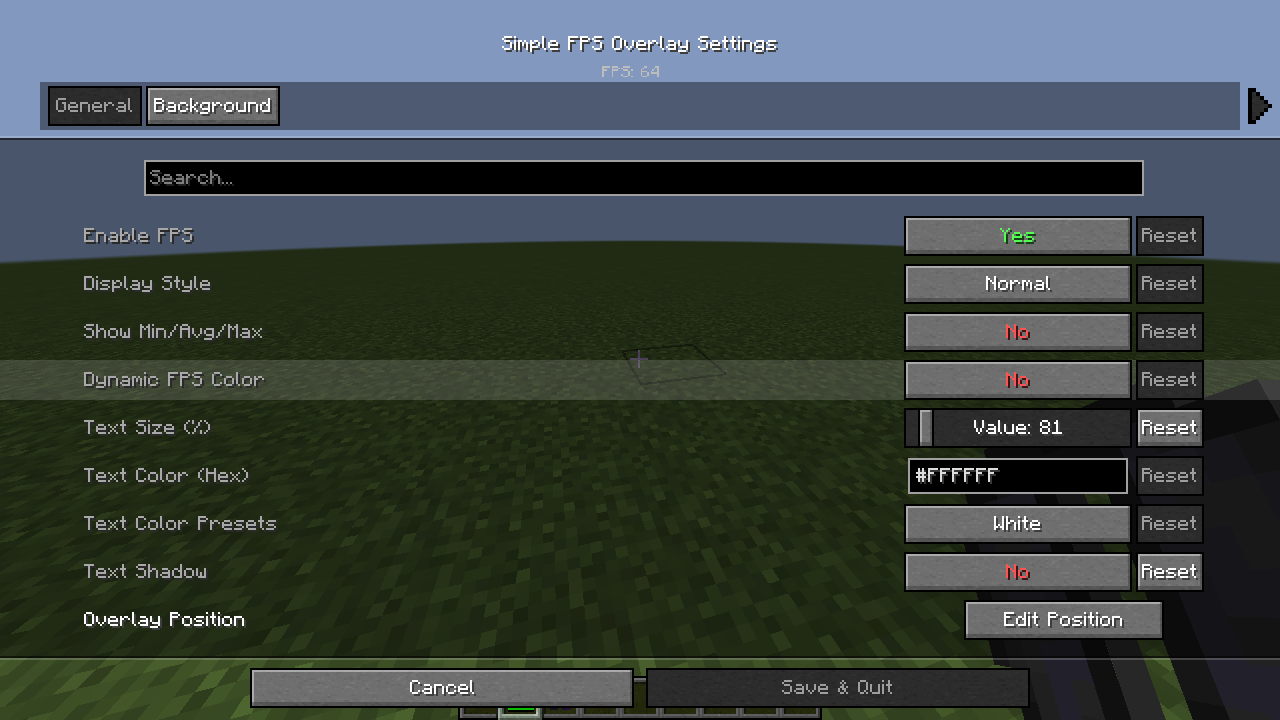
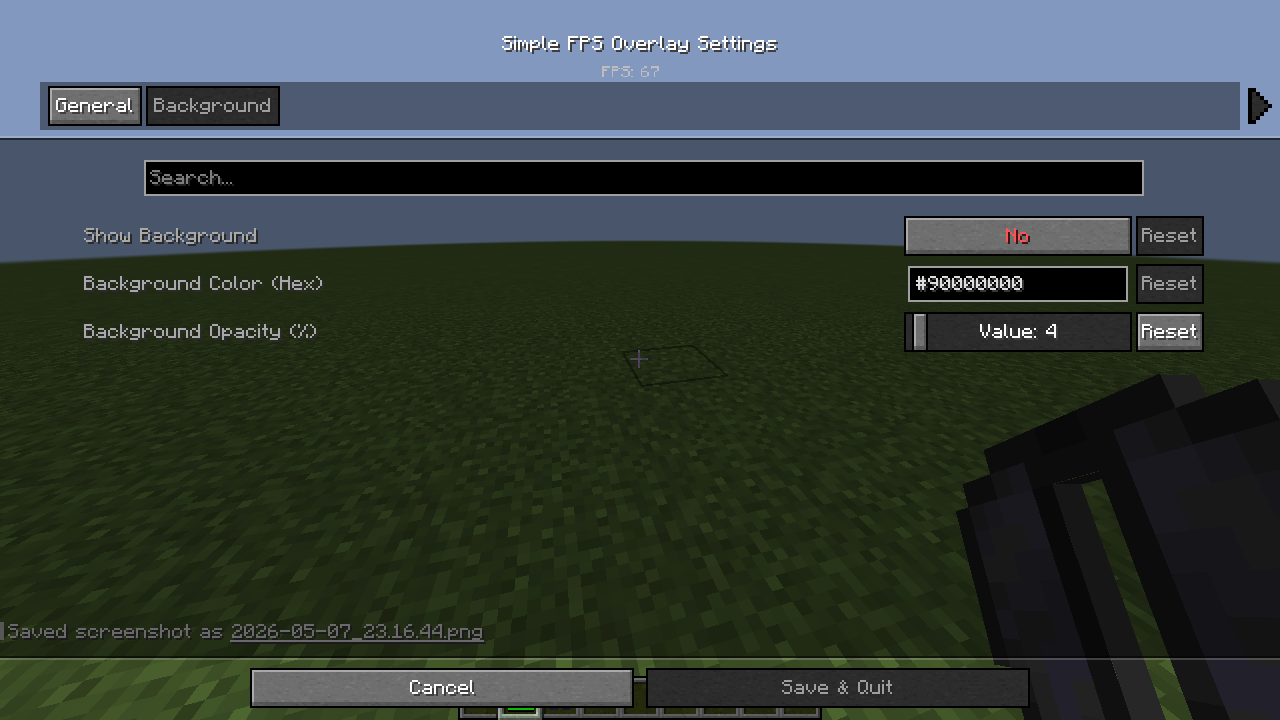
介绍
✨ Simple FPS Overlay ✨
Minimalist • Customizable • Lightweight
A clean and elegant FPS display mod for Minecraft 1.21 (Fabric). Designed for players who want to keep track of their performance without cluttering their screen.
🚀 Key Features
🖱️ Interactive Position Editor
Forget manual coordinates. Press ‘U’, click Edit Position, and simply drag and drop the overlay anywhere on your screen. It features smart-snapping to corners for a perfect fit!
🎨 Total Visual Control
- Dual Color System: Choose from high-visibility Presets (Red, Green, Blue, etc.) or type any Hex Code for infinite color possibilities.
- Dynamic FPS Color: Let the mod speak to you. Text color shifts automatically from Green (60+) to Yellow (30+) to Red (<30) based on your performance.
- Background Styling: Toggle a sleek background box with a dedicated Opacity Slider (0-100%) to match your HUD’s aesthetic.
📐 Flexible Layouts
- Display Styles: Switch between a clean Normal look or a professional Brackets style
[ FPS: 144 ]. - Text Scaling: A smooth slider allows you to scale the text from 50% to 500% of its original size.
- Advanced Stats: Optional toggle to show your Min/Avg/Max FPS alongside the current counter.
🎮 Controls
| Keybind | Action |
| :— | :— |
| U | Open Settings Menu |
| Mouse Drag | Move Overlay (in Editor Mode) |
| ESC | Save & Close |
🛠️ Technical Details
- Platform: Fabric
- Minecraft Version: 1.21
- Requirements:
- Fabric API
- Cloth Config API
- Java Version: 21
Crafted with ❤️ for a cleaner Minecraft experience.
常见问题
Simple FPS Overlay 支持哪些 Minecraft 版本?
Simple FPS Overlay 支持 Minecraft Java 版 1.21–1.21.11,共 12 个版本,可用的加载器:Fabric。下载时注意选择和你游戏版本一致的文件。
Simple FPS Overlay 怎么安装?
先用 PCL2 或 HMCL 启动器安装对应版本的 Fabric,再把下载的 .jar 文件放进游戏目录的 mods 文件夹,重新启动游戏即可。开启了版本隔离的,mods 文件夹在 versions/版本名 下面。运行环境:仅客户端。
MineBoost 的其他作品
查看全部 →
Armor Status
Displays your armor durability and status in real time with a clean, lightweight HUD.

Clean Hitbox
A lightweight Fabric client mod that enhances Minecraft’s F3+B hitboxes with clear visuals, customizable colors, and target highlighting for better combat visibility.

PingHUD
Displays your current server ping on-screen with customizable position and style.
Simple FPS Overlay
Clean FPS overlay, drag it anywhere, tweak it your way ~no clutter, just vibes.
评论
登录后评论和评分